
Participant
November 29, 2018
Answered

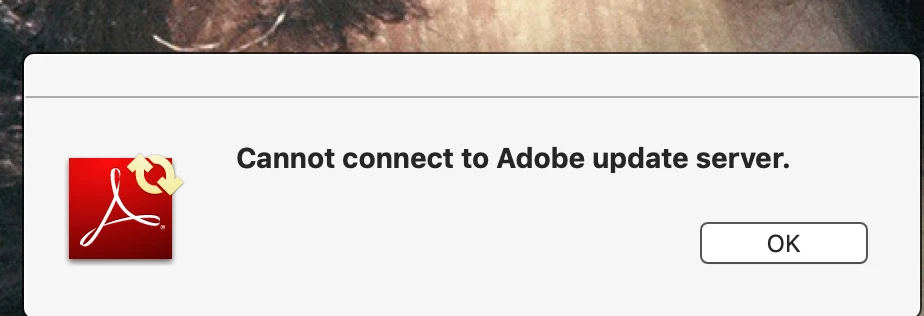
"Cannot connect to Adobe Update Server"

  • November 29, 2018
  • 3 replies
  • 6738 views

On an Apple iMac running macOS Mojave v14, I frequently receive this notice: "Cannot connect to Adobe updater server." Does Adobe plan to structure its software so as to permit Apple computers to again access the Adobe update server?
    This topic has been closed for replies.
    Correct answer Test Screen Name

    11.0.23 is the final version of Adobe Reader XI. Adobe have no plans to do anything with it, ever, since it is long ago replaced by another product and is now out of support. So, if you decide you want to stick with this ancient software (which is fine), no need to worry about updates, there won't be any. If you want the current product Acrobat Reader DC (which looks pretty different, be warned), go to http://get.adobe.com/reader .

    3 replies

    Trenner
    Participant
    November 2, 2019

    I have newer software and I don't need to connect to the Adobe Update Server. I just want the message to stop appearing on my screen every time I turn on my computer. How do I make it go away?

    Legend
    November 2, 2019

    What exactly is your newer software, including full version number?

    Trenner
    Participant
    November 2, 2019

    Adobe Photoshop Elements 2019

    17.0 (2019022.m.128867)x64

    (If that's the version number. I'm not sure. It's what comes up when I click on About Photoshop Elements)

    Test Screen NameCorrect answer
    Legend
    November 29, 2018

    11.0.23 is the final version of Adobe Reader XI. Adobe have no plans to do anything with it, ever, since it is long ago replaced by another product and is now out of support. So, if you decide you want to stick with this ancient software (which is fine), no need to worry about updates, there won't be any. If you want the current product Acrobat Reader DC (which looks pretty different, be warned), go to http://get.adobe.com/reader .

    tldsrAuthor
    Participant
    November 29, 2018

    Thank you so much for enlightening me. I have now downloaded the up to date software and replaced the ancient software.

    Thanks again.

    Legend
    November 29, 2018

    Exactly what version of Photoshop do you run today? This doesn't look like a message from the current version of Photoshop.

    Legend
    November 29, 2018

    Hmm, I see we are in the Acrobat Reader forum not the Photoshop forum. I clearly wasn't paying attention. So, anyway, I'll ask instead: exactly what version of Acrobat Reader do you have today?

    tldsrAuthor
    Participant
    November 29, 2018

    I have version 11.0.23 of Acrobat Reader.

    Ted L. Daniel

    [personal information removed for your protection - https://forums.adobe.com/docs/DOC-3731]

    [This is a public forum, not Adobe support, please do not post personal information]

    [If you are posting using email, please turn your 'sig file' function OFF for posting]