

Question
Issue with the auto-complete list's appearance in expression editing (Post-Big Sur Update)
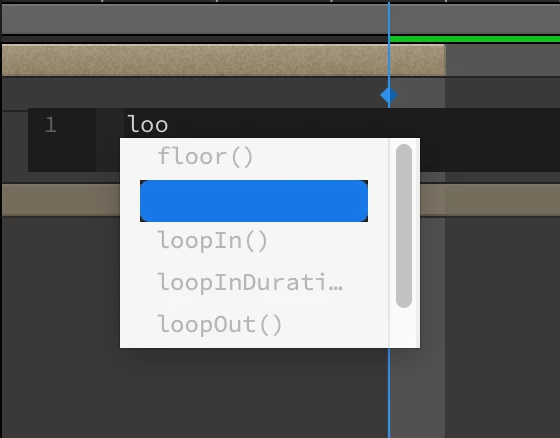
After updating to Big Sur, I went to resume my animation work, and realized that the auto-complete drop down menu in the expression editor is styled incorrectly with these new settings. The options are all greyed out, and the selected option isn't visible. Fairly early, so I don't expect a solution right away, but just wanted to make you all aware!
 AdChoices