codyricheson
Participant
August 4, 2017
Answered

Why is stroke missing from Character window?

  • August 4, 2017
  • 1 reply
  • 5758 views

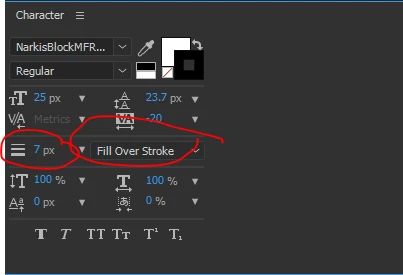
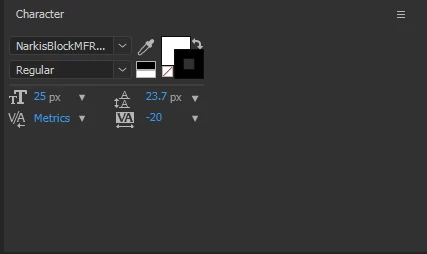
When I go to add a stroke to text, the Character window has the option to pick a stroke color, but no option to change stroke width. Additionally, switching to "all fills over strokes" versus "all strokes over fills" is an option only available in the drop-down menu for the text layer. Any tutorial I look up implies that I should be seeing stroke info in the Character window. Why isn't it showing up for me? I'm using Adobe CC.
This topic has been closed for replies.
Correct answer Roei Tzoref

you probably got your character panel only half open, make sure you see it in full.

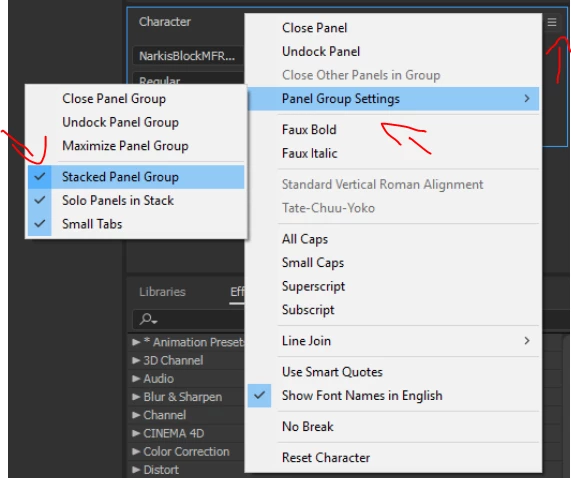
I can only guess you are in stacked panel view mode where I believe this should be considered a UI bug

where you can suddenly see something like this:

then you are left with the option to hover blindly to find the two sided arrow cursor to stretch your panel, or simply choose the standard workspace under window->workspace that defaults to unstacked panel groups. another option is to click the panel options (hamburger menu) and uncheck stacked panels.

1 reply

Roei Tzoref
Roei TzorefCorrect answer
Legend
August 4, 2017

you probably got your character panel only half open, make sure you see it in full.

I can only guess you are in stacked panel view mode where I believe this should be considered a UI bug

where you can suddenly see something like this:

then you are left with the option to hover blindly to find the two sided arrow cursor to stretch your panel, or simply choose the standard workspace under window->workspace that defaults to unstacked panel groups. another option is to click the panel options (hamburger menu) and uncheck stacked panels.