Inspiring
March 2, 2017
Answered

Library reports 4 instances, find & replace finds none. Symbol search useless.

  • March 2, 2017
  • 2 replies
  • 978 views

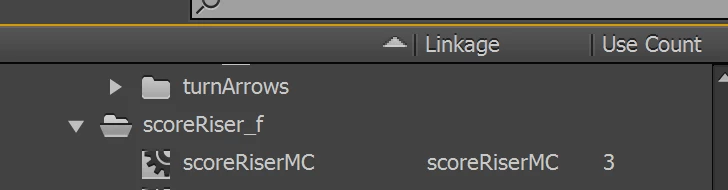
ActionScript Project. I have a symbol in library reported to be used 3 times.

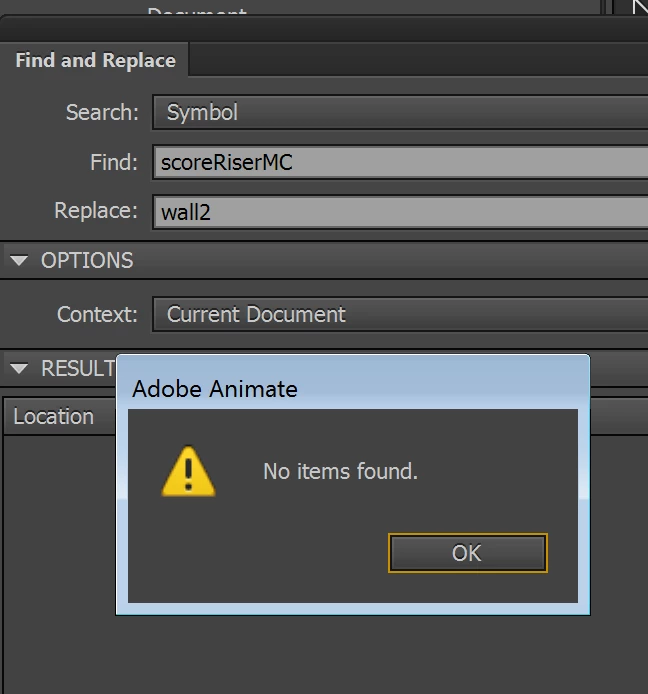
I open search and replace, search for symbol, select the same symbol (reported as 3 instances in library) name from the drop-down menu.

Results: no items found. As you can see from screenshots.

This is consistent. Is there a way to make the search symbol functionality useful?
This topic has been closed for replies.
Correct answer Colin Holgate

Thank you Colin I had already filed a feature request right away. Shouldn't be too hard for Adobe.

But what you are saying is: if I drag a symbol on stage and then search for it, search window will report all occurrences of that symbol even if nested in other symbols which are not on stage?


No, not the symbol you're interested in, the symbols that might possibly contain that symbol.

In the library do a Select Unused Items. Drag any of those that are containers onto the stage (it wouldn't do any harm if you also dragged bitmaps). Also, any symbols that have a linked name and a usage count of zero would want to come onto the stage. If you do that in a blank frame it will make it easier to delete them afterwards.

Once they are there, the find & replace should give you a list of everywhere the symbol you want is used.

2 replies

PippoAppsAuthor
Inspiring
March 2, 2017

Correct answer: search only finds symbols on stage.

Verdict: feature is useless.

Workaround: save as XFL, and do a full search on XML text to figure out where instances are nested.

Legend
March 2, 2017

Correction: Feature is useless for you. I've found it quite useful over the years. I'm sure many others have as well.

PippoAppsAuthor
Inspiring
March 2, 2017

Agree thank you for pointing this.

Colin Holgate
Inspiring
March 2, 2017

Find Replace only finds things that are on the stage at some point. Usage includes ones where it's used in something else, even if that other thing is not used.

If the goal is to delete anything that is not used at all you can use the Select Unused Items option in the Library menu. If you want to swap those symbols for other ones, an easy way would be to take anything that says it's not in use in the library, and drag them onto the stage. Then Find Replace should find them.

PippoAppsAuthor
Inspiring
March 2, 2017

Thank you Colin. I work in uber-large gaming projects, and this "search" feature that only searches stuff on stage is less than useless. Especially when you share code with other people, you may have to find instances even deeply nested in symbols.

If library knows how many instances of a symbol are used, Animate probably can effortlessly trace them down in tree symbol structure, but like this, it's a toy sincerely.

I am working on source files not built by me, with a lot of complex library symbols and millions of lines of code, and it's sincerely disappointing to have to manually dig down all symbols in order to find instances...

I'd rather save as xfl, and do a whole text search in XML structure.

Colin Holgate
Inspiring
March 2, 2017

It doesn't take long to drag from the library and then delete the items when you're done with your searching.

Are you trying to delete unused symbols? If you are you can use the library feature I mentioned.

If you're trying to change how a symbol looks, can't you edit the symbol in the library? Then it would look different everywhere.

But, your basic point is valid, I have asked for that ability before. If you want to make sure Adobe know that people want to search for library only items you could add another feature request:

Feature Request/Bug Report Form