Known Participant
March 14, 2013
Answered

Why Won't Flash Read My AS?

  • March 14, 2013
  • 3 replies
  • 3708 views

Alright well I've been trying for days now to put a preloader in my code.  Right now, this is what I am trying:

This is the preloader template that adobe gives you.  I have it in frame one on three layers.

stop();

import flash.events.ProgressEvent;

import flash.events.Event;

this.loaderInfo.addEventListener(ProgressEvent.PROGRESS, onLoading);

this.loaderInfo.addEventListener(Event.COMPLETE, onComplete);

function onLoading(evt:ProgressEvent):void {

          var loaded:Number = evt.bytesLoaded / evt.bytesTotal;

          percent_txt.text = (loaded*100).toFixed(0) + "%";

};

function onComplete(event:Event):void {

          this.loaderInfo.removeEventListener(ProgressEvent.PROGRESS, onLoading);

          this.loaderInfo.removeEventListener(Event.COMPLETE, onComplete);

          gotoAndStop(2);

};

This is my Main class:

//Contructor method in which I can initiate the menu

                    public function Main()

                    {

menuLoop();

                              trace("why hello there!");

                    }

                    /*Here I can add buttons.  The Play button will pull

                    the script out of the menu loop and into the game loop*/

                    public function menuLoop()

                    {


trace("And how are you today?")

                              menu.x = 200;

                              menu.y = 240;

                              stage.addChild(menu);


                              playBttn.x = 175;

                              playBttn.y = 300;

                              stage.addChild(playBttn);


                              playBttn.addEventListener(MouseEvent.CLICK, initGame)

                    }

unfortunately, none of my children actually get added to the screen even though the output displays  the friendly conversation I traced.

I have my "Export on frame:" at 2.  I have "Default Linkage" set to "merged into code."

I added a second AS frame to the timeline and added "stop();" to the actions.  All that did was leave me with a blank screen.

I am so desperate to make this work!  Any advice is appreciated     

This topic has been closed for replies.
Correct answer Amy Blankenship

Thank you very much kglad, that code makes a lot of sense to me and is straightforward.  However, it still isn't working.

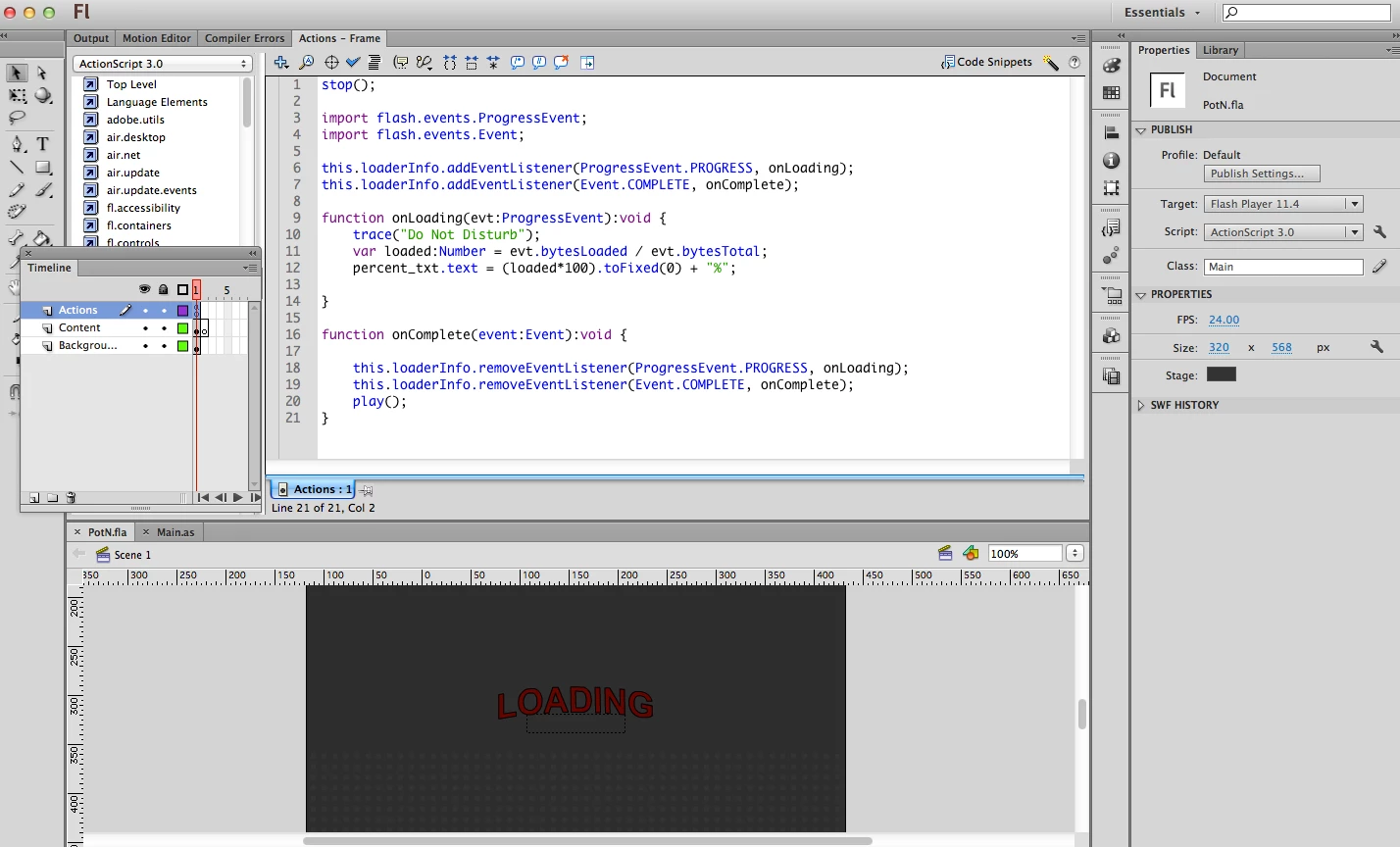
Here is the Action Script, stage, and timeline for PotN.fla

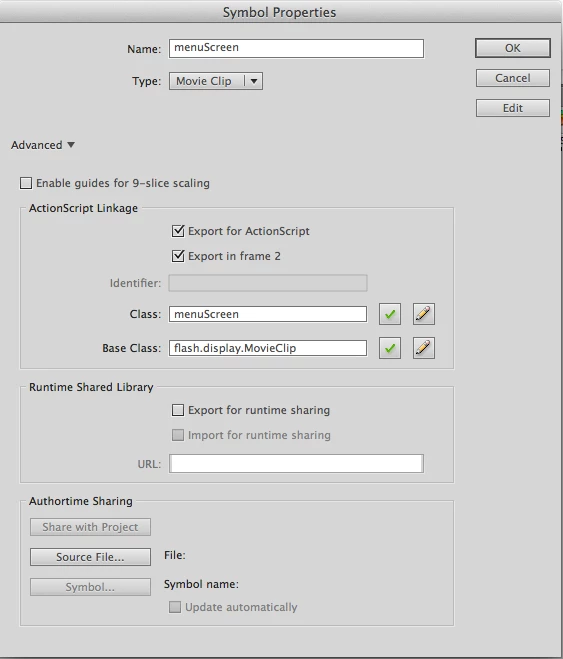
Here is the menuScreen properties which are identical to the play_Button properties:

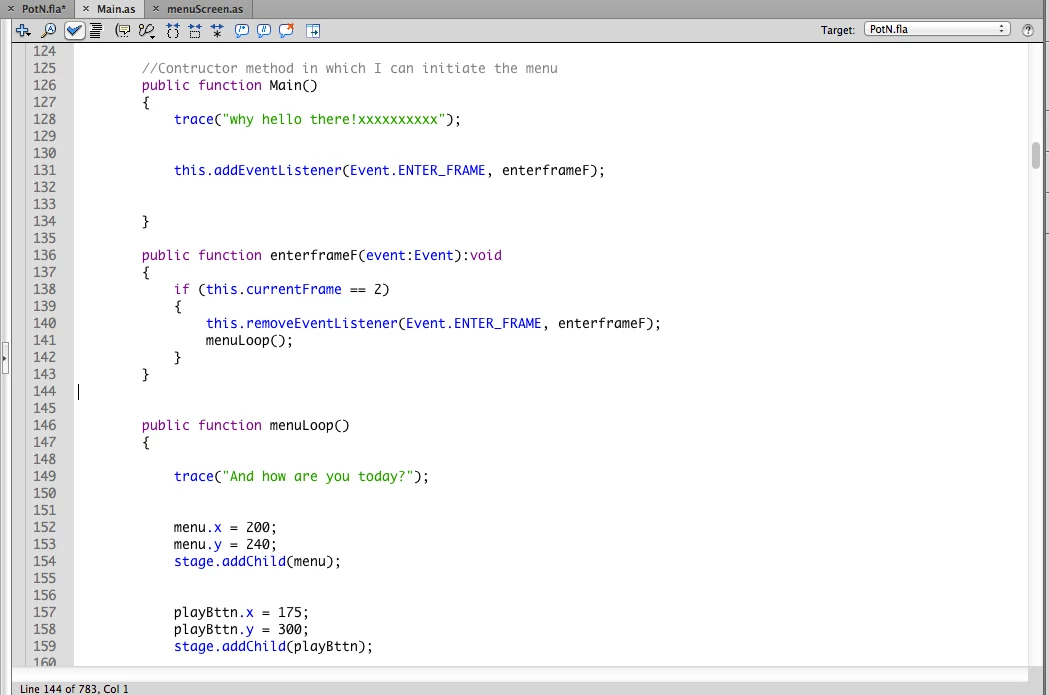
Here is the new code of Main.as, my Document Class:

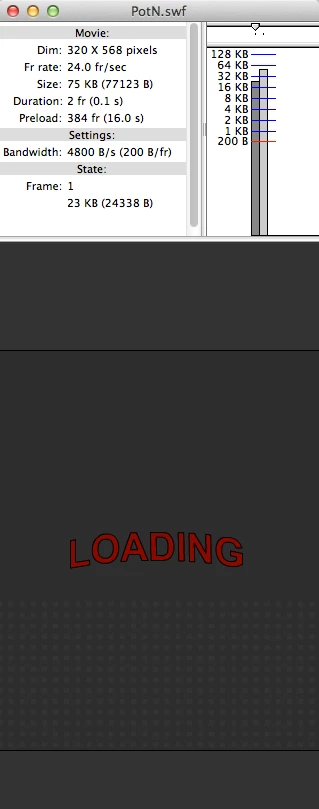
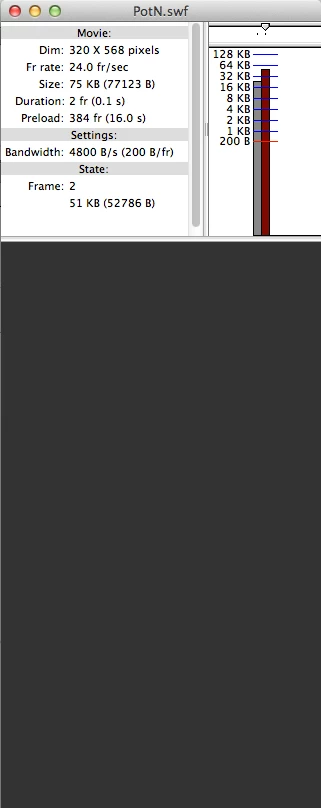
Here is what I believe is a size report, showing what's happening on frame 1 and 2 respectively:

I tried several variations in the frame-action script as far as progressing the timeline.  I tried gotoAndPlay(2), gotoAndStop(2), and simply play();

I also wanted to say thank you again for your help so far.  As frustrating as this is, it's much easier to go through it with help.

At this point I am wondering if I messed up something so fundemental it would just be easier to start fresh, as daunting as that seems.


So, when you define playBtn=new play_button;

This has to run before the constructor. As do all your other statements where you're defining new someLibraryObject(). Therefore, by the time the code even gets to your preloader, you have one of two situations (I'm not sure which, because I code on the timeline, in large part to amortize compilation of the library symbols throughout the swf, reducing the need to even have a preloader):

  1. Your Main Class can't create the assets at the time you tell it to, because they're not compiled in yet. or
  2. They get compiled in because you're referencing them in Frame 1, but because you've forced so much stuff to have to be loaded prior to frame 1, by the time you even see the loader screen, the movie is already loaded.

MPO is that it is probably #1 based on the symptoms you report.

So let's try this:

  1. Delete "Main" out of the Document Class field.
  2. Create a new MC in your library and set Main as its Base Class.
  3. Place an instance of it in Frame 2.
  4. You can continue with the overly complicated logic you already have, or you could go with the simple/elegant solution of just allowing the playhead to stop at the compiler frame and play into Frame 2, where you can put a stop() frame script.
  5. Go back to calling your mainLoop() directly from the constructor of Main.

Notes:

  1. The dominant convention in AS is to use camel case with the first letter capitalized. This applies just as much to library symbols.
  2. To generate a size report, click the "Generate size report" box in publish settings. It will make a text file next to the swf.

3 replies

Inspiring
March 15, 2013

Why do you must have the Preloader inside your Main document?

Make a seperate Preloader (_preloader.fla/xfl ->Preloader.swf);

var l:Loader = new Loader();

l.contentLoaderInfo.addEventListener(ProgressEvent.PROGRESS, loop);

l.contentLoaderInfo.addEventListener(Event.COMPLETE, done);

l.load(new URLRequest("Main.swf"));

function loop(e:ProgressEvent):void

{

    var kBytesLoaded:int = Math.round(e.bytesLoaded/1024);

    var kBytesTotal:int = Math.round(e.bytesTotal/1024);

    var perc:Number = kBytesLoaded / kBytesTotal;

    trace("PERCENT:"+perc);

}

function done(e:Event):void

{

    addChild(l);

}

then you don´t have to worry in your Main.as about how to make it work with the Preloader.

and in your Main.as write a constructor that waits until Main.swf is added to the DisplayList:

public function Main(){

            if (stage == null)   

            {   

                addEventListener(Event.ADDED_TO_STAGE, init);

            }   

            else   

            {   

                int();

            }   

}

private function init(e:Event = null):void

    {

          //do all the adding here

          addChild(playBttn);

          addChild(menu);

    }

rt_wiseAuthor
Known Participant
March 15, 2013

I appreciate the template and advice, and it may become very helpful to me in the future.  For now though, I would really like to upload my file to certain sites that only allow one .swf to upload, so I don't think I could use this.

Thank you very much for your help!

Inspiring
March 15, 2013

Don't add any children to stage. Add them to document class display list.

rt_wiseAuthor
Known Participant
March 15, 2013

By that do you mean addChild(Object) instead of stage.addChild(Object)?

I changed them to the former.  I only added them to the stage actually to see if that would make a difference.  It did not haha

Thank you!

kglad
Community Expert
Community Expert
March 14, 2013

is Main your document class?

what text/trace statements do you see?

rt_wiseAuthor
Known Participant
March 15, 2013

yes Main is my document class, and I see

"and how are you today?"

and then

"why hello there!"

Which seems very strange too

kglad
Community Expert
Community Expert
March 15, 2013

if menu and playBttn are not on the first frame you should be seeing errors or you're not displaying enough code to determine the problem.