Participant
September 22, 2020
Answered

Adobe Illustrator Script for Annotations

  • September 22, 2020
  • 1 reply
  • 1778 views

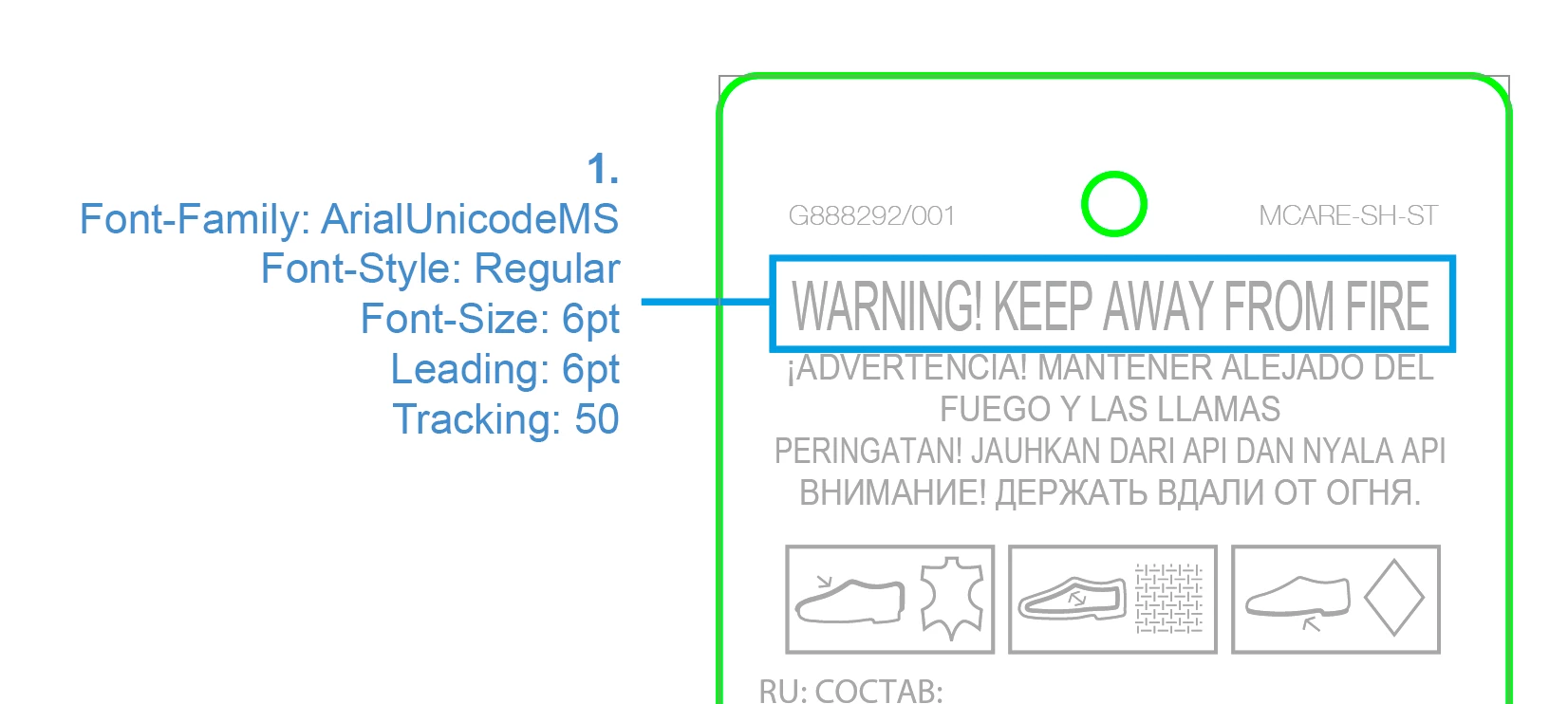
Does anyone know if there is a Adobe Illustrator script capable of creating an annotation like this?


More specifically, drawing a stroked box around the text and showing the formatting info to the side?

Thanks

Simon


This topic has been closed for replies.
Correct answer femkeblanco

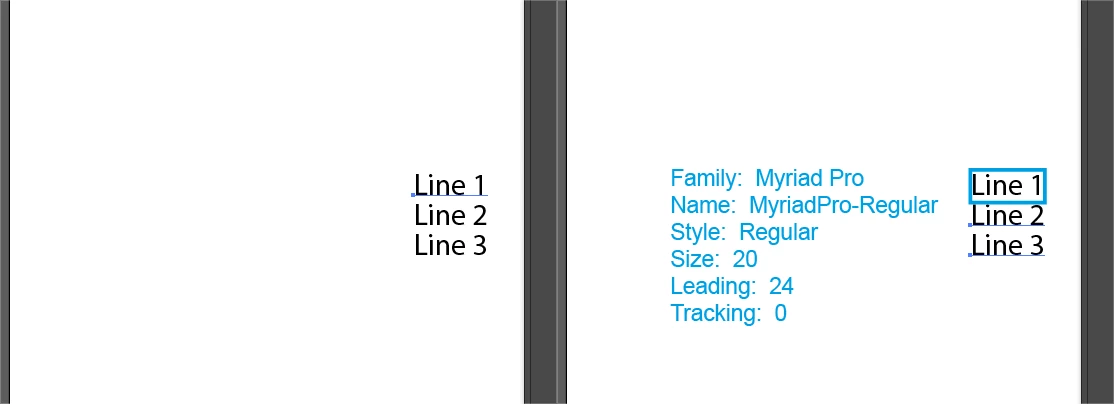
Alternatively, see if this works for you:

var text1 = app.selection[0];
  if (text1 == undefined || text1.typename != "TextFrame") {
    alert("You did not select a textFrame.");
  } else {
var string = "Family:  " + text1.textRange.characterAttributes.textFont.family + "\
Name:  " + text1.textRange.characterAttributes.textFont.name + "\
Style:  " + text1.textRange.characterAttributes.textFont.style + "\
Size:  " + text1.textRange.characterAttributes.size + "\
Leading:  " + text1.textRange.characterAttributes.leading + "\
Tracking:  " + text1.textRange.characterAttributes.tracking;
  }
var top = app.selection[0].position[1];
var left = app.selection[0].position[0];
var h = app.selection[0].height;
var w = app.selection[0].width;
var rect1 = app.activeDocument.pathItems.rectangle(top, left, w, h);
rect1.strokeColor = app.activeDocument.swatches["CMYK Cyan"].color;
rect1.strokeWidth = 2.5;
rect1.filled = false;
var rect2 = app.activeDocument.pathItems.rectangle(top, left-200, 200, 200);
rect2.stroked = false;
var text2 = app.activeDocument.textFrames.areaText(rect2);
text2.contents = string;
text2.textRange.characterAttributes.textFont = textFonts["ArialMT"];
text2.textRange.characterAttributes.size = 15;
text2.textRange.fillColor = app.activeDocument.swatches["CMYK Cyan"].color;

1 reply

femkeblanco
Legend
September 22, 2020

This should give you the properties of a selected textFrame in an alert window. 

var text1 = app.selection[0];
  if (text1 == undefined || text1.typename != "TextFrame") {
    alert("You did not select a textFrame.");
  } else {
    alert("family:  " + text1.textRange.characterAttributes.textFont.family + "\
Name:  " + text1.textRange.characterAttributes.textFont.name + "\
Style:  " + text1.textRange.characterAttributes.textFont.style + "\
Size:  " + text1.textRange.characterAttributes.size + "\
Leading:  " + text1.textRange.characterAttributes.leading + "\
Tracking:  " + text1.textRange.characterAttributes.tracking);
  }

It is possible to make it into text in the document, but then you will have to delete it once you have finished with it. 

Participant
September 22, 2020

That's amazing thanks Femkeblanco

femkeblanco
femkeblancoCorrect answer
Legend
September 22, 2020

Alternatively, see if this works for you:

var text1 = app.selection[0];
  if (text1 == undefined || text1.typename != "TextFrame") {
    alert("You did not select a textFrame.");
  } else {
var string = "Family:  " + text1.textRange.characterAttributes.textFont.family + "\
Name:  " + text1.textRange.characterAttributes.textFont.name + "\
Style:  " + text1.textRange.characterAttributes.textFont.style + "\
Size:  " + text1.textRange.characterAttributes.size + "\
Leading:  " + text1.textRange.characterAttributes.leading + "\
Tracking:  " + text1.textRange.characterAttributes.tracking;
  }
var top = app.selection[0].position[1];
var left = app.selection[0].position[0];
var h = app.selection[0].height;
var w = app.selection[0].width;
var rect1 = app.activeDocument.pathItems.rectangle(top, left, w, h);
rect1.strokeColor = app.activeDocument.swatches["CMYK Cyan"].color;
rect1.strokeWidth = 2.5;
rect1.filled = false;
var rect2 = app.activeDocument.pathItems.rectangle(top, left-200, 200, 200);
rect2.stroked = false;
var text2 = app.activeDocument.textFrames.areaText(rect2);
text2.contents = string;
text2.textRange.characterAttributes.textFont = textFonts["ArialMT"];
text2.textRange.characterAttributes.size = 15;
text2.textRange.fillColor = app.activeDocument.swatches["CMYK Cyan"].color;