
tRiv
Inspiring
October 16, 2018
Answered

AI and EPS files no longer preview in windows explorer

  • October 16, 2018
  • 1 reply
  • 3032 views

I updated to Illustrator 2019 yesterday but since it crashed repeatedly I reinstalled 22.1 but then all ai and eps files disassociated with illustrator.

I went in and re-associated them but now none of the files show up in the preview window when they worked just fine before the update.
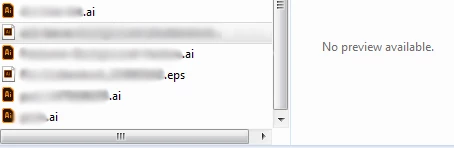
Anyone know how to fix this? Having to open each file just to see what it is is going to be a time suck.

They won't even preview in Indesign.

Adobe is killing me right now -_-

    This topic has been closed for replies.
    Correct answer tRiv

    I forgot i had asked this question.

    I fixed the issue. I don't remember what I did. Probably uninstall/reinstall a second time.

    I don't know how to mark this as fixed or whatever.

    1 reply

    Srishti_Bali
    Legend
    November 6, 2018

    Hi there,

    We are sorry to hear about this. As per your query, thumbnails in the Finder windows is not visible for Ai files.

    If yes, please try these steps: https://www.jgoode.com/easy-fix-for-mac-finder-preview-thumbnails-not-displaying/ and let us know if that helps or you need any further help.

    Note: In the second step before deleting com.apple.finder.plist, copy and paste it on the Desktop for backup and then delete it.

    Regards,

    Srishti

    tRiv
    tRivAuthorCorrect answer
    Inspiring
    November 6, 2018

    I forgot i had asked this question.

    I fixed the issue. I don't remember what I did. Probably uninstall/reinstall a second time.

    I don't know how to mark this as fixed or whatever.