Participating Frequently
June 26, 2018
Answered

Can't open Illustrator CC 2018 on Windows 10

  • June 26, 2018
  • 3 replies
  • 3690 views

Hi there - hoping someone can help!

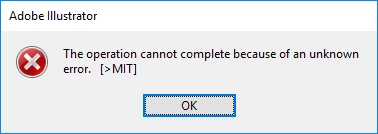
Illustrator won't open, it sits at the intro screen with the spaceman for hours and gives the error messages attached below. Occasionally it adds another error message that says 'CANT'error, instead of [>MIT]

I haven't found any documentation online for these issues

I have re-started my computer several times

I have uninstalled and re-installed Illustrator 3 times

I have run the cleaner tool
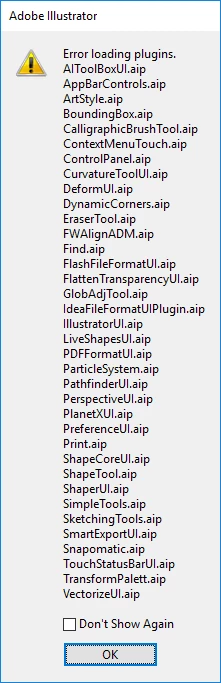
Any ideas?

This topic has been closed for replies.
Correct answer Monika Gause

Yes - when I re-installed, I checked the option to delete preferences....


Please contact Customer Care:

Contact Customer Care

They can log in to your system to check things out.

3 replies

Participating Frequently
June 27, 2018

Thanks everyone - I contacted customer support and they sorted it remotely - i don't know exactly what they did as I was unable to speak to them during the repair - so I can't recommend a fix if you're having the same problem, except contact customer support! They were pretty helpful.

odebodef50884489
Participant
August 5, 2018

how will i contact customer care

Monika Gause
Community Expert
Community Expert
August 5, 2018

  schrieb

how will i contact customer care

Please see answer #5

Participant
June 26, 2018

Similar issue to me. Crashes when loading. Run through troubleshooter but it can't find any issues. Adobe support are blaming it on having a second display plugged into my laptop. I've checked other forums and it looks like most users are having issues after updating to Windows 10 1803. Adobe have suggested on forums to roll back the update but I find that extremely unhelpful. No real fix as far as I'm aware.

Participating Frequently
June 26, 2018

How frustrating. I don't have a second display plugged in, hard to imagine that's the cause!

Participant
June 27, 2018

Ok I found my issue - I had a Wacom Pen driver installed which isn't compatible with CC 2018. Even if you don't have a Pen, check in Apps and Features (or Programs and Features) for a Wacom Pen program. Try uninstalling that and rebooting it. Might not help your issue but it's worth a try.

Hope that helps.

Monika Gause
Community Expert
Community Expert
June 26, 2018

Did it ever work?

Participating Frequently
June 26, 2018

Yes, it's worked fine for about 8 months...

Monika Gause
Community Expert
Community Expert
June 26, 2018

Did you delete the preferences?