

Axel Jón
Participant
October 25, 2019
Question

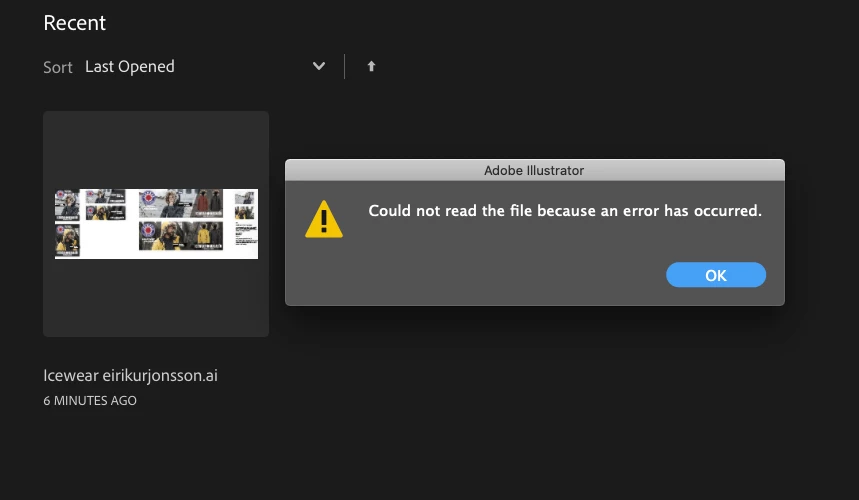
ERROR when opening files on Illustrator 23.1.1 on macOS Catalina

  • October 25, 2019
  • 3 replies
  • 1171 views

Adobe Illustrator 23.1.1 can't open .ai after latest update. This is damaging our work at my campany.
This carelessness with the Adobe/Apple team is terrible. There is not like this is nuclear physics.
 

{Renamed By MOD}

This topic has been closed for replies.

3 replies

Srishti Bali
Community Manager
Community Manager
November 4, 2019

Hi Alex,


We have recently released an update for Illustrator 2020 (v 24.0) which contains some stability fixes. Please update the applications to the latest versions and let us know how it goes.


Regards,

Srishti

Monika Gause
Community Expert
Community Expert
October 25, 2019

"There is not like this is nuclear physics."


Exactly. I know a lot of people who didn't have any issues at all after updating to Catalina. They just kept on working.

Rishabh_Tiwari
Community Manager
Community Manager
October 25, 2019

Hi Alex,


Sorry to hear about the trouble you are facing with Illustrator while opening the files. I would request if you can share a few more details like: 


  1. Could you please confirm the macOS version.
  2. Is the issue related to a specific document?
  3. Where are the files saved which you are trying to open (Network Drive/ System Hard Drive/ Shared Folder on System /External Hard Drive)?
  4. When did this start happening? Are there any recent changes made to your system? For example, any antivirus, system updates or web extensions installed recently.


Regards

Rishabh

Axel Jón
Axel JónAuthor
Participant
October 25, 2019

Thank you for your reply.
1. I'm using Mac Book Pro, Catalina 10.15 and Illustrator cc 23.11.

2. Yes

3. Desktop

4. This ERROR started after the latest AI update.