Offset Path(s) not showing in Outline View
I'm new to all this, so please forgive my ignorance...
I've created multiple offset paths on a piece of text. They show in Normal View (ie., the word appears fatter), but when I switch to Outline View, only the original text (no offset paths) is displayed.
Here are the steps I'm taking:
Type a word >
Select word > Go to Type > Click Create Outlines
Everything appears fine when I switch to Outline View (picture 1).

I switch back to GPU Preview, then...
I select the word, click Effect > Path > Offset Path
and do this:
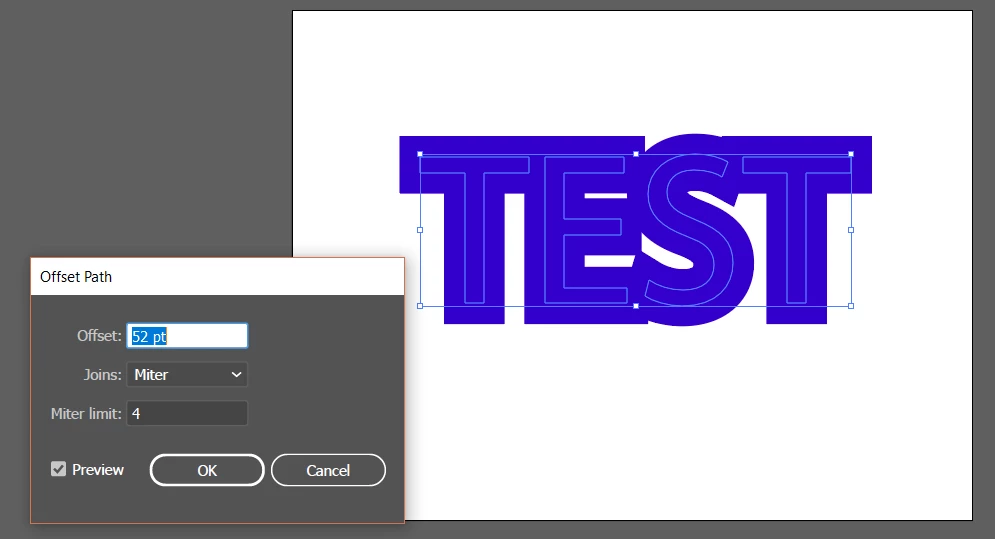
So now I've got the original text and the 52 pt offset.
Picture 3 is Normal View; picture 4 is Outline View:


Why is the offset path not showing in my Outline View like it shows for this guy on YouTube? (picture 5)
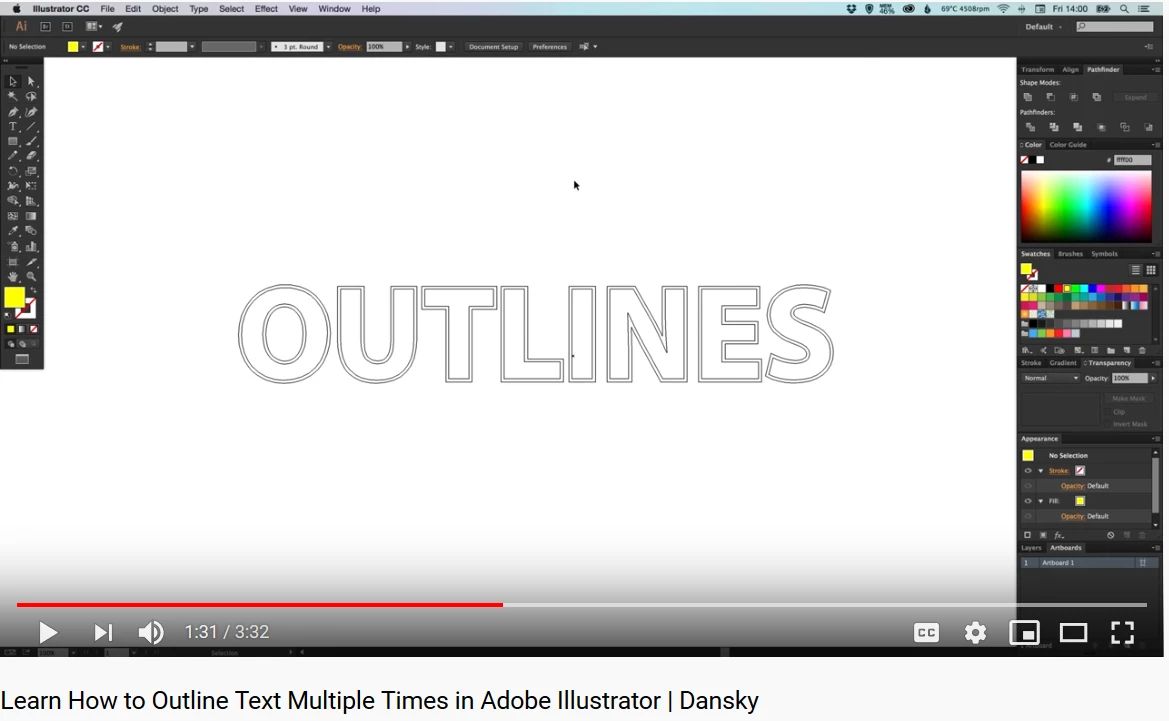
The guy in the above video is able to select the original word and ungroup it from the offset path, thereby allowing him to easily manipulate the colors of each.
This is what I'd like to be able to do. I hope this all makes sense. Like I said - I'm new to all this.
Any help or advice is greatly appreciated.
 AdChoices