
Participant
December 16, 2024
Answered

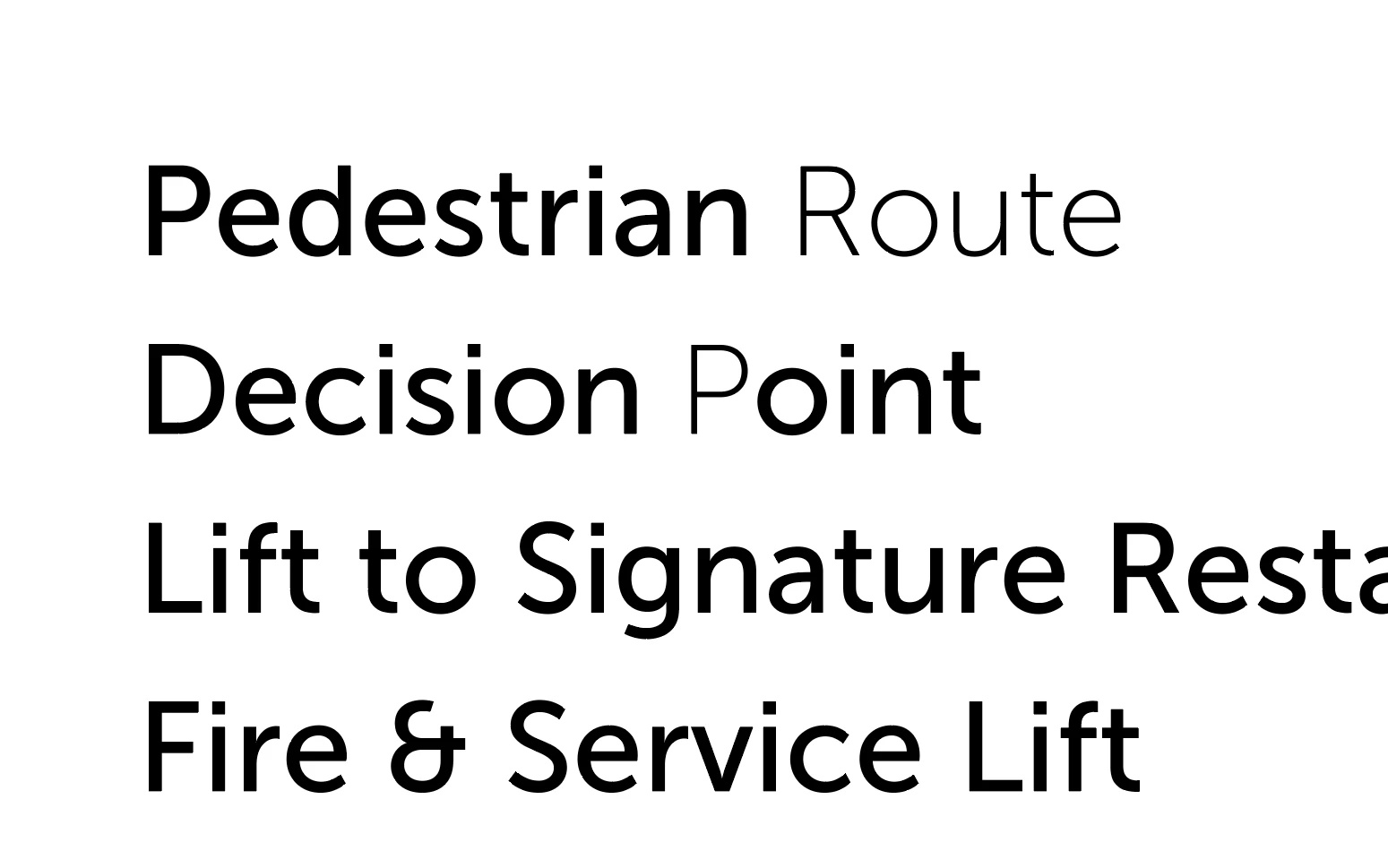
Typing new text changes formatting
  • December 16, 2024
  • 2 replies
  • 920 views


Hi all,


I'm having some odd behaviour in Illustrator: typing new text into an existing (formatted) text box ignores the existing formatting. In the screencap above the text box was formatted to Museo Sans 500. Typing the word "Route" and the letter "P" changed the formatting to Museo Sans 100 for those characters.


This has happened over multiple machines (a work Mac, and my personal Windows 11 laptop). It has also happened that the font itself has been changed when typing new characters, i.e. it wouldn't just be a different weight of the existing font but an entirely different font (one used elsewhere in the document) when typing new text into an existing text box.


The default font for the above screencap was Myriad Pro Regular, so it's not just that it's using the default font for new text.


There are no Paragraph or Character Styles present or active when this happens.


Does anyone know why this might be happening?


Thanks in advance,

Jo

Correct answer Monika Gause

What happens when you turn off the Missing Glyph protection in Preferences > Type?

2 replies

timh32722312
Participant
August 14, 2025

I think I'm having a similar problem in Illustrator v29.7.1


When I type into a text box the light, italic, bold formatting starts changing on it's own. Really weird any ideas? I've never made a screen recording before, but here's my first 😎👍


Anubhav M
Community Manager
Community Manager
August 15, 2025

Hi @timh32722312,

Thank you for sharing the screen recording, and I'm sorry to hear about the issue you're facing. Could you please confirm whether the problem still occurs after pressing Cmd/Ctrl + E, or if it appears in the exported image/file? This will help us assist you more effectively.


Looking forward to your response.

Anubhav

Monika Gause
Community Expert
Monika GauseCommunity ExpertCorrect answer
Community Expert
December 16, 2024

What happens when you turn off the Missing Glyph protection in Preferences > Type?

jo_2516Author
Participant
December 16, 2024

That solved it for the current document: typing new text now maintains the same formatting as where the cursor was placed.


Thank you!


Not sure why Missing Glyph Protection would be activated for glyphs that are clearly available for the existing type settings?

Monika Gause
Community Expert
Community Expert
December 16, 2024

This is just a workaround for a current bug.