

miromonti
Inspiring
January 31, 2021
Answered

Change margins on multiple master pages in one go

  • January 31, 2021
  • 1 reply
  • 656 views

I have a document that has multple master pages — 74 of them, to be exact. I need to change the left and right margins to an identical measure for all. However, I don't see a global way to do it. Is there?

This topic has been closed for replies.
Correct answer Mike Bro

Hi miromonti

To change the margins on multple master pages in one go you need to have them selected in the Pages panel.

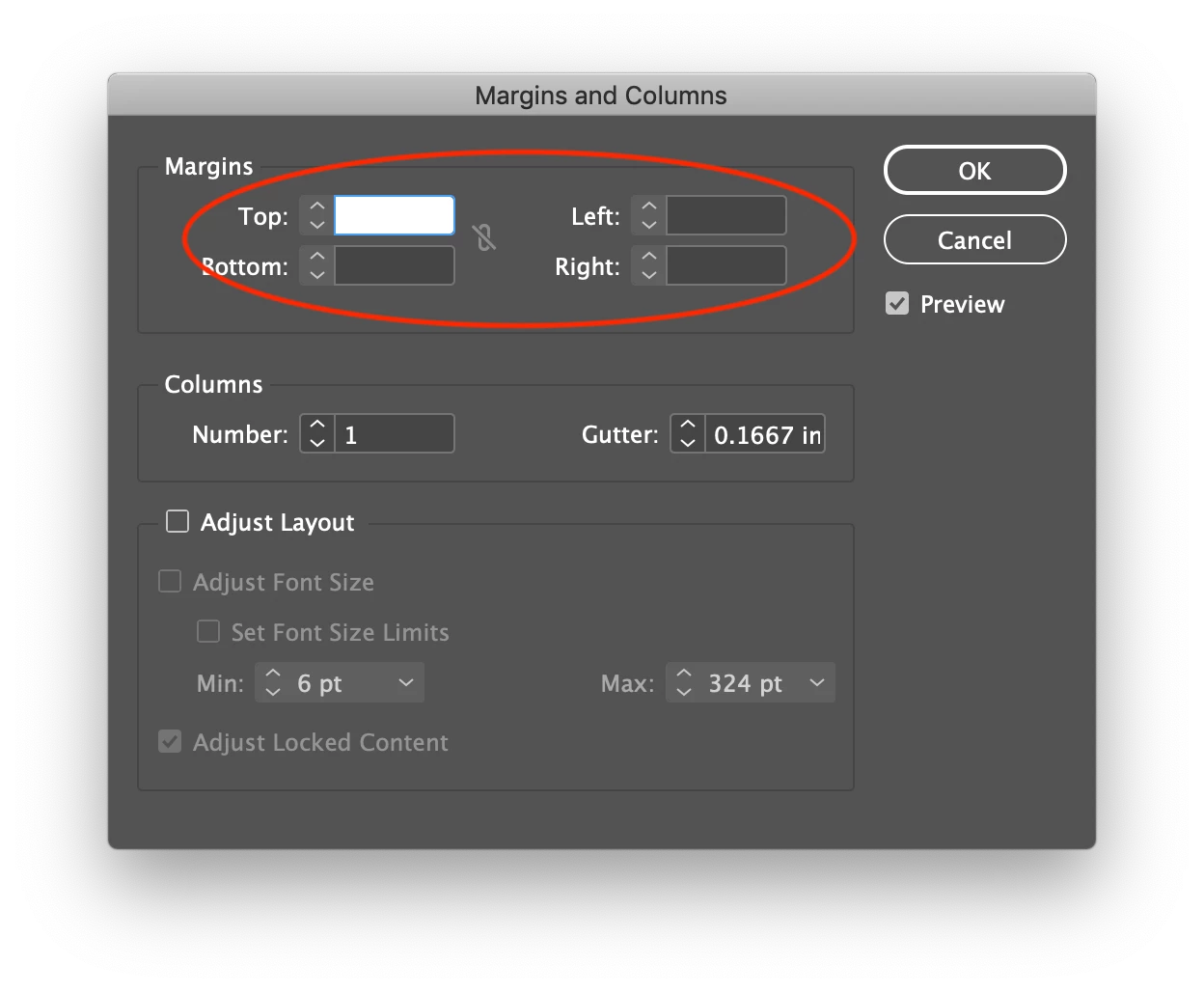
Under the Layout menu go to Margins and Columns....

You'll need to ener each Margin (Top, Bottom, Left and Right) in your case the Left and Right separately.


NOTE: Before selecting the master pages and doing this step make sure the chain link is disabled.

Regards,

Mike

1 reply

Community Expert
January 31, 2021

Did you try File>Document Setup and then change the margins?

-Manan

-Manan
miromonti
miromontiAuthor
Inspiring
February 1, 2021

Of course. But the effect is not across the board. In fact, only one master page change; it did not apply to the rest. I figure this must be because those master pages were configured individually, so File > Document Setup doesn't apply to them. Thanks for that tip. I remain open to a solution.

Mike BroCorrect answer
Legend
February 1, 2021

Hi miromonti

To change the margins on multple master pages in one go you need to have them selected in the Pages panel.

Under the Layout menu go to Margins and Columns....

You'll need to ener each Margin (Top, Bottom, Left and Right) in your case the Left and Right separately.


NOTE: Before selecting the master pages and doing this step make sure the chain link is disabled.

Regards,

Mike