Known Participant
May 13, 2024
Answered

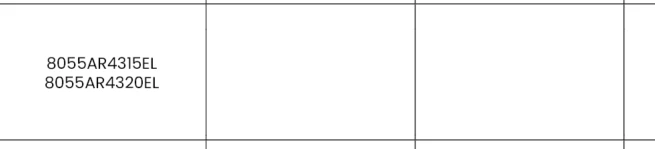
How do I create a line between these two codes they are within a row
  • May 13, 2024
  • 2 replies
  • 235 views

This topic has been closed for replies.
Correct answer James Gifford—NitroPress

Do you want them in separate rows? Create the second row and move one code to it.


Do you want an underline between them? Create two Paragraph Styles that are otherwise identical, and add an underline to the one applied to the top code, or each code except the bottom one.

2 replies

Brad @ Roaring Mouse
Community Expert
Community Expert
May 13, 2024

If you just want that one cell

to be two separate rows, then as @James Gifford—NitroPress mentioned, you would want to click in that cell and select Table > Split Cell Horizontally, but it won't automatically split your copy between the two cells... you will have to do some cut and pasting to get what you want.

James Gifford—NitroPress
Legend
May 13, 2024

Do you want them in separate rows? Create the second row and move one code to it.


Do you want an underline between them? Create two Paragraph Styles that are otherwise identical, and add an underline to the one applied to the top code, or each code except the bottom one.
