
How to add one spread to a document of single pages?
Hi. The client wants a document consisting of a series of single pages BUT there is one graphic that is so dense and complex, I need to run it across a spread. We are producing PDFs, so this is not going to be a hassle for press printing. Any office printing of the doc can split the image.
I have created a bunch of single-page masters with different purposes (for FC, IFC, TOC, Body, Index, etc.) -- and one 2p spread master.
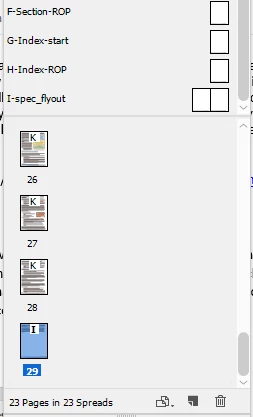
But when I apply that 2p spread master to page 29 (in this case) -- expecting that page to magically morph into a two-page spread -- I still get only one page but with a footer from the I-spec_flyout master that extends rightwards out into pasteboard space, rather than the 2-page spread I was expecting. When I add an I-spec_flyout-based spread after p29, ID adds a single page after p29, again using the 2p master, and again with a footer that extends out onto the pasteboard. Most of my work has been on documents that are all spreads or that are all single pages, and I haven't had to combine the two in one doc, so this is a situation that I haven't encountered before. I have seen example layouts using multiple horizontal pages, so I know it can be done. Not sure what I'm doing wrong. My guess is that there is a setting I have set incorrectly somewhere.

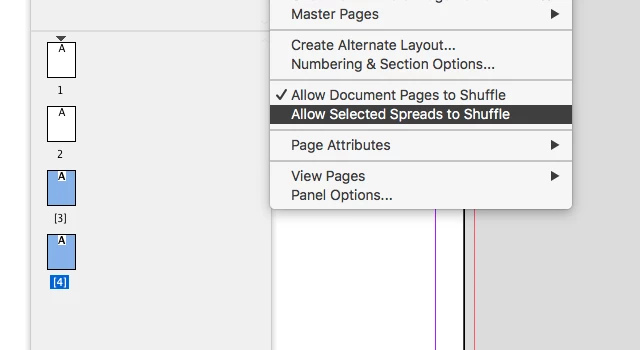
How do I add one spread to the middle of a stream of single pages so as to accommodate that big image? BTW, the position of this spread is not at the end of the doc. Single pages will have to pick up again on the other side.
Any help will be most appreciated.
-JW

 AdChoices