

dublove
Legend
June 30, 2015
Question

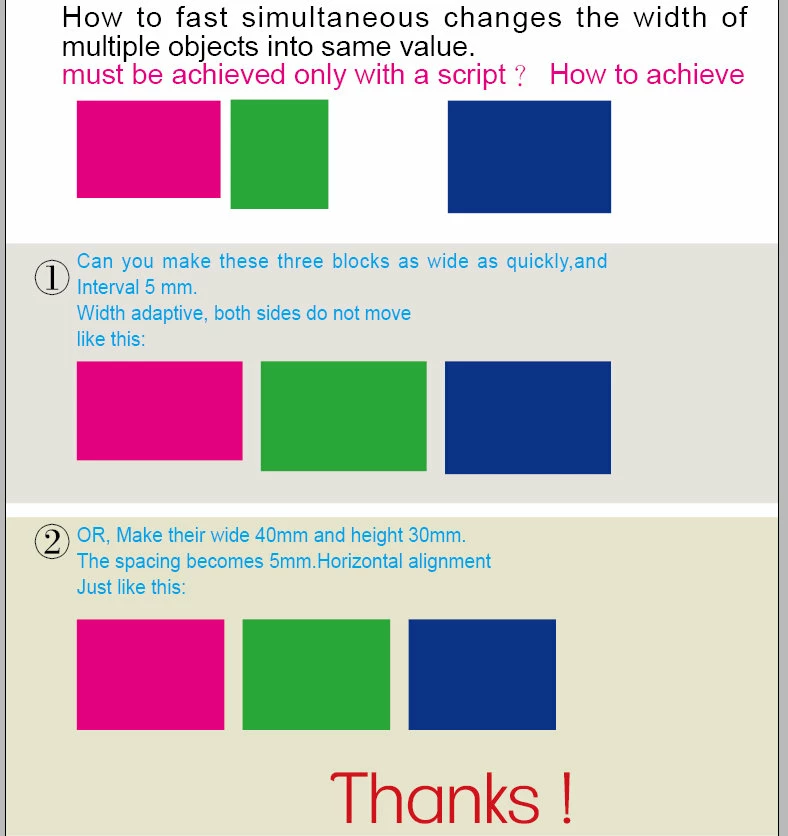
How to fast simultaneous changes the width of multiple objects into same value.

  • June 30, 2015
  • 1 reply
  • 530 views

How to fast simultaneous changes the width of multiple objects into same value.

must be achieved only with a script?How to achieve。

Thanks!

There is the InDesign file  down
This topic has been closed for replies.

1 reply

Peter Kahrel
Community Expert
Community Expert
June 30, 2015

Here's your answer to 1. Select the frames left to right, then:

frames = app.selection;

left = frames[0].geometricBounds[1];

right = frames[frames.length-1].geometricBounds[3];

w = (right-left-((frames.length-1)*5))/frames.length

for (i = 0; i < frames.length; i++) {

  gb = frames.geometricBounds;

  frames.geometricBounds = [gb[0],left,gb[2],left+w];

}

for (i = 1; i < frames.length; i++) {

  frames.move(undefined, [i*(w+5), 0]);

}

Peter

dublove
dubloveAuthor
Legend
August 18, 2015

Thank you

Just, cannot enter the value manually

Community Expert
August 18, 2015

Do you mean, that you cannot do the selection manually?

One by one, step by step?


Is anything selected at all?

If no, you first have to identify the rectangles.

How to do that? It will depend on your specifc layout.

If yes, the selection was done by the "selection marquee" drawing out a rectangular area by the mouse; everything that is touched by that area is selected.

Now it is unclear which of the index numbers of the selected objects means what rectangle.

You have to identify the rectangles by their position on the page (or spread) (best bet in this situation, I think).

Uwe