Participant
August 17, 2020
Answered

I want to design a page based on an isometric grid in InDesign. HELP!

  • August 17, 2020
  • 3 replies
  • 2162 views

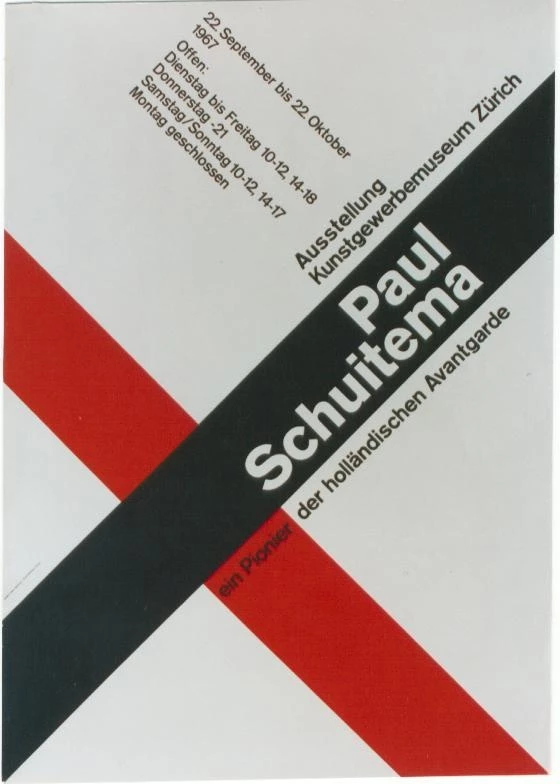
I want to design a page based on an isometric grid. Is there any way to do this within InDesign? 

I have no problem setting up a grid, but my layout design is planned to be on an angle and I just can't figure out how this is done. There MUST be a way. People do it! Here are some examples:

This topic has been closed for replies.
Correct answer vladan saveljic

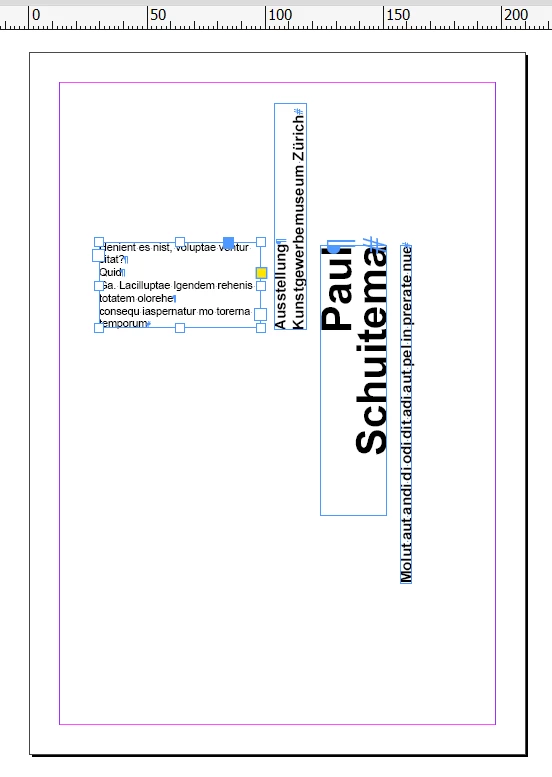
or you could align your frames as in my screenshot and then rotate the whole group as you wish

3 replies

vladan saveljic
vladan saveljicCorrect answer
Inspiring
August 17, 2020

or you could align your frames as in my screenshot and then rotate the whole group as you wish

Community Expert
August 17, 2020

Hi Ciannait5C13,

if you need guides that are rotated, you are out of luck.


Using a trick we could rotate single guides to e.g. 45°, but the elements will not align to them like we see this with horizontal or vertical guides. The objects are not adhesive to the rotated guides anymore.


A variant of what Vladan is doing:

Rotate the page with the Page Tool and the Transform panel and work with horizontal and vertical guides.

For this also the document grid is working.


Regards,
Uwe Laubender

( ACP )

Participant
August 18, 2020

Ok, I can try this also. Thanks.

vladan saveljic
Inspiring
August 17, 2020

do you think as in my screenshot?

You could rotate text frames


Participant
August 18, 2020

Yes, I think this is probably the way to do it, thank you for taking the time to reply.

So to confirm...I would do layout according to a vertical grid structure and then just rotate the whole block as I need to?


I am surprised there isn't a built-in feature that allows for this. Doing this on multiple pages would be a nightmare should you want to try that.