
jbully0
Inspiring
November 24, 2022
Answered

InDesign 2023 - Edit With Photoshop; return to InDesign and photo not updating automatically

  • November 24, 2022
  • 3 replies
  • 4321 views

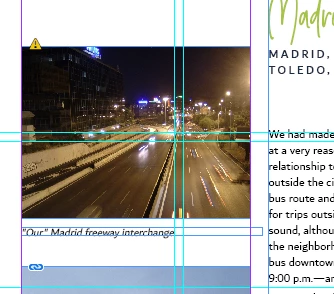
Recently upgraded to InDesign 2023 - I work with large amounts of photos and after I place them I often right-click, Edit With Photoshop and make some modifications. Save, return to InDesign and prior to this, the photo link would automatically update.  Now when I return to InDesign, I have to manually update the link. Is there a way to turn on auto-update it again?? 


This topic has been closed for replies.
Correct answer Eugene Tyson

Thread here of similar nature

https://community.adobe.com/t5/indesign-discussions/force-indesign-to-update-links-each-time-after-editing-save/m-p/12188721


To clarify - I think I misspoke.


If you edit the image in Photoshop and save it - it will update in InDesign Automatically.


If you make another edit - and save it - it won't update automatically - as you didn't make that change from invoking the command in InDesign.


You would need to invoke the command again in InDesign to relink it for editing.


So when you save your image in photoshop - save & close it.

If you need to make another edit - invoke the command from InDesign again.


An image updated outside of the command from InDEsign will show up as a modified link.


3 replies

chrisg11235813
Participating Frequently
November 25, 2022

Not exactly "Auto-update",  but you could assign a shortcut to the "Update All Links" command

Keyboard Shortcuts > Panel Menus > Links: Update All Links

Community Expert
November 25, 2022

It should update automatically.


So if you open the image in Photoshop from Indesign - it creates that update link automatically.

You save the image - and you can keep editing the image and save again etc.

To apply the updates automatically in InDesign, you then need to close the image in Photoshop to close the loop back to InDesign.


Eugene TysonCommunity ExpertCorrect answer
Community Expert
November 25, 2022

Thread here of similar nature

https://community.adobe.com/t5/indesign-discussions/force-indesign-to-update-links-each-time-after-editing-save/m-p/12188721


To clarify - I think I misspoke.


If you edit the image in Photoshop and save it - it will update in InDesign Automatically.


If you make another edit - and save it - it won't update automatically - as you didn't make that change from invoking the command in InDesign.


You would need to invoke the command again in InDesign to relink it for editing.


So when you save your image in photoshop - save & close it.

If you need to make another edit - invoke the command from InDesign again.


An image updated outside of the command from InDEsign will show up as a modified link.


jbully0
jbully0Author
Inspiring
November 25, 2022

Thanks for helping....but I am only editing it once, saving it and it's not automatically updating when I return to InDesign. It used to do that prior to upgrading to 2023 version. 

chrisg11235813
Participating Frequently
November 24, 2022

illustrator has an "auto-update" feature, a dialog pops up asking you if you want to update the modified link.

I might be wrong, I don't think this is a feature of inDesign. You have to option-click the "update links" button in the links panel to update all modified links.