


Working with RGB | CS6—CC2014.2 vs CC2015.4—CC2017.1 | substantial bug?
Hi everybody,
it seems that something substantial has changed between InDesign CC 2014 and CC 2015 when it comes to using RGB images and RGB swatches with InDesign.
Rob Day discovered a difference in behavior between two versions of InDesign when switching the transparency blend space from CMYK to RGB.
But let's start with the base problem.
How would placed RGB images react if an effect is applied by InDesign's Effects panel?
If they contain reduced opacity done with PhotoShop's Layer opacity feature vs the same effect done with inDesign's Effects panel?
Let's take the easiest effect you can apply: Reduced opacity.
And let's compare what is showing with Separation Preview turned on when comparing two different settings that mainly influence color fidelity:
Transparency Blend Space set to Document CMYK or set to Document RGB.
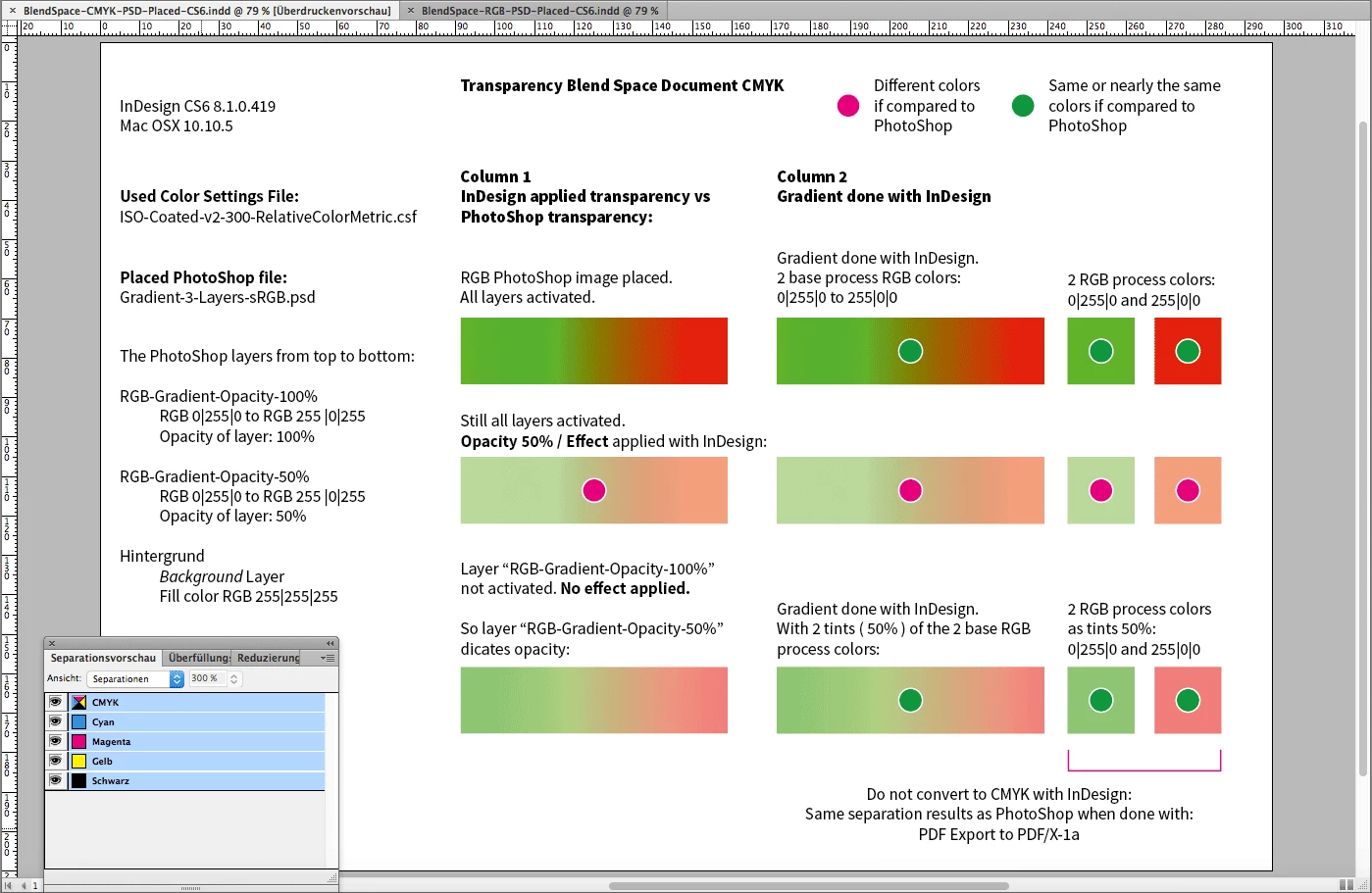
InDesign CS6 ( also InDesign CC and CC 2014 😞
Transparency Blend Space set to Document CMYK
Different colors are showing when compared row 2 with row 3.
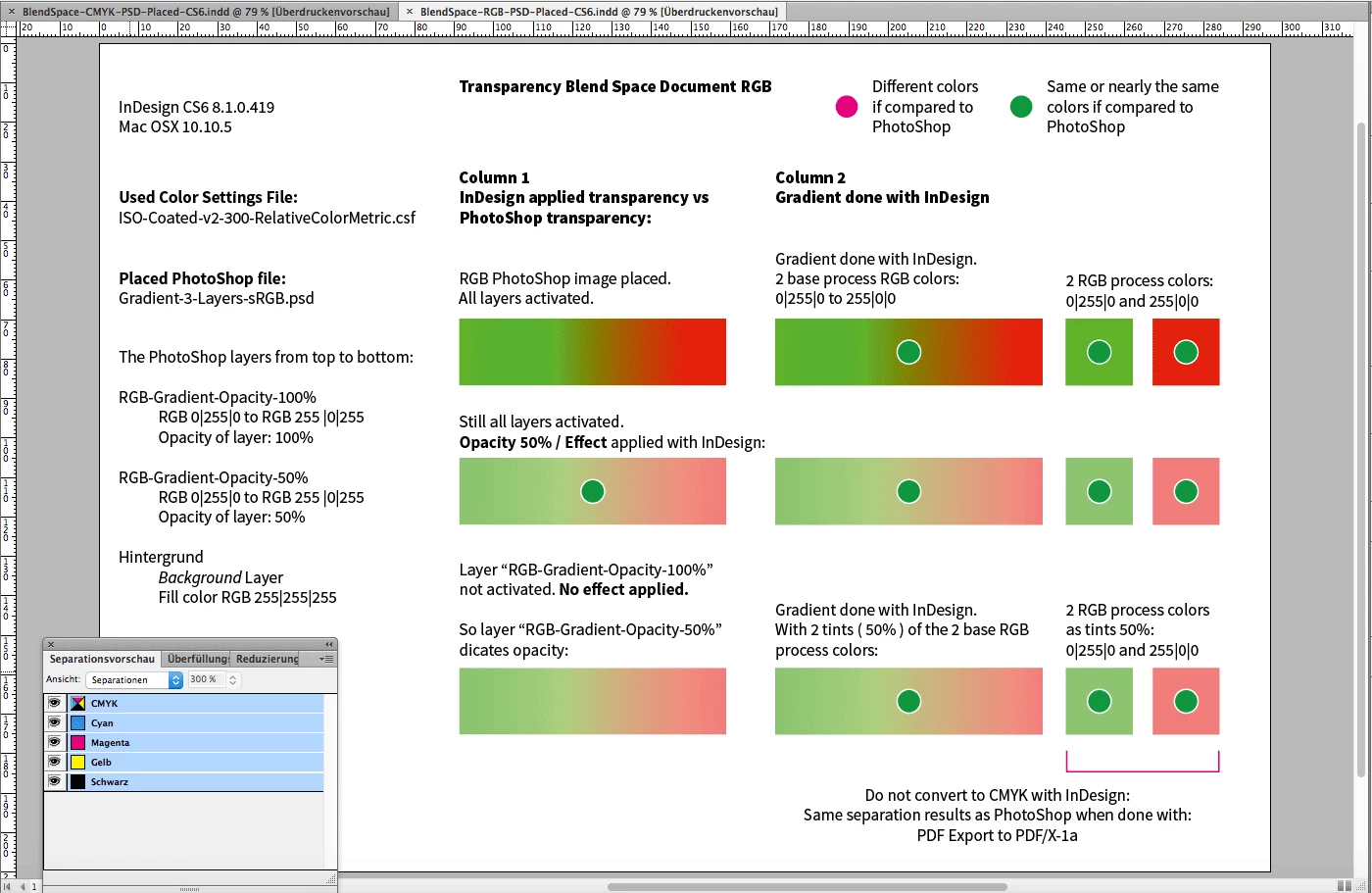
Transparency Blend Space set to Document RGB
Problem gone, because the Blend Space was switched to RGB:
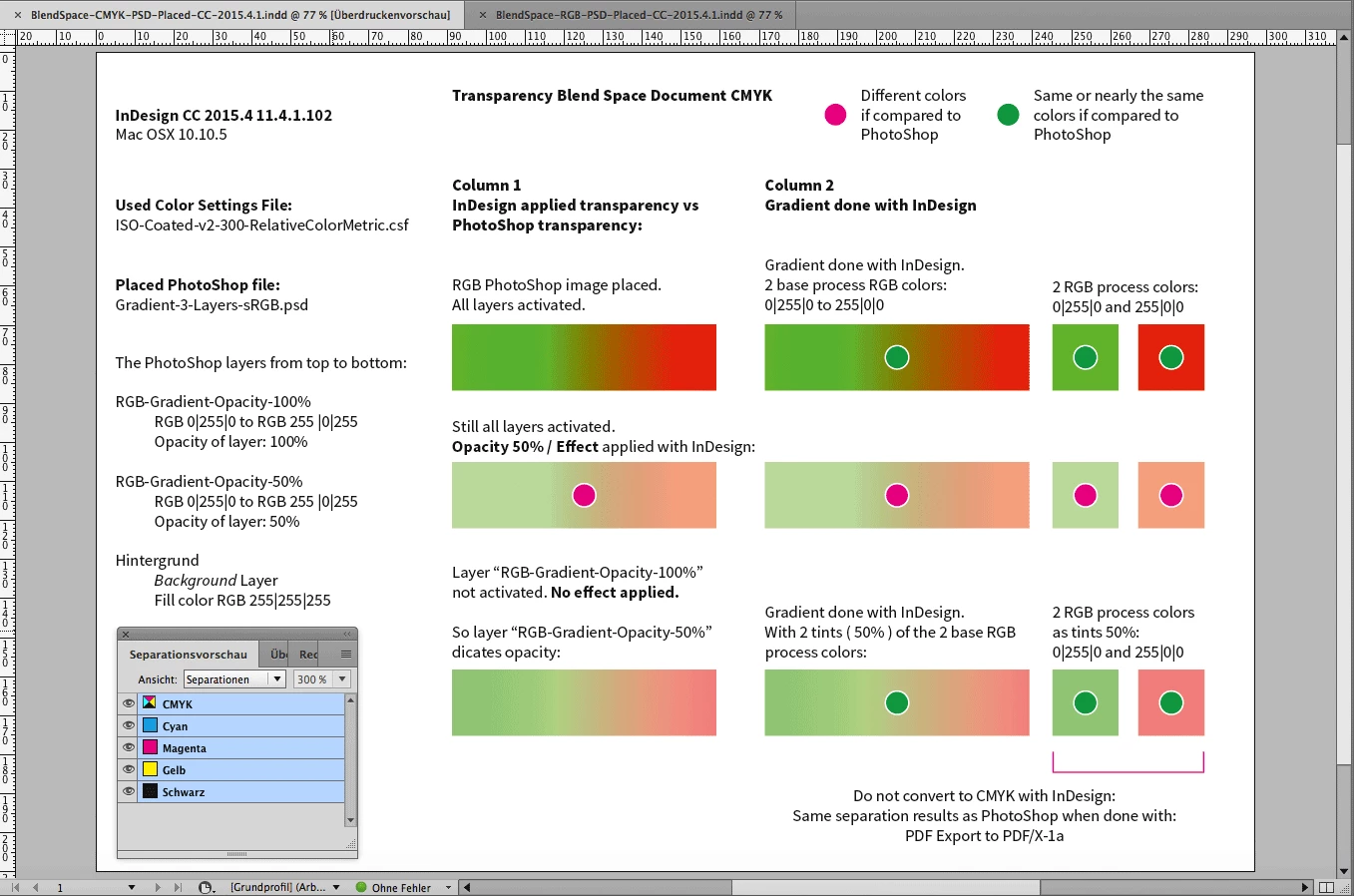
InDesign CC 2015 ( also InDesign CC 2017 or CC 2017.1 😞
Transparency Blend Space set to Document CMYK
Same with CS6. Row 2 and row 3 are showing different colors:
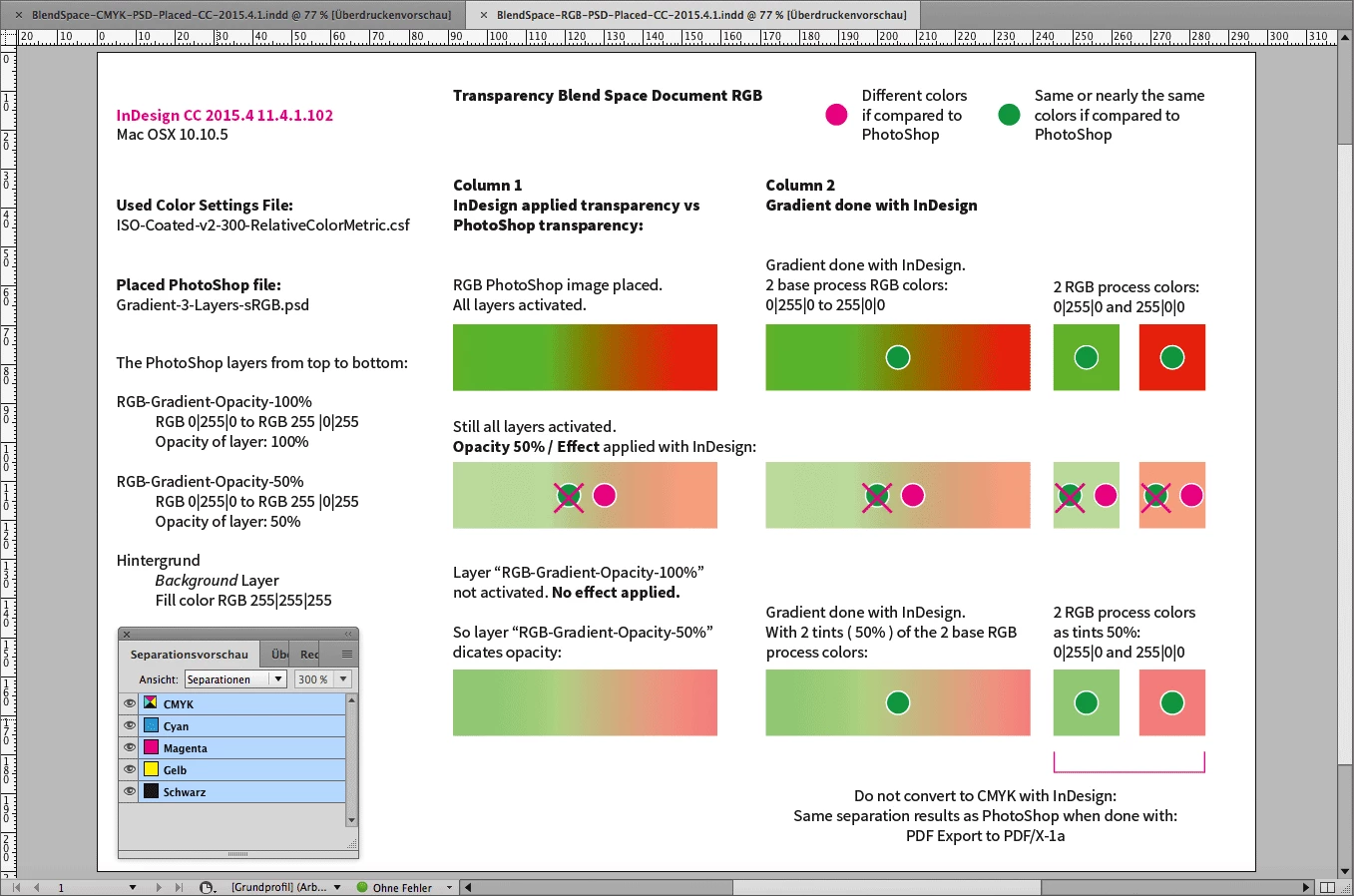
Transparency Blend Space set to Document RGB
Compare that to the CS6 behavior. Quite different, isn't it?
The trick changing the Blend Space to RGB is not working anymore:
All files can be downloaded from my Dropbox account:
Dropbox - BlendSpace-CMYK-vs-RGB-Different-InDesign-Versions.zip
BlendSpace-CMYK-vs-RGB-Different-InDesign-Versions.zip
BlendSpace-CMYK-PSD-Placed-CS6.indd
BlendSpace-RGB-PSD-Placed-CS6.indd
BlendSpace-CMYK-PSD-Placed-CC-2015.4.1.indd
BlendSpace-RGB-PSD-Placed-CC-2015.4.1.indd
Gradient-3-Layers-sRGB.psd
ISO-Coated-v2-300-RelativeColorMetric.csf
I agree with Rob, that we see a substantial bug with InDesign CC 2015 and CC 2017 when it comes to Transparency Blend Space set to Document RGB.
FWIW: If you change from CMYK to RGB with the Blend Space text done with [Black] is shown as a mix of CMYK values and not as 100 K only. That is unavoidable with InDesign because InDesign is not supporting color separations with special Device-Link profiles. But this is not my point here.
Also see this thread where the problem came up recently:
In InDesign what settings give the most realistic preview of a CMYK document (no spots)
Regards,
Uwe
 AdChoices