dariof34276958
Participant
August 21, 2018
Answered

Presets not working

  • August 21, 2018
  • 1 reply
  • 1097 views

Hello guys! I want to report an issue with presets in version Lightroom CC Classic 7.4.
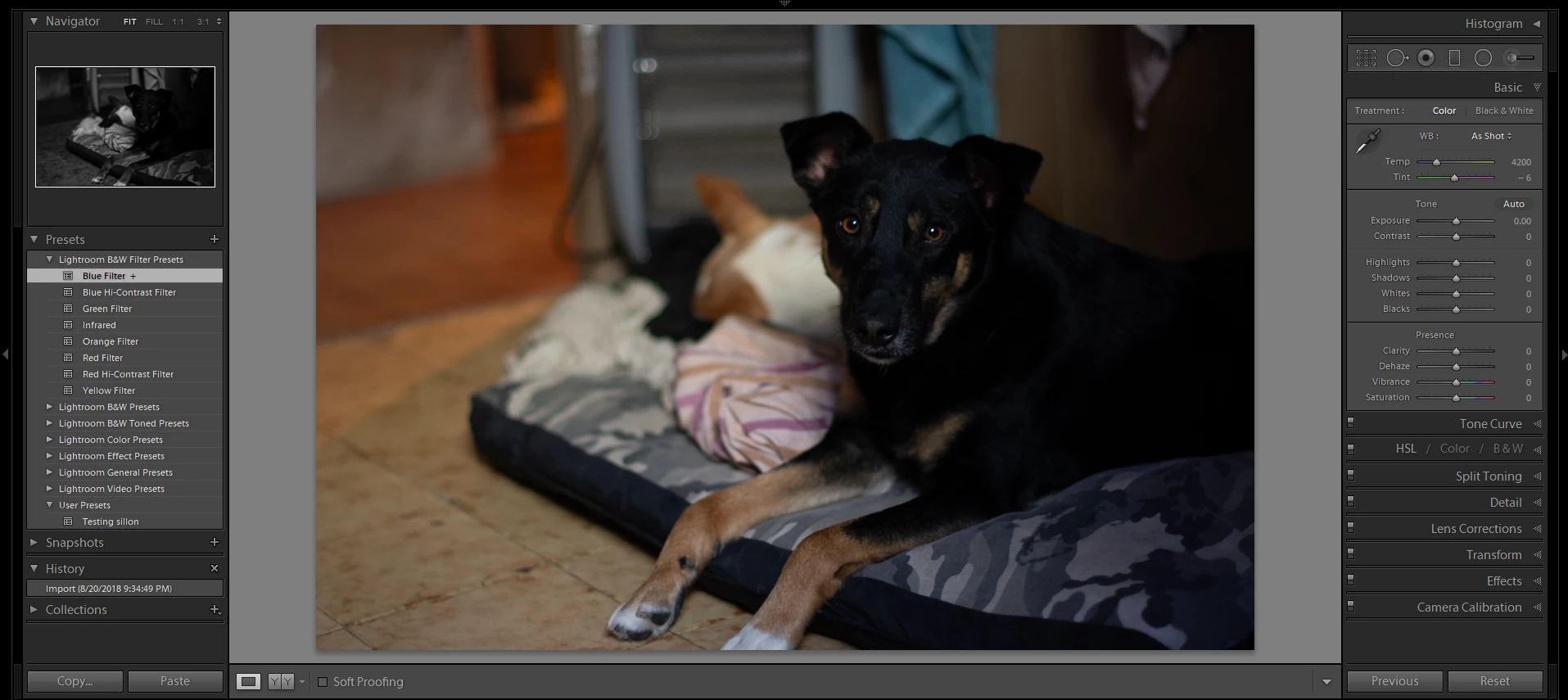
Basically, when click on any preset this will not applied on the image. It is being applied on the preview though, but nothing happens on the image being worked.


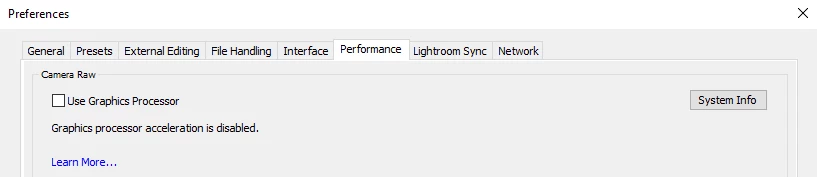
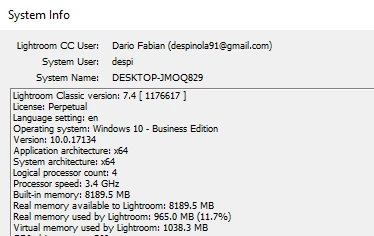
Here I show you the system info, an example of the image and the preset not working when being clicked on and finally the Preferences > Performance and the "Use Graphics Processor" unchecked.
Any idea about this?

Thanks!

This topic has been closed for replies.
Correct answer johnrellis

You've been victimized by a buggy upgrade from a previous perpetually licensed version of LR.  Your System Info shows you with LR Classic 7.4 and a Perpetual license.  However, Adobe doesn't sell perpetual licenses for LR 7, just Creative Cloud subscriptions.  At some point, you were presented with a misleading message from LR to "update" which then incorrectly installed LR 7.  Besides presets not working, there are a number of other features that will misbehave for you.

See here for how you might proceed: Lightroom Classic: Presets not working/ perpetual license glitch | Photoshop Family Customer Community

1 reply

johnrellis
johnrellisCorrect answer
Legend
August 21, 2018

You've been victimized by a buggy upgrade from a previous perpetually licensed version of LR.  Your System Info shows you with LR Classic 7.4 and a Perpetual license.  However, Adobe doesn't sell perpetual licenses for LR 7, just Creative Cloud subscriptions.  At some point, you were presented with a misleading message from LR to "update" which then incorrectly installed LR 7.  Besides presets not working, there are a number of other features that will misbehave for you.

See here for how you might proceed: Lightroom Classic: Presets not working/ perpetual license glitch | Photoshop Family Customer Community

dariof34276958
Participant
August 21, 2018

Thank you John!
Do you think that another solution would be to wait for Adobe to release a 7.5 version that would fix the problem?

Rob_Cullen
Community Expert
Community Expert
August 21, 2018

I will try to answer for John-

No. it will NOT fix.

You only have two options-

1. Return to using Perpetual Version 6.14

2. Start a paid subscription to Creative Cloud and make Classic v 7.4 a 'Legitimate Legal' install of Lightroom.

If you already are a Subscriber (pay monthly/annually) then you must contact Adobe Customer Care to correct the problem.

Regards. My System: Windows-11, Lightroom-Classic 15.3, Photoshop 27.5, ACR 18.3, Lightroom 9.3, Lr-iOS 10.4.0, Bridge 16.0.3 .