
hellobrandonscott
Known Participant
October 19, 2017
Answered

VSCO Keys no longer works with Classic?

  • October 19, 2017
  • 8 replies
  • 9436 views

Anyone else having an issue with VSCO Keys?

This topic has been closed for replies.
Correct answer caj.ms

I'll try put together a guide on how to use it.

In the meantime please check out the info under GitHub - cajames/keys: Keys for Adobe Photoshop Lightroom (the installing section)
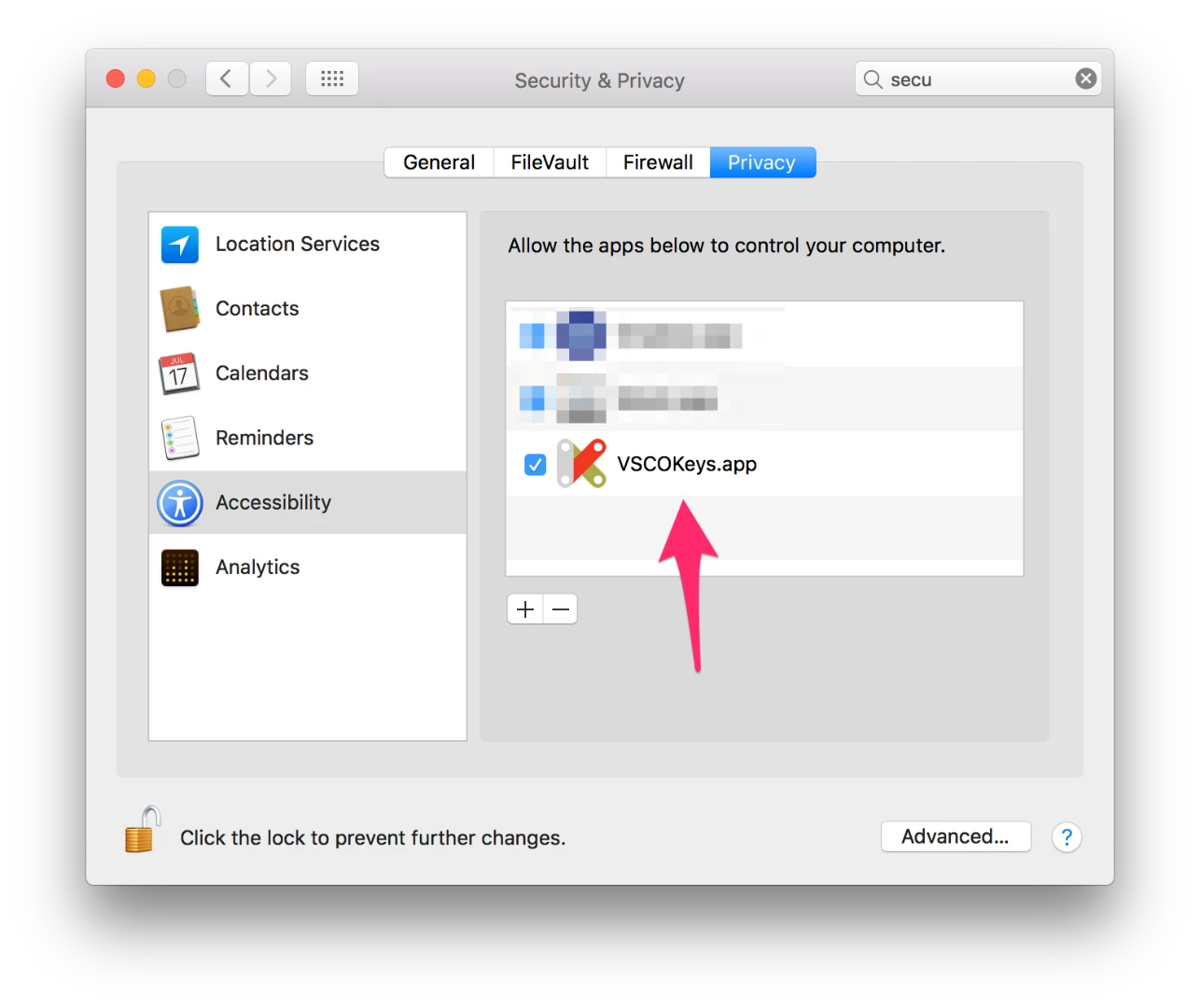
  • First, uninstall the previous version of vsco you had. And then install this one.
  • Then do the step below. If it already is there, remove it, and add the new one (in /Applications/vscokeys)
  • And if you don't have the LR plugin installed, do that too. It's in the same folder

8 replies

Participant
November 8, 2017

someone knows how to edit the .vkeys files

Participant
May 31, 2018

Same question here. Have you found out antonioo2155431​?

caj.ms
Inspiring
November 3, 2017

Hey guys,

I've just rebuilt VSCO Keys to add support for Lightroom Classic CC on OSX. If you guys are using a Mac, you can download the .zip installer here: Release Added support for Lightroom Classic CC for OSX · cajames/keys · GitHub

I've submitted the fix to the original repo too (not sure who's maintaining it anymore). I haven't got a Windows PC, but I can try get my hands on one to add the Windows fix too.

Hope this helps!

edwardh24608434
Participant
November 3, 2017

Thank you!

darrens69384458
Participant
October 22, 2017

I have the same problem and much of my wedding workflow depends upon VSCO Keys. 

1) Is there any way to get Adobe to listen to the community and add VSCO Keys or something similar directly into LR?

2) Is there an alternative to VSCO Keys?

3) I don't want to downgrade, but if it's necessary, I think I will.

rnormfoto1
Participating Frequently
October 22, 2017

right!~ i'm willing to consider an alternative! It seems the option to re-downlopad reinstall LR CC 2015.12 is gone now

johnrellis
Legend
October 22, 2017

It seems the option to re-downlopad reinstall LR CC 2015.12 is gone now

You can manually download LR CC 2015 from here: Download Photoshop Lightroom . Be sure to install the base application first and then the update for 2015.12.

Participant
October 22, 2017

Does not work for me after a re-install in macOS Sierra and am following the GitHub page for updates.

Time to downgrade. I hope it is possible!!

johnrellis
Legend
October 22, 2017

You can reinstall LR CC 2015.12 (and leave LR Classic installed if you wish).  But any changes you made to your catalog in LR Classic will be lost, since LR CC 2015.12 can't read LR Classic catalogs.  (When you first started LR Classic, it should have made a converted copy of your CC 2015 catalog, leaving the CC 2015 catalog untouched.)

Blaf
Participant
October 21, 2017

Just reinstalled VSCO Keys and in Windows 10 it still seems to be working with Lightroom Classic CC

rnormfoto1
Participating Frequently
October 20, 2017

yep--no luck here either

Participant
October 19, 2017

Not working for me either

Bob Somrak
Legend
October 20, 2017

Sounds like you should be talking with the VSCO open source people

M4 Pro Mac Mini. 48GB
Participant
October 20, 2017

Well, the makers left the project and made it Open Source a few years back.

walterskokanitsch
Participant
October 19, 2017

same here