
Participant
January 3, 2018
Answered

Getting CS5 brush in Photoshop CC

  • January 3, 2018
  • 2 replies
  • 615 views

There used to be a brush I was fond of in Photoshop CS5 that was shaped like a vertical line, called "Aurora" or something like that. It was preset to draw northern lights nicely. Is there any way I can find this brush in Photoshop CC now, or will I just have to find and download something similar from online?
    This topic has been closed for replies.
    Correct answer Trevor.Dennis

    Easy-peasy to make. 

    Open a new document.

    Create a new layer.

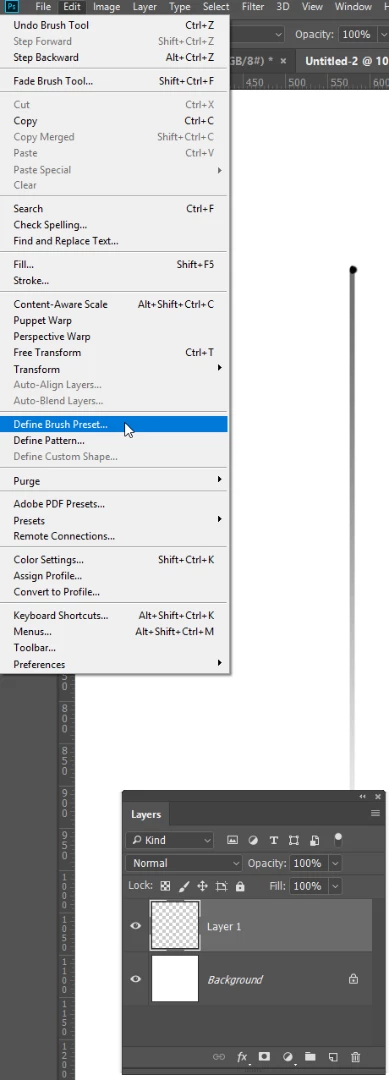
    Use the rectangular Marquee tool to make a tall thin selection.

    Make the foreground colour about 50% grey, and background colour white.

    Run a gradient down your selection

    Turn off the selection, and put a tiny black dot at the top.

    Define it as a new brush preset.

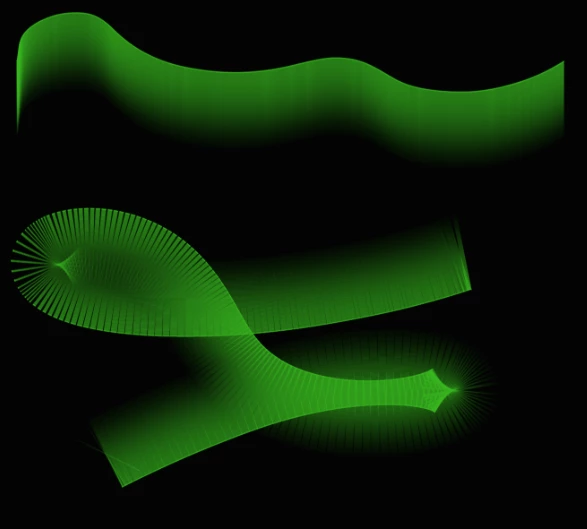
    That's it.  You might want to reduce opacity, and you could play with other settings like making Angle Jitter control to Direction.  You will need to set brush spacing as low as it will go for that at 1%.

    2 replies

    Trevor.Dennis
    Community Expert
    Trevor.DennisCommunity ExpertCorrect answer
    Community Expert
    January 3, 2018

    Easy-peasy to make. 

    Open a new document.

    Create a new layer.

    Use the rectangular Marquee tool to make a tall thin selection.

    Make the foreground colour about 50% grey, and background colour white.

    Run a gradient down your selection

    Turn off the selection, and put a tiny black dot at the top.

    Define it as a new brush preset.

    That's it.  You might want to reduce opacity, and you could play with other settings like making Angle Jitter control to Direction.  You will need to set brush spacing as low as it will go for that at 1%.

    Participant
    January 3, 2018

    Thank you!

    Neox99
    Legend
    January 3, 2018