Update. At this point the script works, it's in the right direction thanks to the help of Mark. There are two faults within the script;
- How can I select a folder where to save the files that the script generates at present it is all saved to my desktop ?
- How can I restore all of the files from the last saved workspace, there is no option with the script starting in a clean Ps document to load workspaces from an hour ago, a day ago etc a text file is generated, and all the documents are saved in PSD format, if a week later I want to load it up there is no 'list' that I can call upon within Ps.
I may have a folder
WorkSpace Ps Saver Documents
- [date]
-[date]
-[date]
etc
Hum… you moved the goal posts a bit… The original scripts saved and restored a *single* session…
You now want multi-sessions… I have made some additions to the scripts and hope that they now do what you want…?
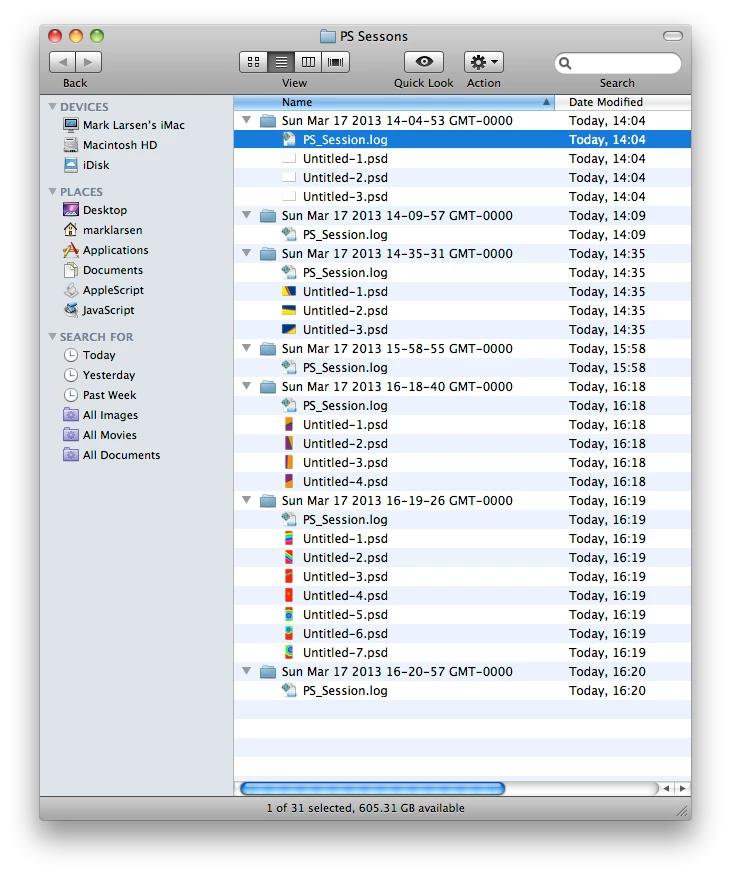
In short this is what script closePSSession does… The script now dumps the dated sessions in sub-folders of a main folder 'PS Sessions' on your desktop… Every time this script is run you will create a sub-folder that will contain any unsaved files along with a text log files that were open in this session… If all files had been previously saved then it will only hold the text log…
The script openPSSession should give you a dialog box where you can pick your session from a list made from the sub-folders… The script will read the contained log and reopen all the files in that session list…
#target photoshop
closePSSession(); // Call the function in to action
function closePSSession() { // Start my script function
// If no documents open then stop the script
if ( app.documents.length == 0 ) { return; }
// Set the application to give me NO dialog while script executes
app.displayDialogs = DialogModes.NO;
// These are the variables Im going to use in this function
var deft, log, session, temp, time, files = Array();
// Make a reference to our default folder on the desktop
deft = Folder( Folder.desktop + '/PS Sessons' );
// If it's not already there make or remake it
if ( ! deft.exists ) { deft.create(); }
// Get a date so we can time stamp the subfolders
time = new Date().toString();
// Remove the colon characters the mac might not like these
time = time.replace( /:/g, '-' );
// Make a reference to our sub-folder
session = Folder( deft.fsName + '/' + time );
// If it's not already there make or remake it
if ( ! session.exists ) { session.create(); }
do { // Start my loop of closing files down
try { // Where we may expect problems
// Store the File in our Array called 'files'
// This is the line of code that WILL ERROR if a file has NOT been saved before
files.push( app.activeDocument.fullName );
// Save and Close the file that has been saved previously
app.activeDocument.close( SaveOptions.SAVECHANGES );
} catch(e) { // This is what we will do if there's a problem ( NOT SAVED )
// We will create a File object to save this into
// I have given the file .psd extension as thats Photoshops default save format
temp = File( session.fsName + '/' + app.activeDocument.name + '.psd' );
// Save the document in to the above File object
// Here I pass NO save options just have it add the file extension
app.activeDocument.saveAs( temp, undefined, false, Extension.LOWERCASE );
// We can close this File now its been saved in a session folder
app.activeDocument.close( SaveOptions.DONOTSAVECHANGES );
// Store the File in our Array called 'files' now it has a path
files.push( temp );
}; // End the catch for problem documents
} while ( app.documents.length ) // Do the loop while there are documents open
// Create an File object using static property of Folder object
log = File( session.fsName + '/PS_Session.log' );
// This will create a new file or overwrite existing file
log.open( 'w' );
// Write the JavaScript Array of file objects into the file
log.write( files.toSource() );
// Close the log file down stop wrting info in to it
log.close();
// Put the application dialog modes back
app.displayDialogs = DialogModes.ALL;
}; // End of function
Sorry not had the time to comment this up…
#target photoshop
openPSSession();
function openPSSession() {
app.displayDialogs = DialogModes.NO;
var i, deft, list, fNames, win, grp, ok, cnl;
deft = Folder( Folder.desktop + '/PS Sessons' );
files = deft.getFiles();
fNames = Array();
for ( i = 0; i < files.length; i++ ) {
if ( files instanceof Folder ) {
fNames.push( decodeURI( files ) );
};
};
win = new Window( 'dialog', 'PS Session Files to Open…' );
win.preferredSize = [ 400, 100 ];
list = win.add( 'dropdownlist', undefined, fNames );
list.selection = 0;
grp = win.add( 'group', undefined );
cnl = grp.add( 'button', undefined, 'Cancel' );
ok = grp.add( 'button', undefined, 'OK' );
ok.onClick = function() {
var i, files, log, session;
session = list.selection.text;
win.close();
log = File( session + '/PS_Session.log' );
log.open( 'r' );
files = eval ( log.read() );
log.close();
for ( i = 0; i < files.length; i++ ) {
app.open( files );
};
};
win.center();
win.show();
app.displayDialogs = DialogModes.ALL;
};
Oh and a pretty picture just to show it works all dandy here… no more nightmares… 


 AdChoices