
Question
How to avoid "buildup"/"overlap" with Kyle Webster "Art Markers"
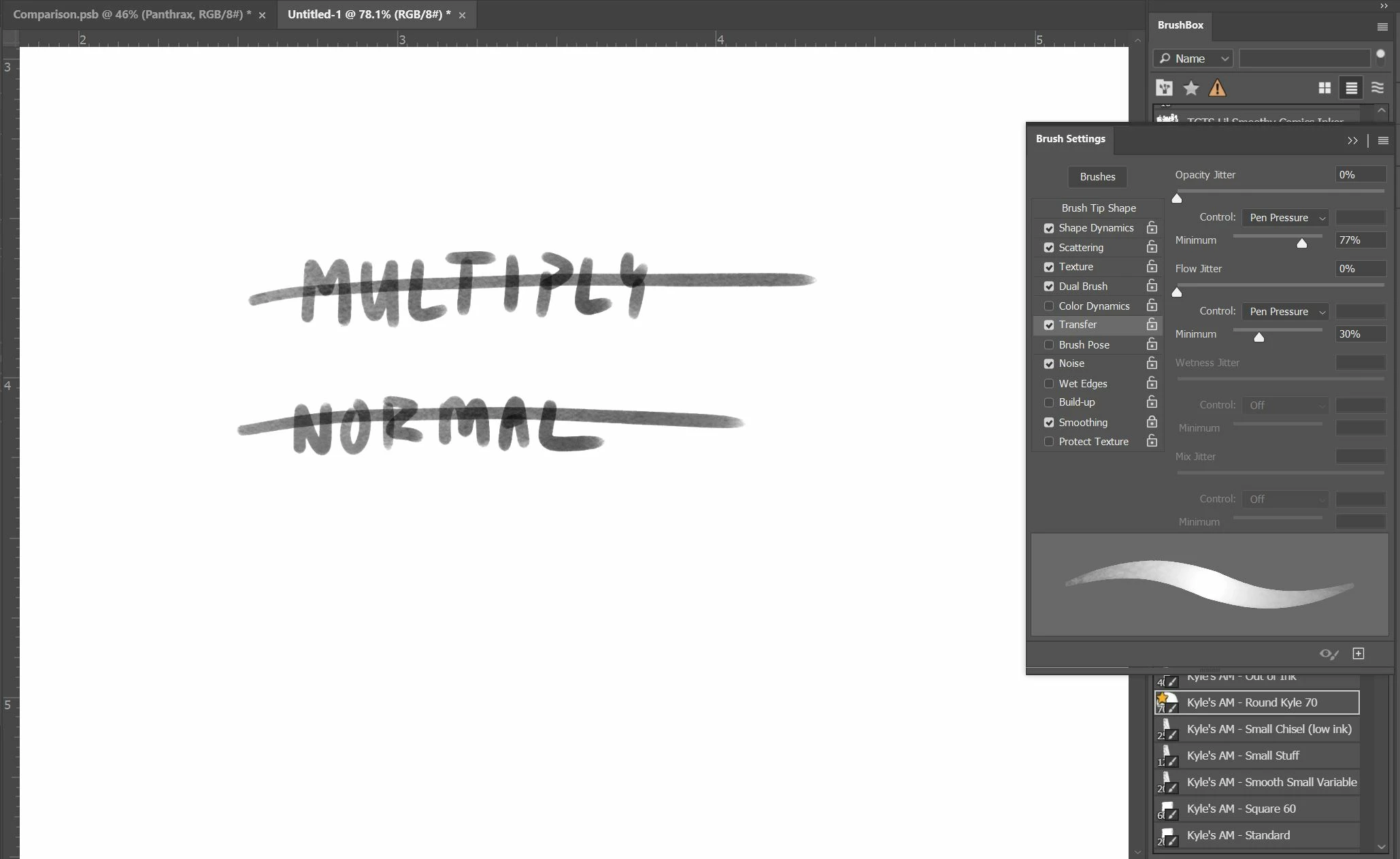
I'm using the Kyle Webster Art Marker "Round Kyle" - is there a way to avoid the color "buildup" or "overlap" when using multiple brush strokes, as shown in the image above? I know one way to avoid this is to just keep the stylus on the screen and keep everything confined to one brush "stroke," but if I could alleviate this another way it would be most helpful. (I'm using Photoshop 2020)
 AdChoices