
peterh44395498
Inspiring
September 13, 2017
Question

Previously applied filter disappearing

  • September 13, 2017
  • 1 reply
  • 664 views

Newbie question here.

I have a bunch of images that I've applied a noise filter and threshold to. I'm now trying to paste those into another PS doc.

I need to resize them to position them where I want so I'm using the command-T function which all seems to be going well. But when I click apply transformation, the previously applied filters disappear from the image.

Clearly I'm missing something.

The attached screenshot shows the top image has reverted to its pre filter state and the image below is what want
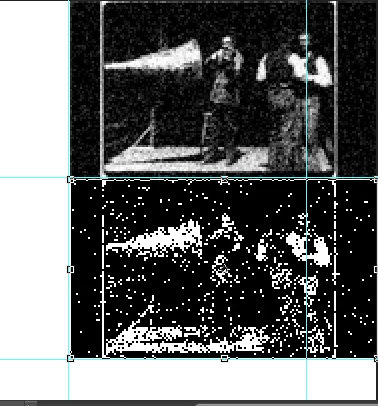
Anyone?

    This topic has been closed for replies.

    1 reply

    c.pfaffenbichler
    Community Expert
    Community Expert
    September 13, 2017

    Please post screenshots taken at View > 100% and not clipped – all pertinent UI elements (Options Bar, Layers Panel etc.) should be visible.

    If the Transformation is extreme enough it may effectively negate the noise depending on the Resample Method.

    Have you tried Nearest Neighbour?

    Are you working with Smart Objects and have you applied the Filter as a Smart tFilter? 

    peterh44395498
    Inspiring
    September 13, 2017

    Hi,

    Thanks for the reply. I don't know what you mean by nearest neighbour sorry but will look it up. And I don't think I was working with smart filters.

    Here's a full screenshot as you suggested. You can see how big the transformation is I intend. The 2nd image shows the outline just after pressing command-t. And the transformation I'm making is to scale it down to the small frames shown by the guide lines. Would you consider this transformation extreme so as to effect the filters as you mentioned?

    Still got this problem

    peterh44395498
    Inspiring
    September 13, 2017

    Update: I checked nearest neighbour and it wasn't that.

    I've done some more experimenting and it does seem the transformation is so extreme that it's altering the filter.....or what I expect to be seeing.