
Participant
October 19, 2017
Answered

RESIZE PROBLEM

  • October 19, 2017
  • 3 replies
  • 1797 views

Photoshop 11 - How to move subject back a little in order to see entire picture.  I have resized an 8x10 photo down to a 5x7 -- I have unchecked fit to frame - the picture is an action pic and has  outstretched arms in it (basebal ready to be thrown in one hand, ball glove on the other). I cannot see what is in the hands after I printed the picture. A 4x6 just

won't do for my project. How can I keep dimensions of 5x7 and yet see the entire picture?  Also, I do not have the option of custom sizing when printing.

Sure would appreciate help on this.  Thank you.
This topic has been closed for replies.
Correct answer DeanUtian

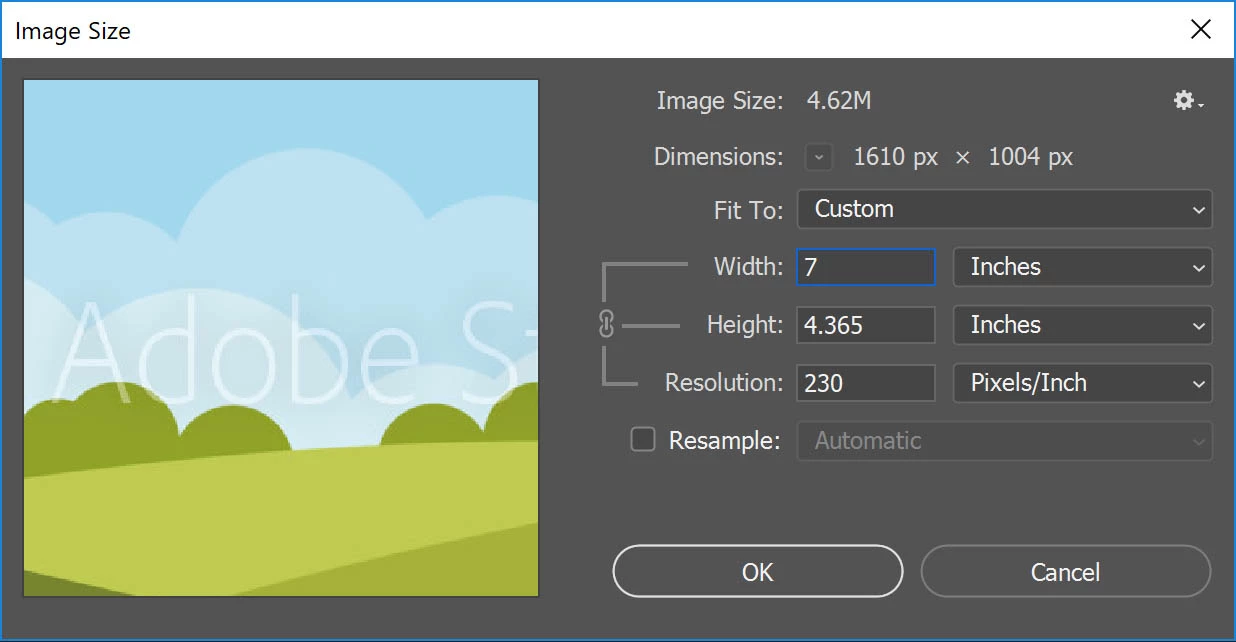
From what I understand, you have an image of 8x10 dimensions that you want to print at 5x7 but when you do, it gets cropped.

If that's the case, change the image size to match the new print size as follows:
1. From the top menu, select Image > Image size.
2. Uncheck the Resample option at the bottom.3. Change the measurements to inches, and adjust the width / height to match your needs. By default, changing one will change the other as they are unlocked. You can unlock this to change each separately by clicking on the icon to the left. As you reduce the width or height, the resolution will go up.
4. Click OK.
5. Save.

3 replies

DeanUtianCommunity ExpertCorrect answer
Community Expert
October 21, 2017

From what I understand, you have an image of 8x10 dimensions that you want to print at 5x7 but when you do, it gets cropped.

If that's the case, change the image size to match the new print size as follows:
1. From the top menu, select Image > Image size.
2. Uncheck the Resample option at the bottom.3. Change the measurements to inches, and adjust the width / height to match your needs. By default, changing one will change the other as they are unlocked. You can unlock this to change each separately by clicking on the icon to the left. As you reduce the width or height, the resolution will go up.
4. Click OK.
5. Save.

mglush
Community Expert
Community Expert
October 20, 2017

Hi!

Can you post a screen shot so we can get a better idea of what you are trying to do? Are your cropping your image, or resizing it?

Show us something, so we can help you more effectively!

Michelle

Abambo
Community Expert
Community Expert
October 19, 2017

Photoshop 11? Photoshop elements?

ABAMBO | Hard- and Software Engineer | Photographer