
Participant
July 18, 2024
Question

Selección de objetos inteligentes

  • July 18, 2024
  • 1 reply
  • 171 views

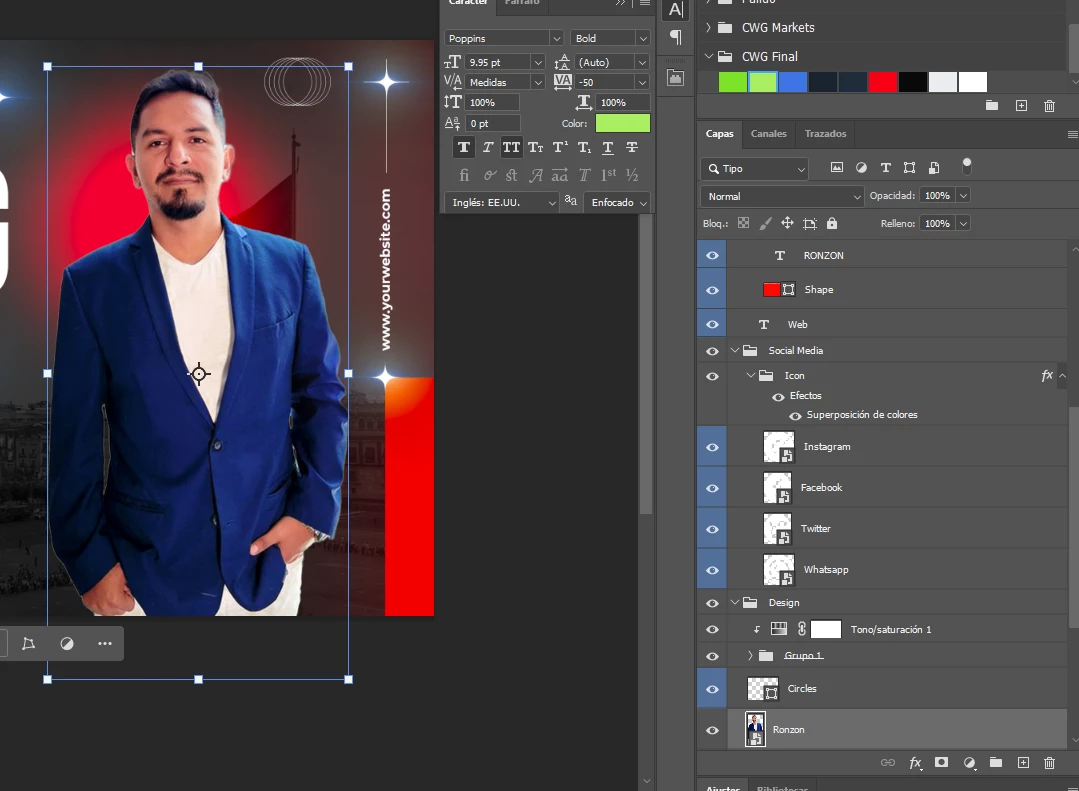
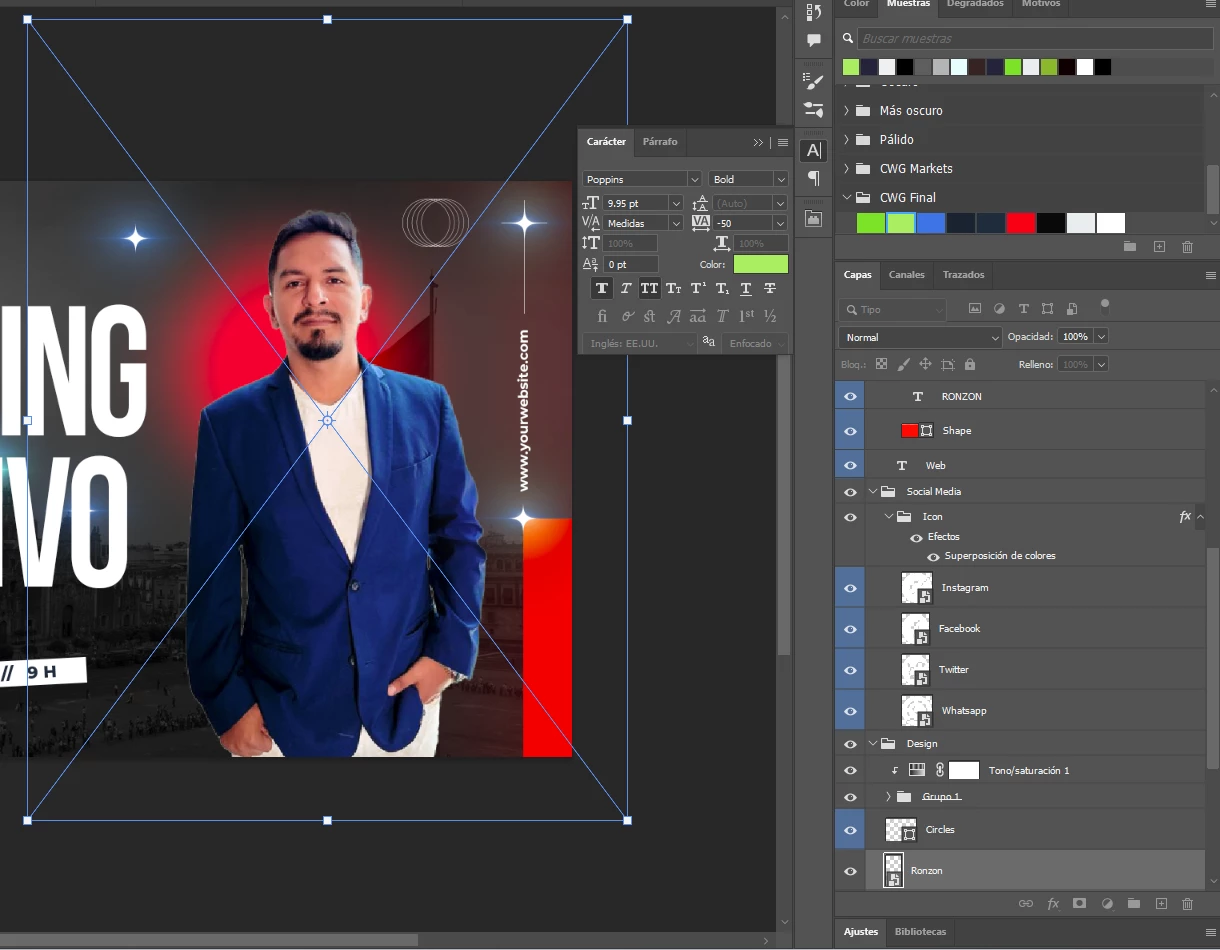
Estoy teniendo un problema al seleccionar, si bien me hace sentido el hecho de que los limites esten marcados con el archivo original, en el momento de escalar los limites cambian y suele presentarse un error al usar el putero, entonces termino por hacer algo que no queria como mover el punto del eje o copiar el objeto
¿alguien sabe como solucionarlo?

This topic has been closed for replies.

1 reply

Sameer K
Community Manager
Community Manager
July 18, 2024

Hey, @Santibishop. Welcome to the Photoshop Community. I'll need more info to help you figure this out.

Does this happen when you use the Free Transform too? Please share the system info from Photoshop Help > System info > Copy & paste into a text document > upload & attach here. 


Ensure there are no stale preferences in your Photoshop. Go to the location of the preference folder below and rename it to backup.

  • Windows 10/11: Users/[user name]/AppData/Roaming/Adobe/Adobe Photoshop [version]/Adobe Photoshop [version] Settings
  • You can press Press the Windows key > Enter 'Run' > Enter %APPDATA%\Adobe
  • Rename the Adobe Photoshop folder by adding a .old at the end. (Adobe Photoshop 2024 > Rename > Adobe Photoshop 2024. old), you can later restore these preferences if needed.(https://adobe.ly/4860qM9)
  • Restart the computer.

These changes will give a fresh start to Photoshop as a fresh install. Let me know how it goes.

Thanks!

Sameer K

(Use '@mention' to tag me when you reply)

Participant
July 24, 2024

Te adjunto el archivo y probare reiniciando las preferencias