
Answered
Cannot compare 2 clips in Comparison View
My reference clip is empty. I've seen some videos and follow them but I just cant compare 2 different clip. What did I do wrong or missed?
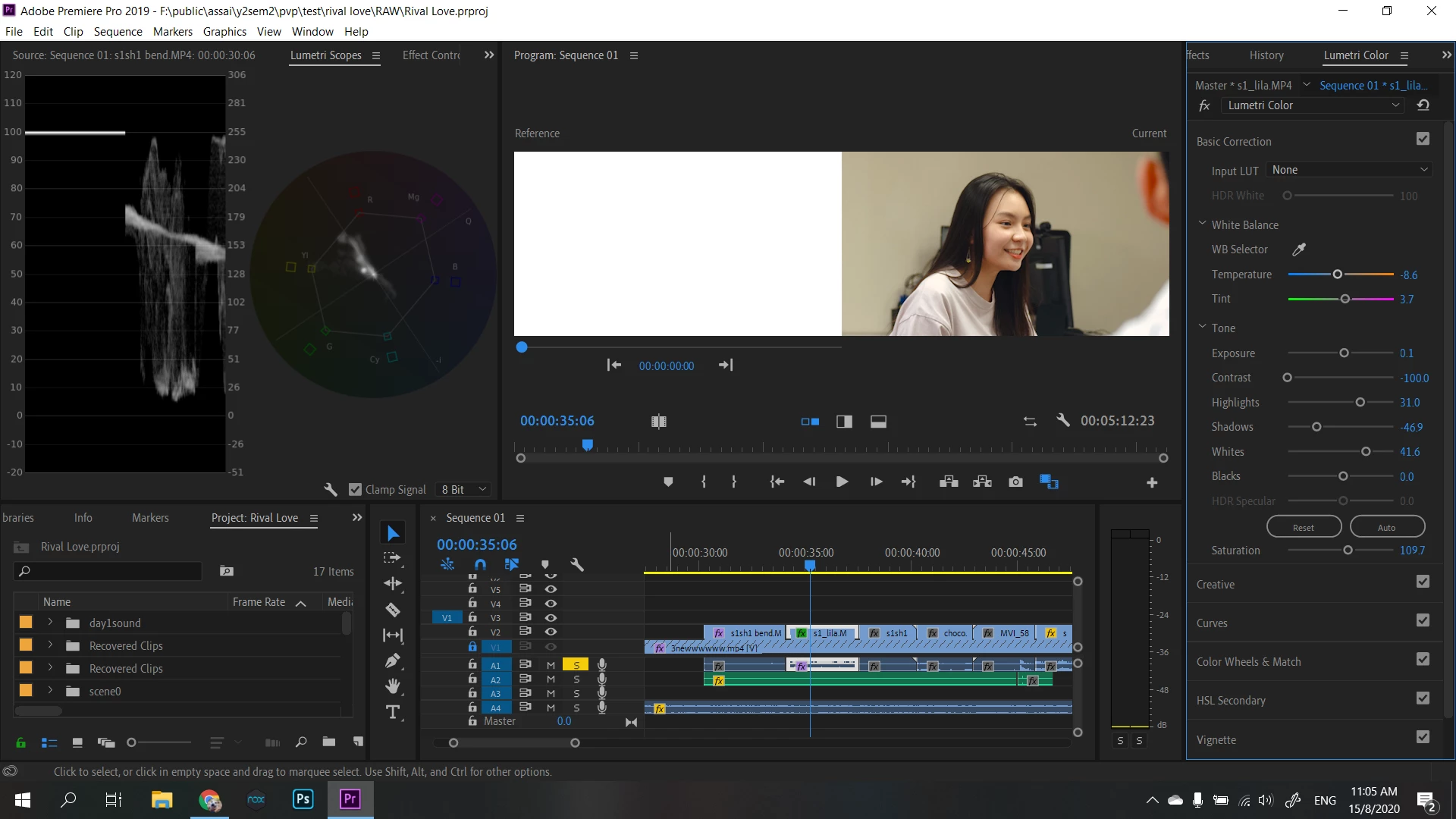

My reference clip is empty. I've seen some videos and follow them but I just cant compare 2 different clip. What did I do wrong or missed?
Your comparison view monitor is displaying the start of the timeline, but the diagonal lines are showing you that the clip that is at the position in the timeline is unlinked.
You need to re-link that clip on the timeline to the master clip. If you need help doing that:
Next you need to click on the timecode numbers that are under the comparison view window and while clicked down drag left or right to position the comparison view window on the clip/frame you want to match to.
MtD
Already have an account? Login
Enter your E-mail address. We'll send you an e-mail with instructions to reset your password.
 AdChoices