
Participant
August 31, 2017
Question

Captions vs. titles in Premiere Pro CC. Captions pixelated

  • August 31, 2017
  • 3 replies
  • 3576 views

I'm working on a short documentary with subtitles and they're just not looking good in Premiere or when I export. My sequence settings are 1920x1080, 24p and the export tests I've tried have been h.264 and prores .mov's. I used the captioning function, which is a nice feature, but the text looks pixelated like a raster graphic as opposed to vector. These are open captions, burned in, at 100% scale. I did a test comparing those captions with titles and the titles look much better (screen shot attached, though it might be hard to tell the difference without zooming in. Captions on bottom). Am I doing something wrong with the captions or is this just how they're supposed to look? I'd like not to have to create titles for all the captions, but maybe that's the only way to get a non-pixelated look.   
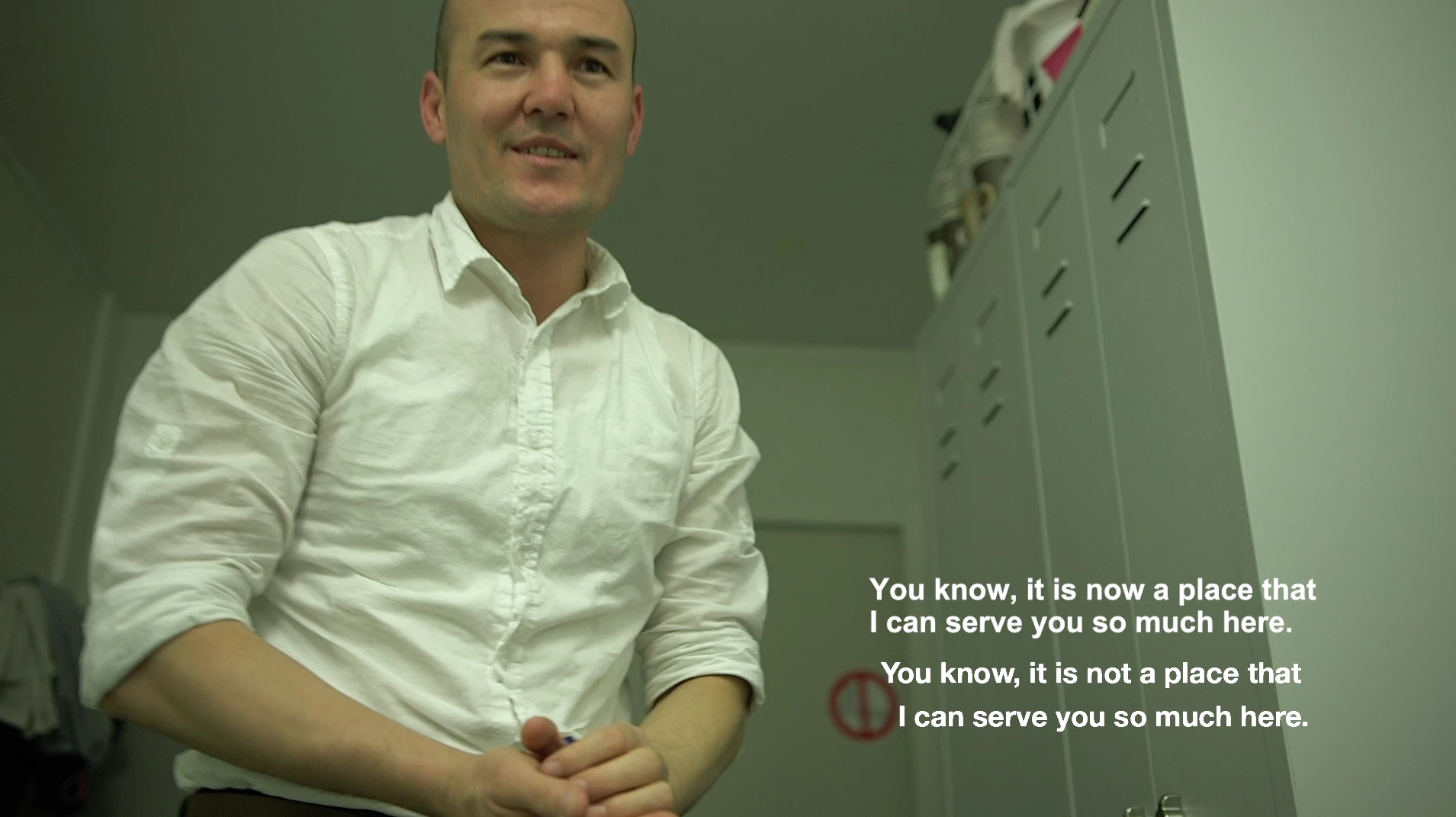
This topic has been closed for replies.

3 replies

Participant
January 7, 2019

Very annoying bug.

My current workaround is: Doubling the font-size of the captions and then scaling the entire captions-clip down in "Effect Controls" to 50%. This effectively doubles the resolution of the rendered text and creates a good visual result with only a few clicks.

Hope they'll fix it asap.

Stan Jones
Community Expert
Community Expert
January 7, 2019

This thread was from 2017, so I won't hold my breath. But it is an important problem that needs to be fixed. See my comments here:

Premiere CC 2019 problem with Text graphics cannot edit text – Adobe video & audio apps

I hope I find a few minutes to compare your workaround to the one I describe in that post. Yours is simpler!

Here is a uservoice report to upvote:

Anti-Aliasing on Open Captions – Adobe video & audio apps

Legend
September 4, 2017

Subtitles and Captions are technically two very different things.  I've never had to work with Captions, so I can't offer advice on how to solve any issues with such.  But Subtitles are just titles positioned at the bottom of the screen.  They work just fine for me here, so if Captions aren't working for you, and you don't actually need Captions, try using titles.

Participant
September 4, 2017

I don't think there's any solution to this. Just don't do the captions. I ended up redoing the subtitles for the whole film, creating a title for each caption. Adobe, please fix the caption function!! Not professional at all