

CC 2017 Exporting 5.1 Multichannel
I'm trying to export a film with a proper 5.1 mix. The only caveat is that we had to add a couple SFX in over the mix so on Tracks 7, 8 we have just a few additional audio files. I've been doing endless research, which seems inconsistent across different versions of Premiere, but it seems like the best route is to do Multichannel sequence vs 5.1. I just don't know if the audio is being routed to the correct channel or if it's being split somehow.
Here's what I'm doing:
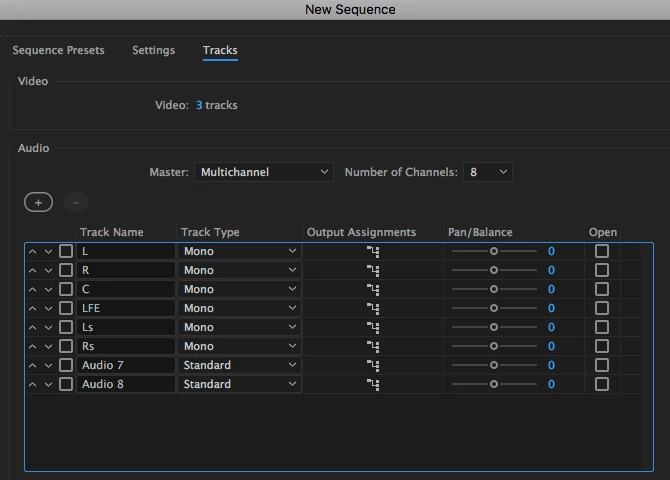
Set up a sequence as "Multichannel", each track as "Mono" (except 7/8 which have the added in SFX clips), route each track to corresponding output assignment (L 1-2, R 1-2, C 3-4, and so on...)
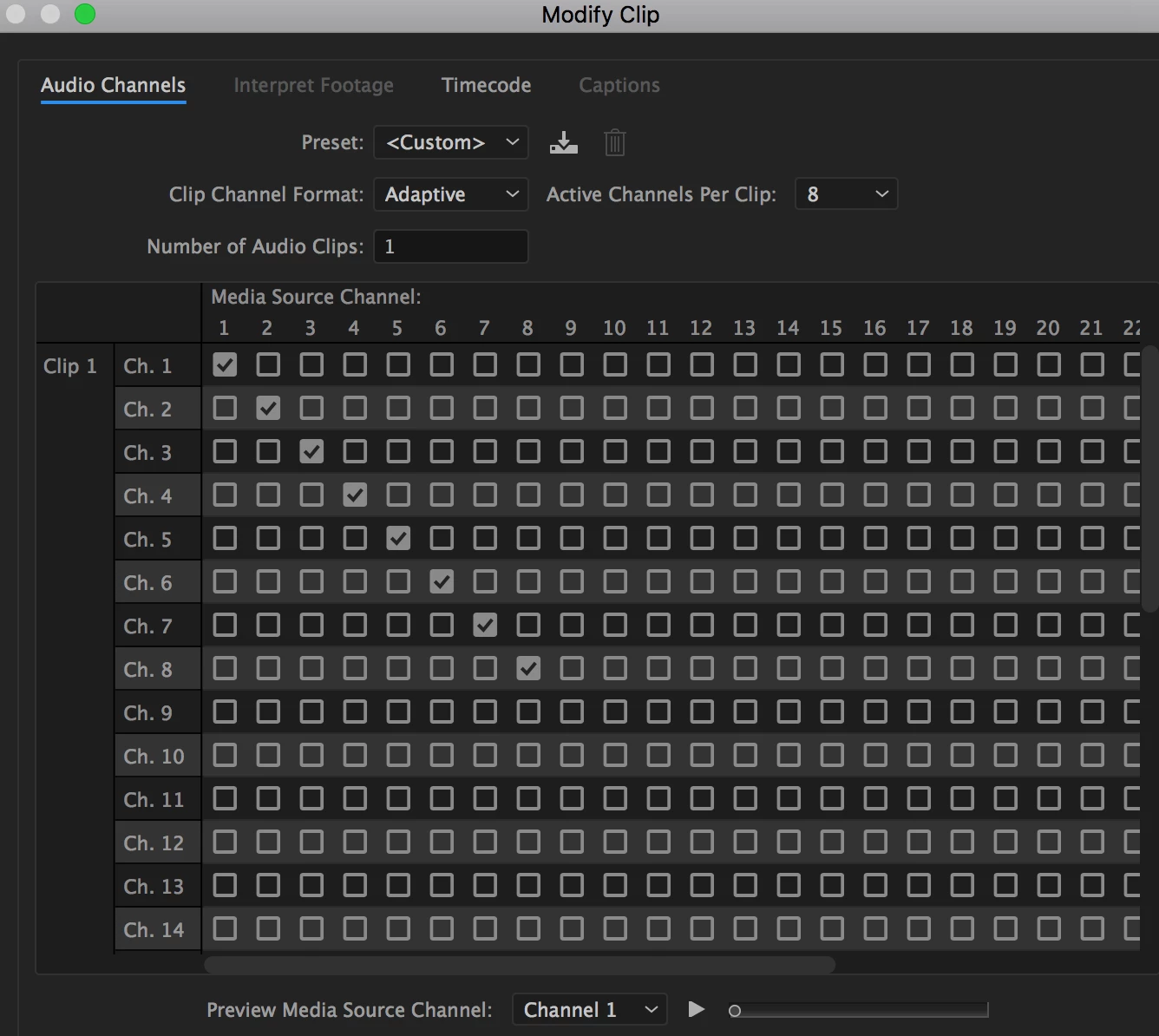
Then I lay my audio in with the proper 5.1 mix and the couple of additional sound files. This is what my Modify Audio looks like (Is this correct?)
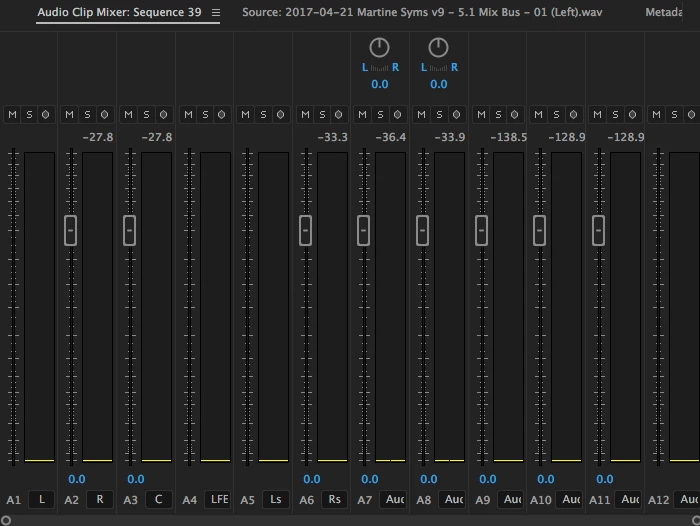
However, in my mixer, I don't have the option to pan L, R, L, R... (-100, 100, -100..) as most forums have suggested. It's totally grayed out, except on the 2 additional tracks 7 8 that I left as "Standard" instead of changing to Mono. I don't know if this is affecting my output and possibly splitting the audio? Seems like in previous versions of Premiere you could pan here. (See this tutorial)
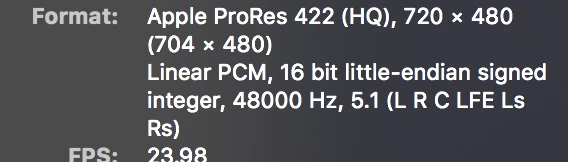
When I export and bring it into Quicktime to check the routing, it seems correct but the sound in the Center channel seems very low.
I just want to know the proper way to export 5.1 (with or without the need for additional sound files as in this case) and if the Multichannel approach is still the correct way to go. I don't immediately have a 5.1 setup to test on so trying to get it as accurate as possible until then.
 AdChoices