

Certain clips import green/purple & distorted
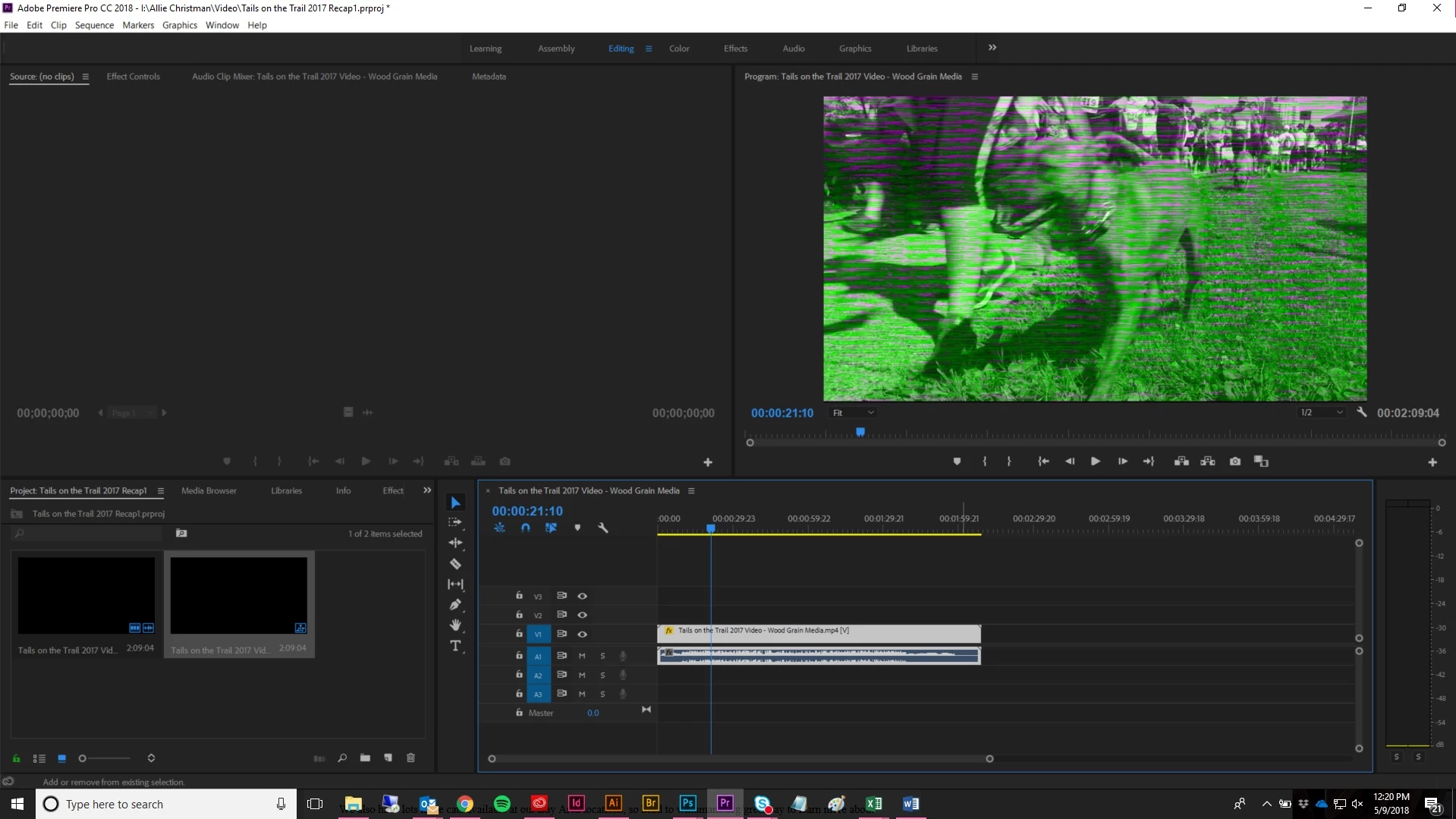
For the last month or two, I'm suddenly having issues with clips getting distorted when imported into Premiere. They play perfectly fine everywhere else, but once I drop them into Premiere, there's a weird green & purple overlay with moving bars across it. For most clips, it's the entire clip that gets distorted, but for others it's certain pieces of the same clip. All clips have come from various cameras - sometimes a phone, sometimes a video camera - and I can't identify any sort of trend in the type that causes the issue. I've tried uploading the clips to YouTube and downloading as them a different file type, but it doesn't make a difference. The clips are all fine until they go into Premiere. I've deleted the clips, re-imported them, renamed them, done everything I can think of using my admittedly limited knowledge of Premiere. The same clips play just fine in my coworker's Premiere program. I'm frustrated out of my mind and have had to resort to Windows Movie Maker for horrible hack-jobs just to get something out in time. I'm fully updated on Premiere Pro CC and the issue spanned at least two updates for me, unfortunately.
Please please please: if you have advice for how I should handle something, please give me step-by-step instructions. I've asked in other forums and the advice I got there was like a foreign language to me. I've been using Premiere for about a year, but I am certainly not fluent, nor am I particularly savvy on computer-related terminology. Thank you for your help!
 AdChoices