Inspiring
January 21, 2023
Question

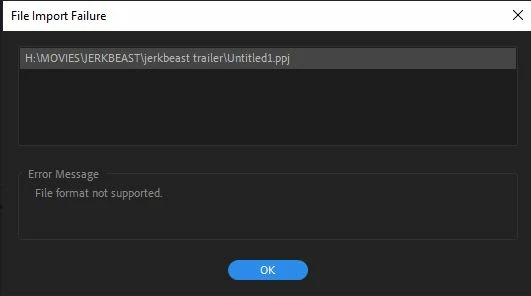
Is there any way to open old PPJ project files in current Premiere Pro???

  • January 21, 2023
  • 3 replies
  • 2164 views

I have a ton of old projects that I want to properly archive and re-export and they are in PPJ file format from CS3/4/5 and they don't open in any current version of Premiere. As expected the Adobe CS chat person is all "horp dorp please te be tell me your operating system so we can see what the trouble is" and other assorted unhelpful nonsense. 

Has anybody here been able to open a PPJ file in the post-Obama world??? It is patently insane that Abode assumes nobody will ever need to open old Premiere files. Or at least provide older versions we can install to open these files. But nope, no CS versions available on the CC app or anywhere I can find. I guess I can resort to torrenting an old version and trying that, but ugh I really don't want to wrestle with that BS. 

Help computer?
This topic has been closed for replies.

3 replies

Inspiring
January 22, 2023

I ended up being able to get into the downloads section on my Adobe account and download the CS5 production premium package. No it doesn't work with my CS5 serial number, because of course not! No, it works with my Premiere CS3 PP serial number. Makes total sense! I also was able to activate a CS6 download but CS6 doesn't ingest PPJ files. 

Anyway I can now change these PPJs over to PRPROJs. If you didn't buy CS3 back in the day, however, you'll be out of luck. It's patently nuts that Adobe has left so many older projects high and dry unless you bought a $700 piece of software 15 years ago. Good job, Adobe!

Peru Bob
Community Expert
Community Expert
January 21, 2023

Try creating a new project and import the old one into it.

If that doesn't work, try importing the individual sequences.