

PR422HQ Audio Drift on Export
We're an Avid house but I know Premiere really well which is why I was brought in.
A vendor that's on Premiere was working on a video we delivered last month. He passes TONS of media thru his place all the time and has been doing so for years - including media our post house delivered to the studio. The vendor reached out to the studio because his exports were out of sync. Our source passed QC at Deluxe, etc., we tested our video against his to make sure there was nothing corrupt. It's a 10-ch video - stereo audio on 7&8, stereo minus VO on 9&10.
I tested his workflow in PP2019 and 2018 just to be safe and sure enough, while not the same 8 frames his was out of sync, our exports were also out of sync.
Anyone have any ideas here? We tested other exports we've done for other projects with mixed results - most of the time there was no audio sync issue with the export but a couple times there were. It's not drifting, and the source is in sync, but lining put the export and the source in a timeline clearly shows some sync issue upon export.
Here's info on the source file (FROM AVID) as stated by Premiere:
Type: QuickTime Movie
File Size: 3.84 GB
Image Size: 1920 x 1080
Frame Rate: 23.976
Source Audio Format: 48000 Hz - compressed - 10 channels
Project Audio Format: 48000 Hz - 32 bit floating point - 10 channels
Total Duration: 00:02:58:07
Pixel Aspect Ratio: 1.0
Alpha: None
QuickTime Details:
Movie contains 1 video track(s), 1 audio track(s), 0 closed caption track(s), and 1 timecode track(s).
Video:
There are 4279 frames with a duration of 1/24th.
Video track 1:
Duration is 0:00:04:11
Average frame rate is 23.98 fps
Video track 1 contains 1 type(s) of video data:
Video data block #1:
Frame Size = 1920 x 1080
Compressor = Apple ProRes 422 HQ
Quality = High (4.00)
Audio:
Audio track 1 contains 1 type(s) of audio data:
Audio data block #1:
Format = 24 bit - 10 channels
Rate = 48000 Hz
Compressor = uncompressed
Timecode:
Timecode track 1 contains 1 type(s) of data:
Timecode data block #1:
Start Time = 00:59:59:00
Reel name =
Here's info on the exported file (FROM PREMIERE). Note that this is replicating his workflow - he was cutting a clip out so the run time is different:
Type: QuickTime Movie
File Size: 1.31 GB
Image Size: 1920 x 1080
Frame Rate: 23.976
Source Audio Format: 48000 Hz - 16 bit - Stereo
Project Audio Format: 48000 Hz - 32 bit floating point - Stereo
Total Duration: 00:01:05:00
Pixel Aspect Ratio: 1.0
Alpha: None
Created with: Adobe Premiere Pro CC 2019.0 (Macintosh)
Project: /Users/aaronlasley/Documents/Adobe/Premiere Pro/13.0/Untitled.prproj
QuickTime Details:
Movie contains 1 video track(s), 1 audio track(s), 0 closed caption track(s), and 1 timecode track(s).
Video:
There are 1560 frames with a duration of 1001/24000ths.
Video track 1:
Duration is 0:01:05:01
Average frame rate is 23.98 fps
Video track 1 contains 1 type(s) of video data:
Video data block #1:
Frame Size = 1920 x 1080
Compressor = Apple ProRes 422 HQ
Quality = Most (5.00)
Audio:
Audio track 1 contains 1 type(s) of audio data:
Audio data block #1:
Format = 16 bit - Stereo
Rate = 48000 Hz
Compressor = sowt
Timecode:
Timecode track 1 contains 1 type(s) of data:
Timecode data block #1:
Start Time = 00:01:53:08
Reel name =
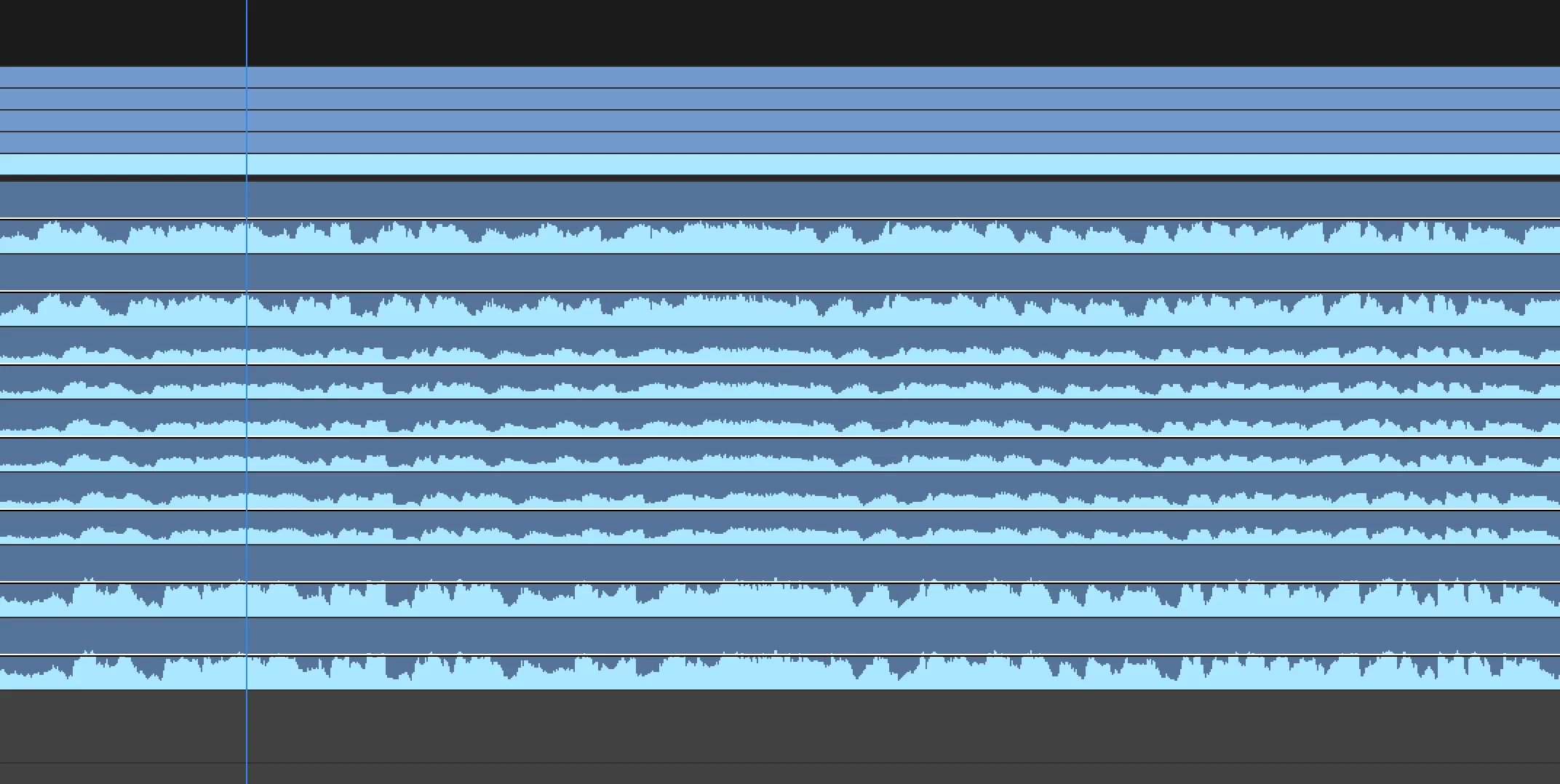
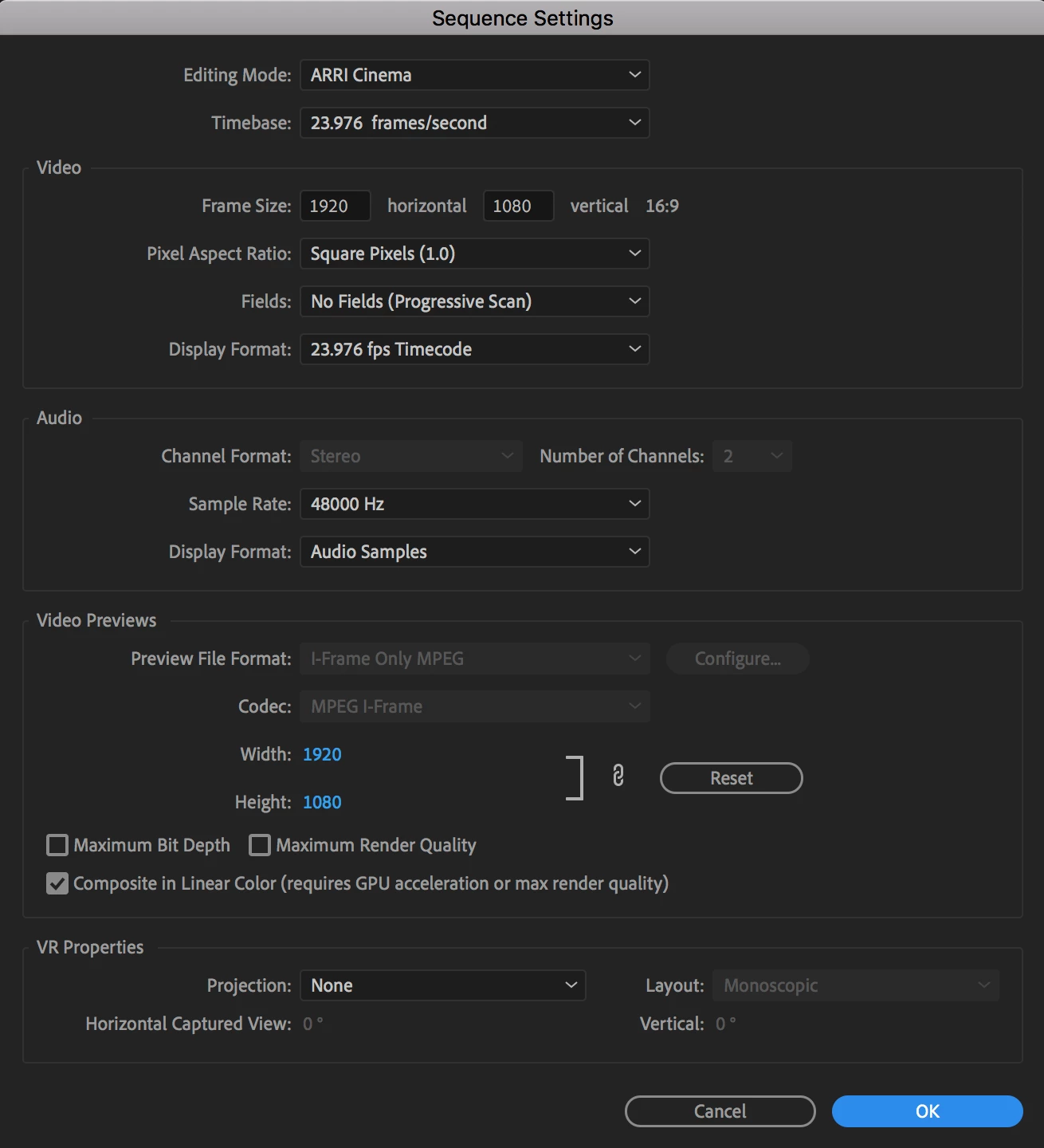
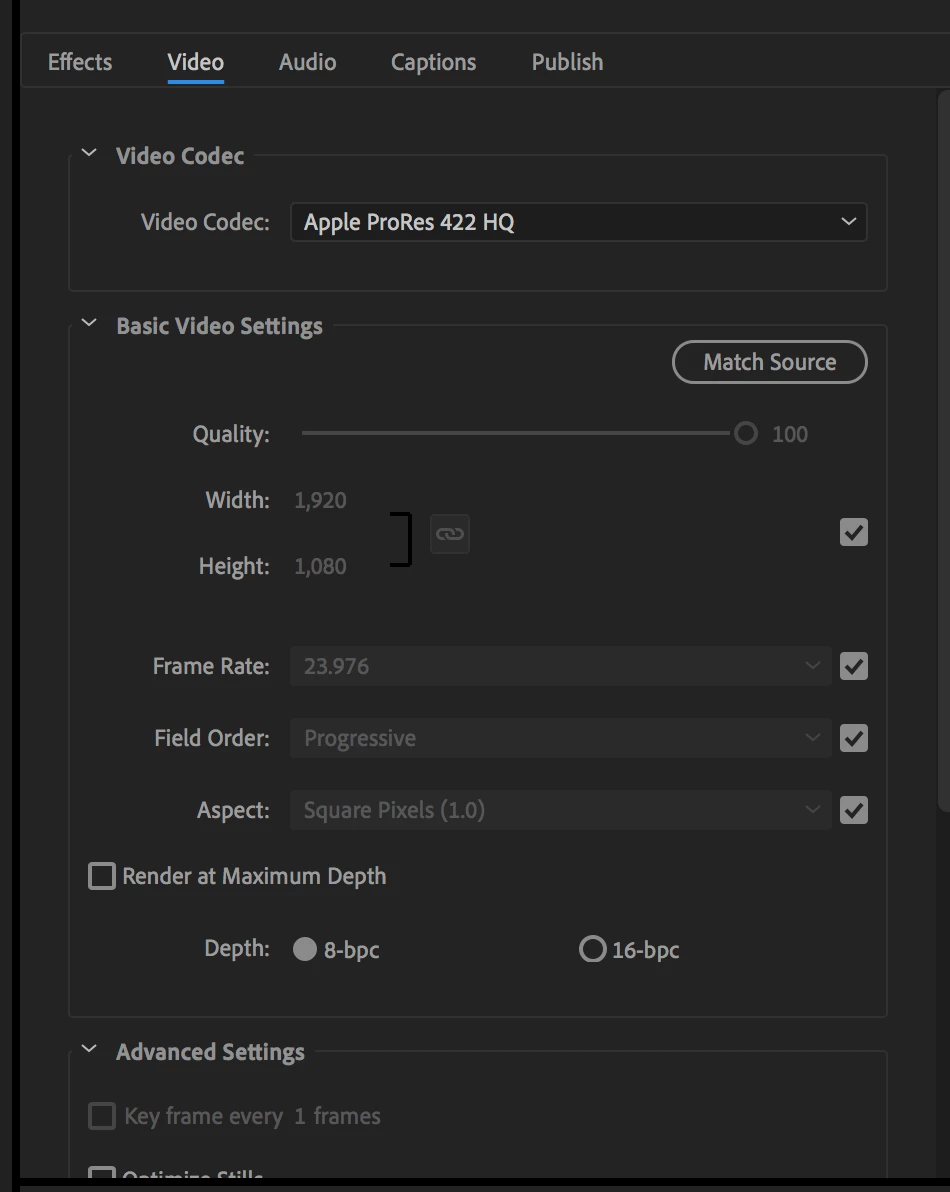
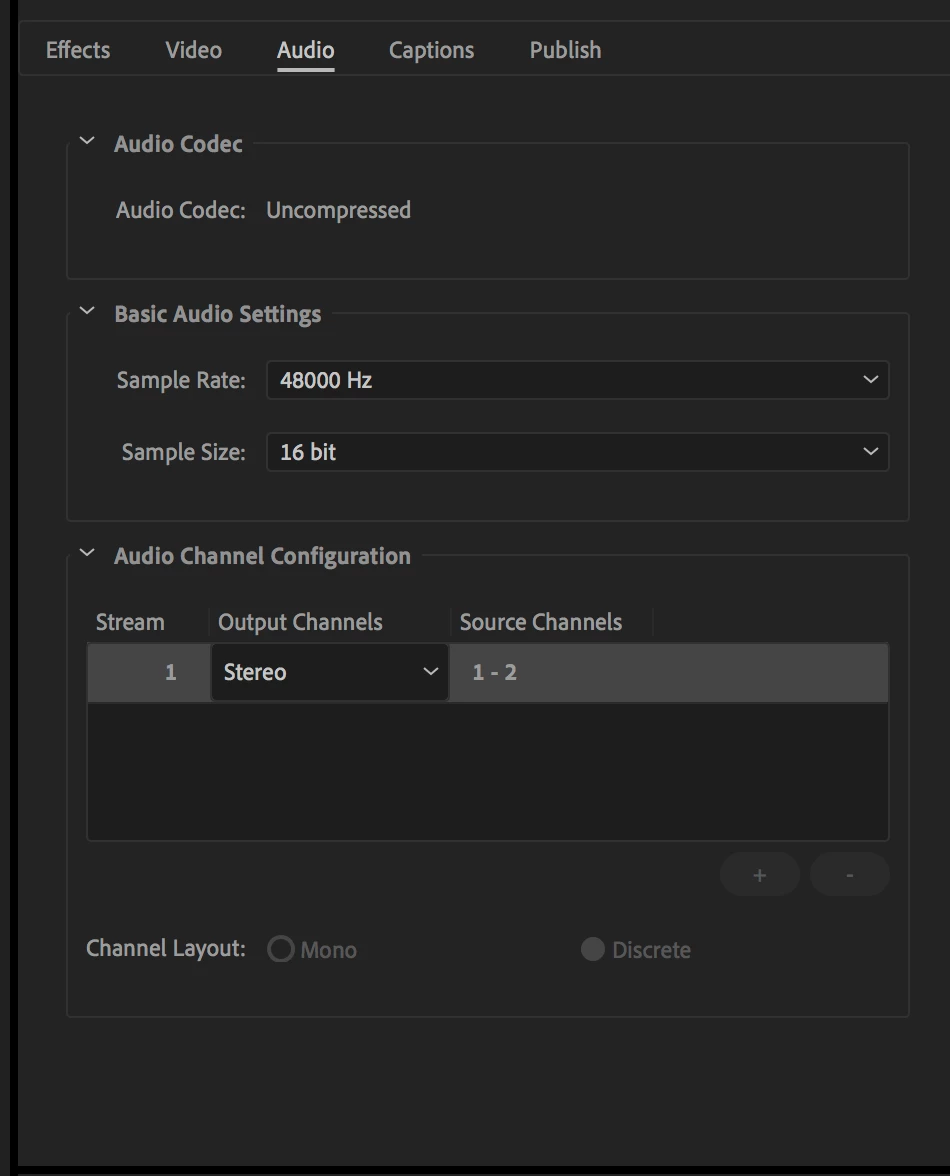
I have attached some screen shots for reference which include a shot of the timeline showing out of sync waveforms (from MANY test exports I did. CH1&2 are the original source, CH3 is a stereo channel of the first problematic export), a shot of the sequence settings, and a shot of the export settings we're using.
While I understand that this issue may be few and far between, getting to the bottom of exactly what may or may not be going on here is of some interest to us and the studio.
 AdChoices