

craigw38473593
Participant
October 25, 2019
Question

Microsoft Word images not printing correctly

  • October 25, 2019
  • 1 reply
  • 2495 views

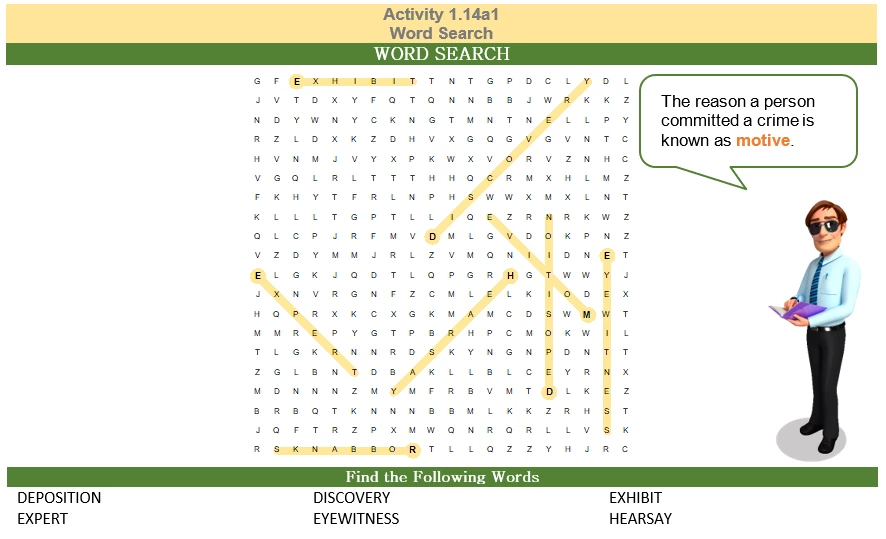
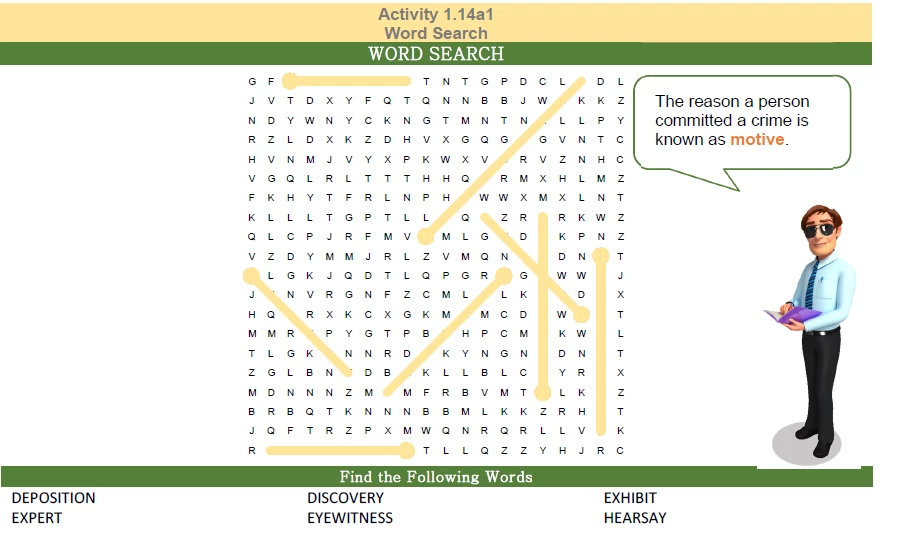
I have an image in word that I am printing to PDF.  The image is a cross word and should print the words with yellow highlights and being able to see the words behind the yellow highlight but instead, all I see once I convert the image to PDF is a SOLID yellow striking through the words instead of it being transparent.  I printed and saved to PDF as the best quality for PDF.  I am not sure what to do.  I am saving to PDF and then will preflight it for high quality printing press.  Any ideas?


Update FIX: Hey all, I fixed the problem myself - The program I was using for the image was saving as an Enhanced Metafiles (.emf) file, which was causing the issue.  Luckily, the program had a save to BMP option - I loaded the bmp option into word and then transferred the file again back into PDF and now everything looks fine.


In Word
PDF Converted
    This topic has been closed for replies.

    1 reply

    Dov Isaacs
    Legend
    October 26, 2019

    How were you actually creating the PDF file from Word? You wrote that you were “printing to PDF” which implies you were printing to the Adobe PDF PostScript printer driver instance (assuming you have Acrobat installed). If you wish to preserve quality (including color management and transparency), you really need to use Acrobat's PDFMaker Save as Adobe PDF functionality.


    The only reason why one would or should ever create PDF by printing to PostScript (i.e., AdobePDF) from Microsoft Office applications is because they have used one or more .EPS pieces of artwork in their document. EPS (Encapsulated PostScript) is really a deprecated format in terms of any support from Microsoft (they don't admit it publicly, but EPS can still be imported into Office documents, but your output results may vary 😄).


               - Dov

    - Dov Isaacs, former Adobe Principal Scientist (April 30, 1990 - May 30, 2021)
    craigw38473593
    Participant
    December 2, 2019

    Thanks Dov,


    I fixed my image problem.. Update FIX: - The program I was using for the image was saving as an Enhanced Metafiles (.emf) file, which was causing the issue.  Luckily, the program had a save to BMP option - I loaded the bmp option into word and then transferred the file again back into PDF and now everything looks fine.


    Also, you said to use save as instead of print (Adobe Best Quality).  I did that on one image and it degraded the image significantly. Printing (Adobe Best Print Quality) had the best image.  Am I doing something wrong on the save as to PDF?  It is degrading my images.  You may answer here, if you are able to, or see my new post at:


    https://community.adobe.com/t5/acrobat/printing-pdf-from-word/td-p/10774177


    Thanks!