We currently have an issue where Adobe Reader DC 2019.010.20069 Crashes when viewing PDF file on Internet Explorer 11. If you try to view a file on any webpage in IE you are presented with the below image. If you use Google Chrome you have no such issue.
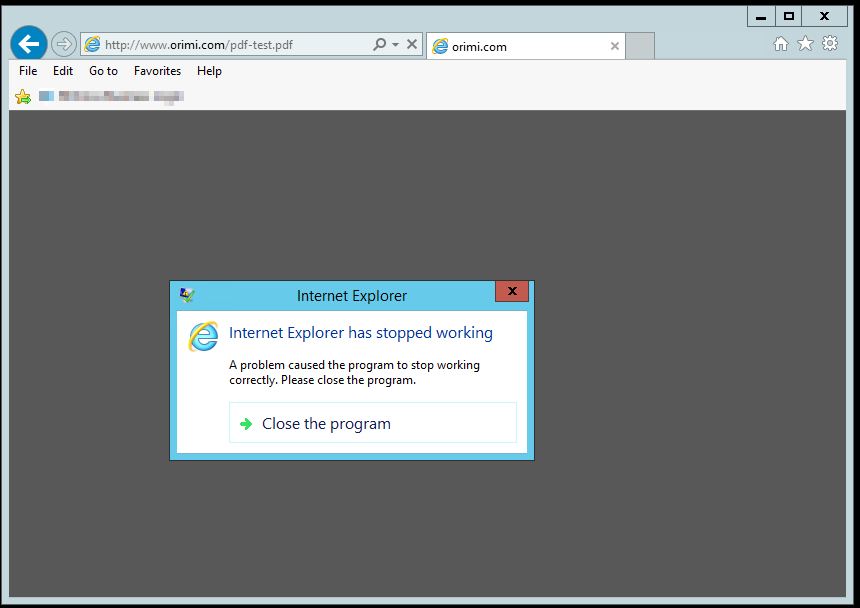
The Crash logs in Event viewer for this are below.
Faulting application name: IEXPLORE.EXE, version: 11.0.9600.19036, time stamp: 0x5b077e91
Faulting module name: AcroRd32.dll, version: 19.10.20069.49826, time stamp: 0x5c1a86c2
Exception code: 0xc0000005
Fault offset: 0x00c1d6af
Faulting process id: 0x8420
Faulting application start time: 0x01d4a99aeba53287
Faulting application path: C:\Program Files (x86)\Internet Explorer\IEXPLORE.EXE
Faulting module path: C:\Program Files (x86)\Adobe\Acrobat Reader DC\Reader\AcroRd32.dll
Report Id: 2b2a5da0-158e-11e9-832c-00155d029a5f
Faulting package full name:
Faulting package-relative application ID:
Troubleshooting Steps taken so far: (All result in the above)
Re-installation of Adobe both through Control panel and using the Adobe Clean up tool
Remove App Data for Adobe and Internet Explorer
Recreated User Profile
Rolled Back adobe to previous versions
Disabled the plugin in Internet Explorer and changed the Adobe settings to not view in the browser
Fix/Workaround
We have identified the issue with a registry key that gets written every time the adobe application has been opened. Location for this key is: HKEY_CURRENT_USER\Software\Adobe\Acrobat Reader\DC\AcroApp\cRegistered\c11

If you remove the c11 Folder and put read only access on the cRegistered key it will stop adobe from recreating the key. Without this key Internet Explorer is able to open the PDF and view in the browser.
Question:
Will this be patched and noted as an issue? Is there a way to avoid changing the registry entry to fix this issue?
Thanks




 2
Replies
2
Replies


 AdChoices