Exit
  • Global community
    • Language:
      • Deutsch
      • English
      • Español
      • Français
      • Português
  • 日本語コミュニティ
  • 한국 커뮤니티
0

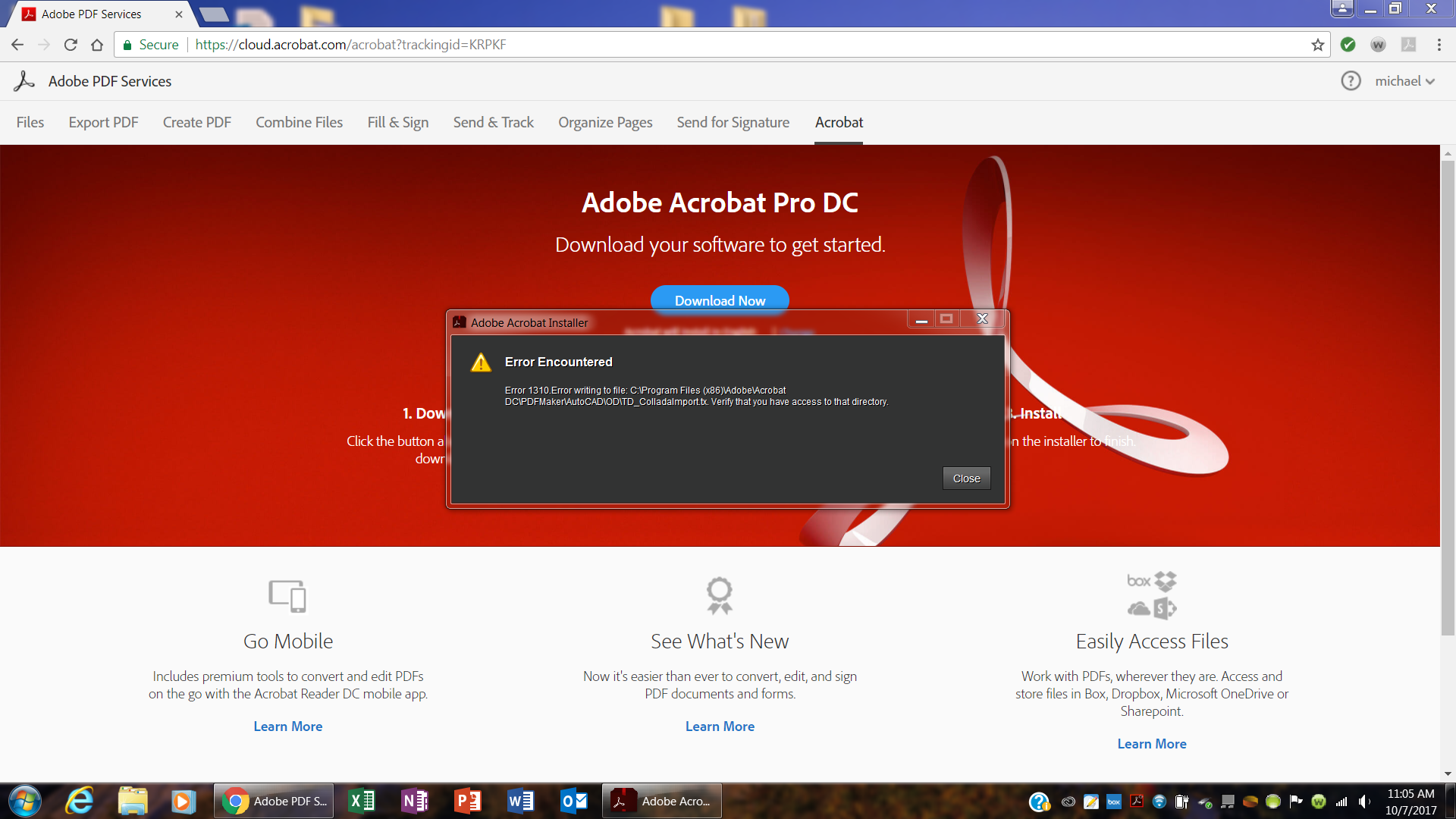
Error Code 1310 during installation of Acrobat Pro DC

New Here ,
Oct 07, 2017 Oct 07, 2017

Acrobat Pro DC Installation Error Code 1310.PNG

I am attempting to install Acrobat Pro DC on my computer. During the installation at around 80% I receive the above ERROR 1310 message.

What is the issue with the installation?

What do I need to do to correct and complete the insatll?

TOPICS
Install update and subscribe to Acrobat
2.1K
Translate
Report
Community guidelines
Be kind and respectful, give credit to the original source of content, and search for duplicates before posting. Learn more
community guidelines
1 ACCEPTED SOLUTION
Community Expert ,
Oct 07, 2017 Oct 07, 2017
LATEST

install the cc desktop app from here, https://creative.adobe.com/products/creative-cloud

quit the app

right click the cc desktop app executable>click 'run as administrator'

install your acrobat dc subscription (or trial).

if that fails, apply the info here to your situation (different program, folder, os) Error 1310: "Error writing to file: C:Config.Msi..." | Adobe Creative Suite 4

[moved from Downloading, Installing, Setting Up to Installing, Updating, & Subscribing to Acrobat]

View solution in original post

Translate
Report
Community guidelines
Be kind and respectful, give credit to the original source of content, and search for duplicates before posting. Learn more
community guidelines
Community Expert ,
Oct 07, 2017 Oct 07, 2017
LATEST

install the cc desktop app from here, https://creative.adobe.com/products/creative-cloud

quit the app

right click the cc desktop app executable>click 'run as administrator'

install your acrobat dc subscription (or trial).

if that fails, apply the info here to your situation (different program, folder, os) Error 1310: "Error writing to file: C:Config.Msi..." | Adobe Creative Suite 4

[moved from Downloading, Installing, Setting Up to Installing, Updating, & Subscribing to Acrobat]

Translate
Report
Community guidelines
Be kind and respectful, give credit to the original source of content, and search for duplicates before posting. Learn more
community guidelines