
Answered
I can't use Eyedropper tool
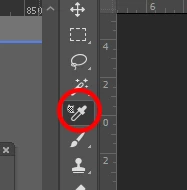
I don't know why but suddenly I can't use this tool because it suddenly creates strange icon or something
also Material drop tool has same problem
What happened?

I don't know why but suddenly I can't use this tool because it suddenly creates strange icon or something
also Material drop tool has same problem
What happened?
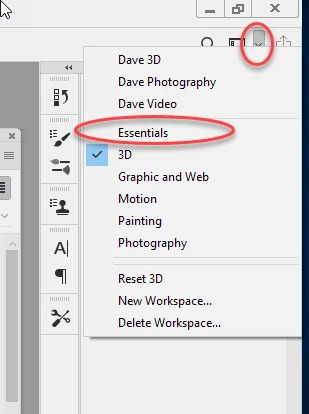
That is the 3D material eyedropper. Have you switched to the 3D workspace?
If so go to the top right of the Photoshop Window, click the down arrow and choose a different workspace (e.g Essentials or Photography ...etc
Dave
Already have an account? Login
Enter your E-mail address. We'll send you an e-mail with instructions to reset your password.
 AdChoices