
Automate MS Word to PDF with Signature Field
How do you automate PDF to a PDF with a digital signature field?
PDF > (trigger) Prepare Form > (trigger) Automatic Field Detection > (apply) digital signature field.
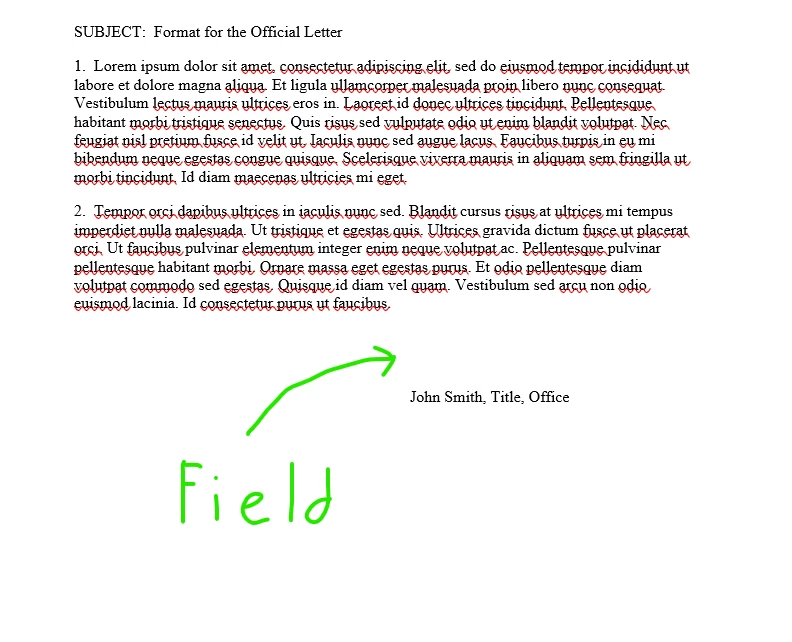
Ultimately, I want to automate converting fifty Word documents to PDFs and apply a digital signature field. I'm able to automate up to PDF generation via MS Power Automate or use File Explorer; yet I can't get from having a PDF to one with a digital signature field. Is there text I can add to the Word document to ensure a trigger for Automatic Field Detection in Adobe Acrobat Pro will apply a "signature field"? The physical location of the field will vary depending on the length of the Word document; however, it will logically be in the same area - preceding someone's typed name, title, and company name (screenshot).
 AdChoices