
Exit
  • Global community
    • Language:
      • Deutsch
      • English
      • Español
      • Français
      • Português
  • 日本語コミュニティ
  • 한국 커뮤니티
4

Bookmarks get lost when creating new bookmarks

Community Beginner ,
Aug 23, 2023 Aug 23, 2023

Hi, I've been having an issue with Adobe Acrobat for some time so I thought I'd post this in the hopes of either directing me to where a resolution can be found or informing the community of the issue.

I'm currently running this version of Adobe Acrobat Pro but the issue has been on-going in many versions over the years as far as I can tell:
SGMRoeh_0-1692802243319.png

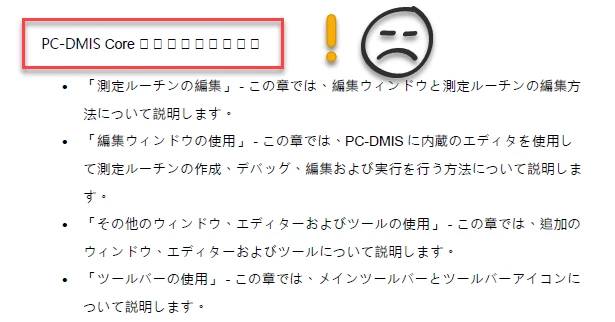
I create Word docs in many languages and convert them from Word to PDF. When I'm creating a Japanese version of a PDF from Word 365 using the ribbon option, I get this issue in the headers (Issue #1):
SGMRoeh_1-1692802467819.png

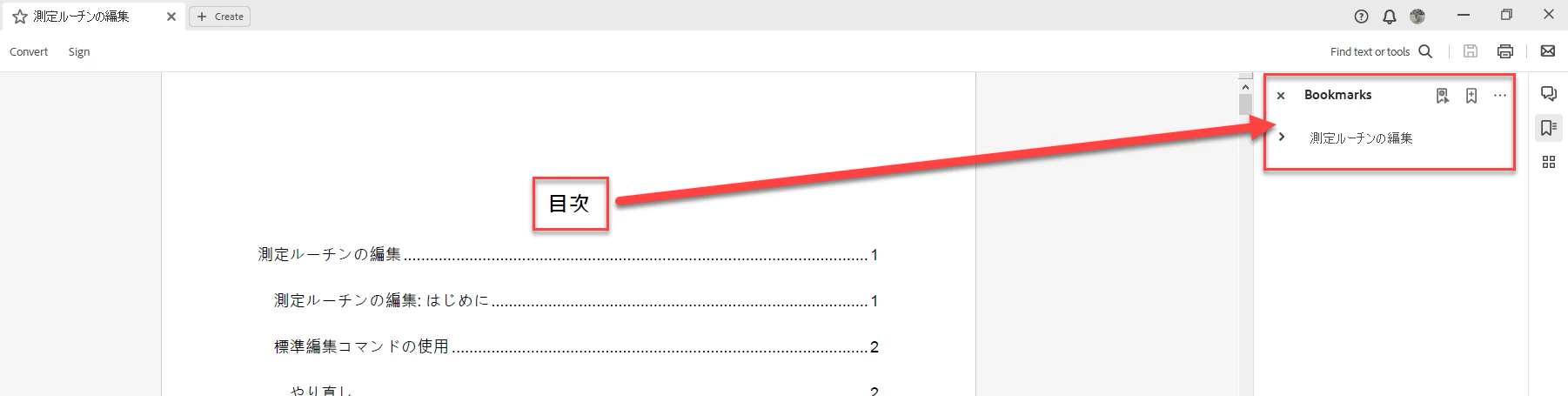
I then attempt the same thing but from the Save As option. This appears to work fine but I now need to update the bookmarks to include the Table of Contents page:
SGMRoeh_2-1692802558070.png

I highlight the TOC's heading and click the "Add a new bookmark" button:

SGMRoeh_3-1692802623981.png

At this point all's well except for the placement of the new bookmark item in the listing.

The final task is to move it to the top of the Bookmarks listing, but if I do it now and save, close and reopen the PDF document I'll find that all the bookmarks have disappeared.

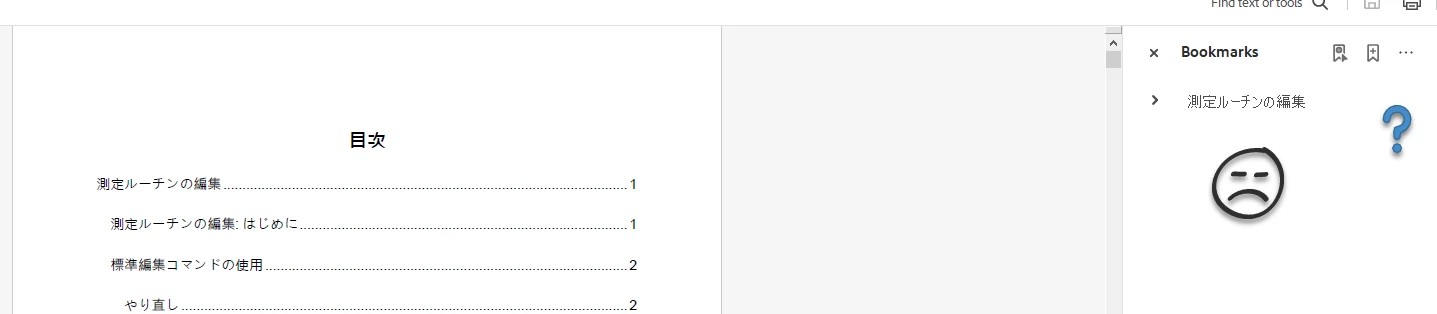
Instead, I save and close the PDF with the new TOC bookmark where it is and then reopen it ... but what have we here:
SGMRoeh_4-1692802735765.png

The new bookmark for the TOC is missing ... or is it?

If I click to expand the bookmarks, the TOC entry is now at the bottom of the listing:
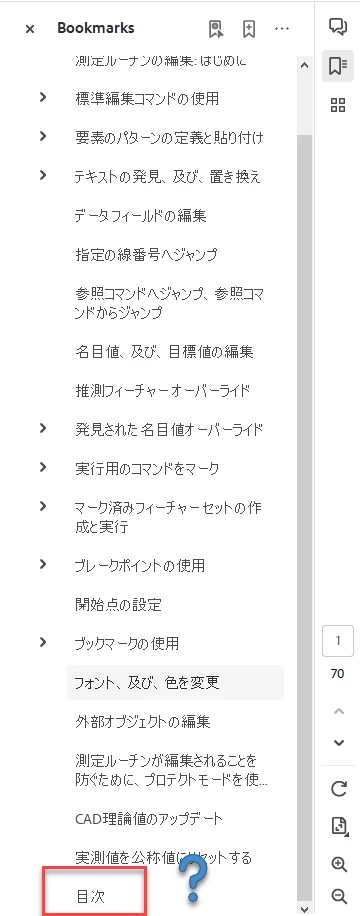
SGMRoeh_5-1692803081126.png

At this point, feeling a bit queasy, I click and drag the TOC bookmark from its current position to the very top of the listing where I want it, save, close and then reopen the document and voila:
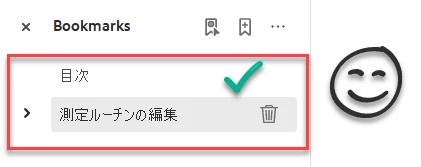
SGMRoeh_6-1692803441069.png

If anyone has any thoughts on how to resolve this or - perhaps - there's a setting I'm not familiar with to correct this please let me know - thanks!

The bookmarks issue isn't exclusive to the Japanese version of this document. This is an issue in any of the many languages I work with.

TOPICS
Create PDFs , Edit and convert PDFs , PDF
1.1K
Translate
Report
Community guidelines
Be kind and respectful, give credit to the original source of content, and search for duplicates before posting. Learn more
community guidelines
Community Expert ,
Aug 23, 2023 Aug 23, 2023

My guess would be there's an issue with how the bookmarks structure was set up in the application that created the PDF. Do you know how it was done? Do you have control over it? Does it happen with files created elsewhere, for example if you create a PDF file with bookmarks yourself from Word, or download such a file online?

Translate
Report
Community guidelines
Be kind and respectful, give credit to the original source of content, and search for duplicates before posting. Learn more
community guidelines
Community Beginner ,
Aug 23, 2023 Aug 23, 2023

Hey TRY67 - Thanks for your response.

The original Word doc was created in RoboHelp 2017. I create the Word doc from RH2017 and then use the Word doc to create the PDF. I'm using the headings in the Word doc to create the bookmarks.

Translate
Report
Community guidelines
Be kind and respectful, give credit to the original source of content, and search for duplicates before posting. Learn more
community guidelines
Community Beginner ,
Aug 31, 2023 Aug 31, 2023
LATEST

I found a quick fix to this issue...

In the Word doc, select Acrobat from the ribbon menu and then click on Preferences option:


SGMRoeh_0-1693474584852.png


From the dialog box that opens, select the Bookmarks tab and scroll down the list of styles until you find the style that you defined for your TOC title page. The style I used is called "Table of Contents Page Title":


SGMRoeh_1-1693474664795.png


Select its Bookmark check box and set it to a Level 1 if it's not already.

When you regenerate the PDF, the TOC entry is always placed in the correct location of the PDF's Bookmarks listing.

Translate
Report
Community guidelines
Be kind and respectful, give credit to the original source of content, and search for duplicates before posting. Learn more
community guidelines