
Known Participant
May 20, 2023
Question

Cannot Right Click to Set Destination of Bookmark (MacOS Acrobat Pro 2023.001.20177)

  • May 20, 2023
  • 2 replies
  • 2246 views

Hi 

I installed the latest version of Acrobat Pro and noticed while attempting to set a current bookmark to a new destination that the feature disappeared from the menu when I right click on the bookmark.

Any idea where this feature went to in the new layout?
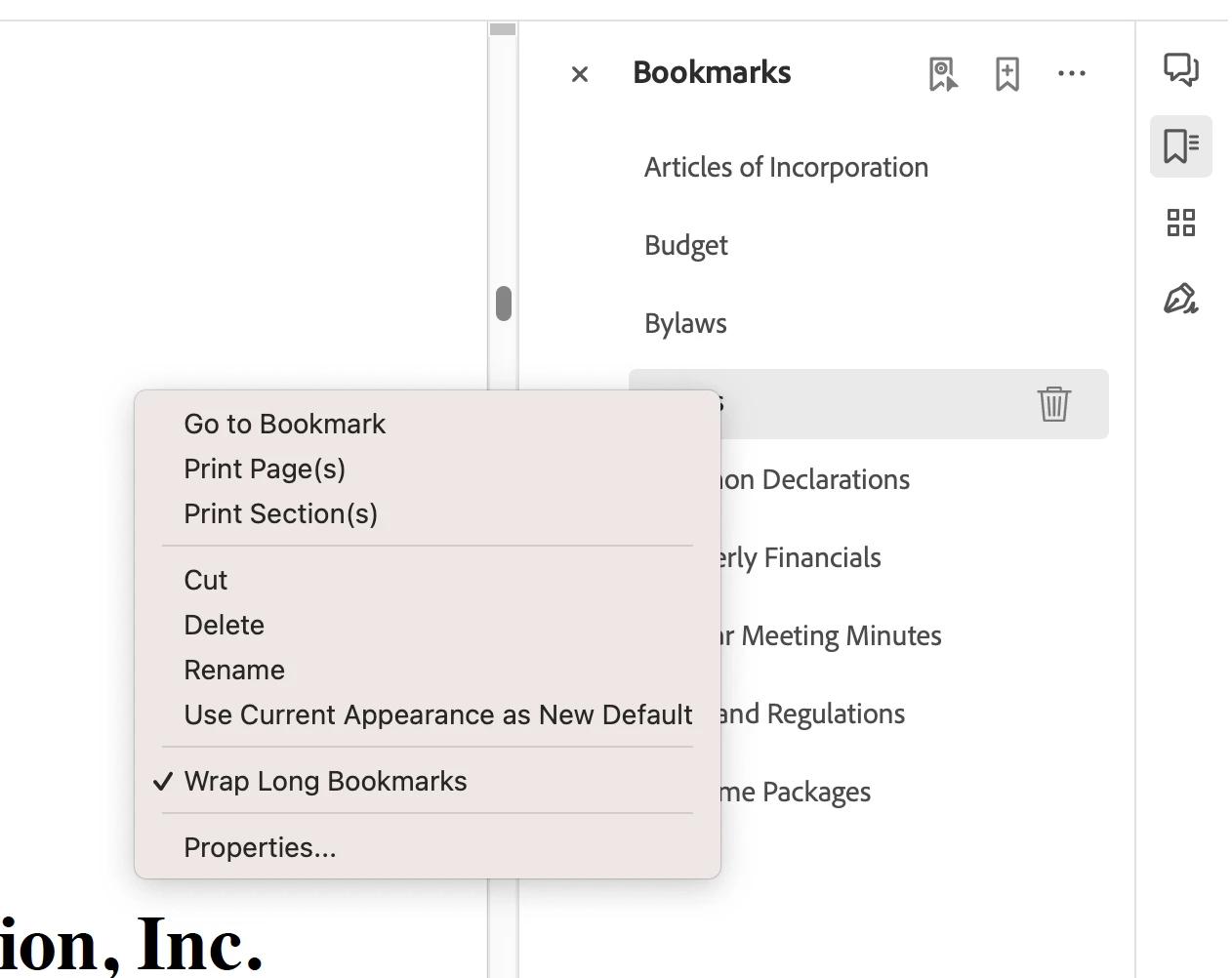
Thank you in advance for your time and expertise

Darrell

2 replies

Participant
July 31, 2025

On initial combine pages it is not there and only present for new bookmarks.
You have to save the file, close it, then re-open it to be able to do the set designation option.
Please fix it Adobe.

Participant
September 17, 2025

This solution works for Windows 11 too

AkanchhaS8194121
Legend
May 23, 2023

Hi @brainstewn 


Thanks for reaching out. 

The right-click option to "Set destination" for Bookmarks is still there as it hasn't been removed or changed in the new UI.  Since it is unavailable in the screenshot shared by you. Please check the following-

1- Open a different file and check in that

2- The document is currently opened, is it secured? Please check its properties and see if you have the editing enabled.

File>Get info> Document properties. An information window opens for the item> Security Document Restriction Summary 


Thanks,

Akanchha 


Participant
January 23, 2024

AkanchhaS,


I have struggled with the problem described by brainstewn on a sporadic basis for months (if not longer).   I will frequently enounter arbitrary behavior where "Set Destinaton" will appear as a right-click option for one bookmark, but, then, not be available for another - even in the same document.  Here are screenshots showin what I'm referring to: