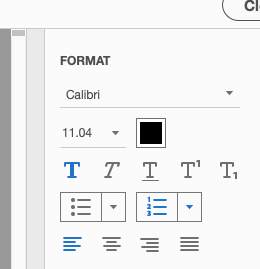
You can use the EDIT tool. After selecting EDIT, the right column will open a "Format" menu. If the text is bold, the bold icon "T" is highlighted. Just click it to unhighlight it and your text will become "unbold."
Mary Helen Shuff | Art Director & Senior Graphic Designer | 508-Compliancy Coordinator | Forms Coordinator | Printing Liaison




 2
Replies
2
Replies







 AdChoices