Copy link to clipboard
Copied
I have Acrobat Pro 8 which I use create editable fields on pdf files. Text fields work fine, but the 'Check Box Tool' will not work. (They work fine on my mac, but when I email it out for others to fill in, they can fill in the text areas, but are not able to 'check' the box. I have a feeling this must be a font problem as it all works on my mac. Please can anyone help with a solution.
Copy link to clipboard
Copied
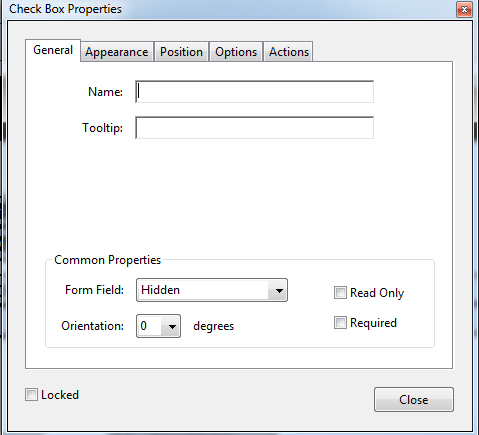
The only thing I can think of is that the check box is marked as "Read Only" in the Properties. It is more likely, however, some kind of formatting issue between Windows and Macintosh. I'm by no means an expert on this, but just thought I'd offer a quick check.

Copy link to clipboard
Copied
Thanks for your replies ... The Read Only button is not checked. I think the answer was the person who was complaining that they couldn't tick the box had a really old version of preview on their macbook and so could fill in the text areas, but not the checkbox. I asked many others (who all received the same pdf) and all said it was fine. Thanks again for your replies ... very much appreciated.
Copy link to clipboard
Copied
Acrobat 8 of any variation is very old and not longer supported by Adobe. This means it has not been updated for Operating Systems newer than Windows 2000, which Microsoft no longer supports along with Windows 10, 8, & 7.
If your form has ever been opened using Mac's Preview app, your form has been corrupted and possibly the PDF itself.

Copy link to clipboard
Copied
Even in its latest version, Apple Preview is the worst choice to fill a PDF form.
Get ready! An upgraded Adobe Community experience is coming in January.
Learn more