


Custom Content in Subject of mailto:

Copy link to clipboard
Copied
I've created a customer form using Adobe Acrobat XI Pro and want to have a field within the form display as part of the text in the Subject line of submitted forms. How do I customize the email subject line with content from a specific form field when one hits the form submit button with a mailto: action?


 11
Replies
11
11
Replies
11


Copy link to clipboard
Copied
You would do it by embedding JavaScript in the Submit button. It might looks something like this:
//Example JavaScript Submit Button
this.mailDoc({
bUI: false,
cTo: "anonymous@audioimagesinternational.com",
cSubject: "Review”,
cMsg: "Please review this document and return. Thank you.”
});
//End Example
In the "cTo:" line you can put the email address that you want, in the "cSubject:" line you can put your custom Subject line and in the "cMsg:" you can put a custom message.

Copy link to clipboard
Copied
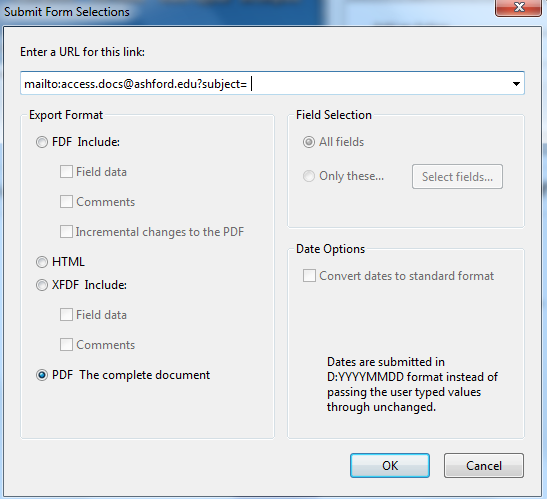
Hello. I have the same question, but I don't see that it has been answered. I have created a Submit Button and have figured out how to get it to email. Now, I would like the subject line of the email to auto populate with a form field. I've provided a few screenshots here if that helps. Any assistance would be great!



Copy link to clipboard
Copied
So the value of the SID field should be the subject of the email?
Copy link to clipboard
Copied
Hello! Yes, that's correct.
Copy link to clipboard
Copied
Then use this JavaScript code as the MouseUp event of your Submit button, instead of what you currently have:
this.mailDoc({cTo: "access.docs@ashford.edu", cSubject: this.getField("SID").valueAsString});
Copy link to clipboard
Copied
When I try to test the script, I get the following error. My internet setting below seem to be correct. Maybe not?


Copy link to clipboard
Copied
Check out the following web page that helps generate a email submission JavaScript and mailto commands:
www.fdftoolkit.net/email-pdf-mailto-generator.aspx
Copy link to clipboard
Copied
Hello,
I have changed my submit button to have the the java code:
this.mailDoc({cTo: "(Email Address)", cSubject: this.getField("(Text Field)").valueAsString});
which works perfectly! Only issue I have now is that previously I had some required text fields , the new code does not take these into consideration. What is the best method/ java code to keep them as required?
Thanks
Copy link to clipboard
Copied
You will need to either perform this validation yourself (I've posted code here that does that, search for "validateRequiredFields"), or use the submitForm command instead of mailDoc, which does it for you. Note that submitForm takes different kinds of input parameters, though.
Copy link to clipboard
Copied
Here is a PDF example that should work for you.
Copy link to clipboard
Copied
For a button,without using JavaScript, the formatting would be exactly as it is in HTML.
mailto: anonymous@adobe.com?subject=This%20is%20the%20subject&cc=someone_else@example.com&body=This%20is%20the%20body


Get ready! An upgraded Adobe Community experience is coming in January.
Learn more
 AdChoices