Exit
  • Global community
    • Language:
      • Deutsch
      • English
      • Español
      • Français
      • Português
  • 日本語コミュニティ
  • 한국 커뮤니티
2

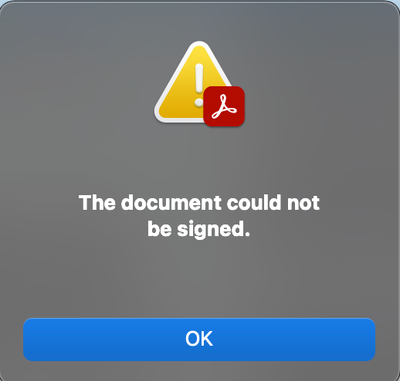
Error when signing a PDF document with several signatures. "The document could not be saved.(26)"

New Here ,
Jun 15, 2022 Jun 15, 2022

Hello! I'm getting an error when trying to sign a pdf document with several different signatures. I'm quite pressured for time so I'm trying to resolve this as quickly as possible, due to my thesis exam relying on it...


These are the messages I get after signing (the last) signature on the document.

HermanVstster_0-1655302249762.png

Followed by

HermanVstster_1-1655302260605.png


Does anyone have a solution for this?

Thank you.

TOPICS
Create PDFs , Edit and convert PDFs , PDF forms , Standards and accessibility
3.1K
Translate
Report
Community guidelines
Be kind and respectful, give credit to the original source of content, and search for duplicates before posting. Learn more
community guidelines
New Here ,
Jun 15, 2022 Jun 15, 2022

I solved it by switching from my MacBook to my PC with Microsoft, the problem still remains on my Mac however..

Translate
Report
Community guidelines
Be kind and respectful, give credit to the original source of content, and search for duplicates before posting. Learn more
community guidelines
Adobe Employee ,
Jun 16, 2022 Jun 16, 2022
LATEST

Hi,

Apologies for the inconvenience.

Can you please help with the following details

  1. A version of Acrobat/Reader you are facing the issue on in Mac?
  2. Mac OS version on which you are facing the issue?
  3. What kind of Digital Id are you using (Self Signed / Windows-based / Card Based)?
  4. Has the issue started happening after any recent update?


Can you please try signing in Mac after Diasbaling CryptoComply via going to Preferences -> Security -> Uncheck "Use Safe Logic CryptoComply"


Thanks

Translate
Report
Community guidelines
Be kind and respectful, give credit to the original source of content, and search for duplicates before posting. Learn more
community guidelines