


Form date language to English

Copy link to clipboard
Copied
Hello,
I have Adobe Acrobat Pro DC English version. I created a form with field fomated as a Date with dd-mmm-yyyy. Document language is set to English but date picker is all over the world. Problem is that for date picker it is showing in there local laguage. After the date picker enter date and share the PDF form, field is populated in different laguage for me (Ex: Spanish,Japanese). I want to restrict the date language to English for all.
How can I fix this? Do i need to write any validation script for this ?
Thank you.


 9
Replies
9
9
Replies
9




Copy link to clipboard
Copied
You can't. If you don't want it localized then don't set the month to be textual, only as a number.

Copy link to clipboard
Copied
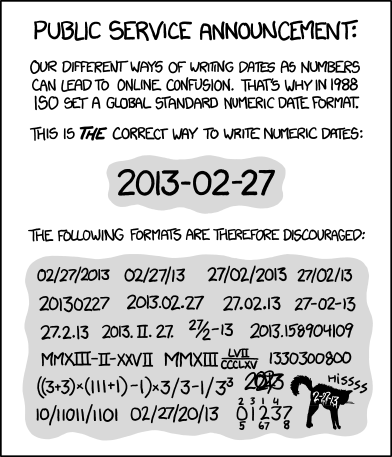
Your salvation may come with the ISO standard: yyyy-mm-dd
In any case this comics was made for you 😉
Acrobate du PDF, InDesigner et Photoshopographe
Copy link to clipboard
Copied
There's always an XKCD...
Copy link to clipboard
Copied
The secret is that in this case you should not use the Date format, nor any other "format" and use this as a Validation script:
// VALIDATION SCRIPT
var d = util.scand("yyyy-mm-dd", event.value);
if (d == null) {
app.alert("Please enter a Date at the yyyy-mm-dd format.");
event.rc = false;
}
This script works with any date format, just edit what is orange.
Acrobate du PDF, InDesigner et Photoshopographe
Copy link to clipboard
Copied
How is that different from using the Date format with that pattern? The issue is they're using "mmm" instead of "mm".

Copy link to clipboard
Copied
Apart the iso date format, you can add an invisible field.
In validation of the date field you type:
if (event.value!="") this.getField("invField").value=util.scand("dd-mmm-yyyy", event.value);
else this.getField("invField").value="";
and you create a document level script:
if (this.getField("invField").value!="") this.getField("theDate").value=util.printd("dd-mmm-yyyy", new Date(this.getField("invField").value));
You can try changing the language of your Acrobat Pro software.
@+
Copy link to clipboard
Copied
"How is that different from using the Date format with that pattern? The issue is they're using "mmm" instead of "mm"."
So he should use:
// VALIDATION SCRIPT
var d = util.scand("dd-mmm-yyyy", event.value);
if (d == null) {
app.alert("Please enter a Date at the dd-mmm-yyyy format.");
event.rc = false;
}
Acrobate du PDF, InDesigner et Photoshopographe
Copy link to clipboard
Copied
That doesn't solve the problem that the end-user could still enter the month name in their local language...
Copy link to clipboard
Copied
So the OP should loop to my first answer. 🙂
Acrobate du PDF, InDesigner et Photoshopographe


Get ready! An upgraded Adobe Community experience is coming in January.
Learn more
 AdChoices