Hi all,
I am trying to create a form that allows our customers to view different styles of each of our items. I am working in Adobe Acrobat on a Mac. Under each item, is a drop-down 1 which runs custom validation script to populate drop-down 2 which runs custom validation script to either show or hide an image of the chosen finish below using a button (image is used as the button icon).
So for instance, if they choose Door Style 29, in drop-down 1 they select the type of species they would like to use. From there they are given color options in drop-down 2. Once they choose a color in drop-down 2, and image appears below. This is pictured below:
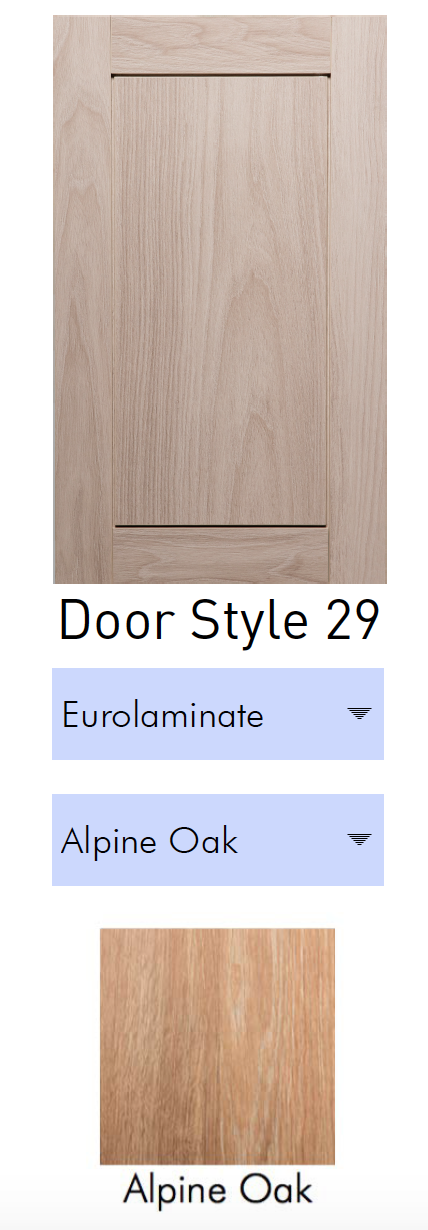
Here is what my script looks like:
Script for drop-down 1 (Style29):
switch (event.value) {
case "Eurolaminate":
this.getField("Sub29").setItems(["Alpine Oak","Barn Pine"]);
break;
case "-":
this.getField("Sub29").setItems(["-"]);
break;
}
Script for drop-down 2 (Sub29):
this.getField("Alpine Oak").display = event.value=="Alpine Oak" ? display.visible : display.hidden;
And so on for each additional item
My script works fine when I preview it in Adobe Acrobat. As soon as I save the file however, the drop-downs no longer work as they are supposed to and the color image never appears. This is the case in both Preview and Adobe Acrobat. I have also tried saving it as "Reader Extended PDF >> Enable More Tools". How can I save the file so that it works as it does when previewing it?




 4
Replies
4
Replies


 AdChoices