


- Home
- Acrobat
- Discussions
- How to Add New Layers to a PDF in Acrobat
- How to Add New Layers to a PDF in Acrobat

Copy link to clipboard
Copied
I have Adobe Acrobat XI Standard, and I am trying to create new layers in a PDF document, however I cannot find an option to do this. There seems to be no button within the 'tools' or 'edit' tab that will allow me to add a new layer to a PDF. Is this because I need the Pro version of Adobe Acrobat? Or am I missing something?





Copy link to clipboard
Copied
It's possible this is a Pro only feature, yes.
Do you see a Layers option when you right-click the left hand side panel of the window?
 5
Replies
5
5
Replies
5


Copy link to clipboard
Copied
It's possible this is a Pro only feature, yes.
Do you see a Layers option when you right-click the left hand side panel of the window?
Copy link to clipboard
Copied
Hi, thanks for the response.
Yes, there is a Layers tab in the sidebar, and I can see and toggle existing layers on/off, however there seems to be no option for me to add layers.
Copy link to clipboard
Copied
Click the Options button at the top of the bar. There should be an "Import as Layer" command there...
Copy link to clipboard
Copied
Hi, that command doesn't seem to exist for me. I only get the following options when I click on options within the Layers tab.
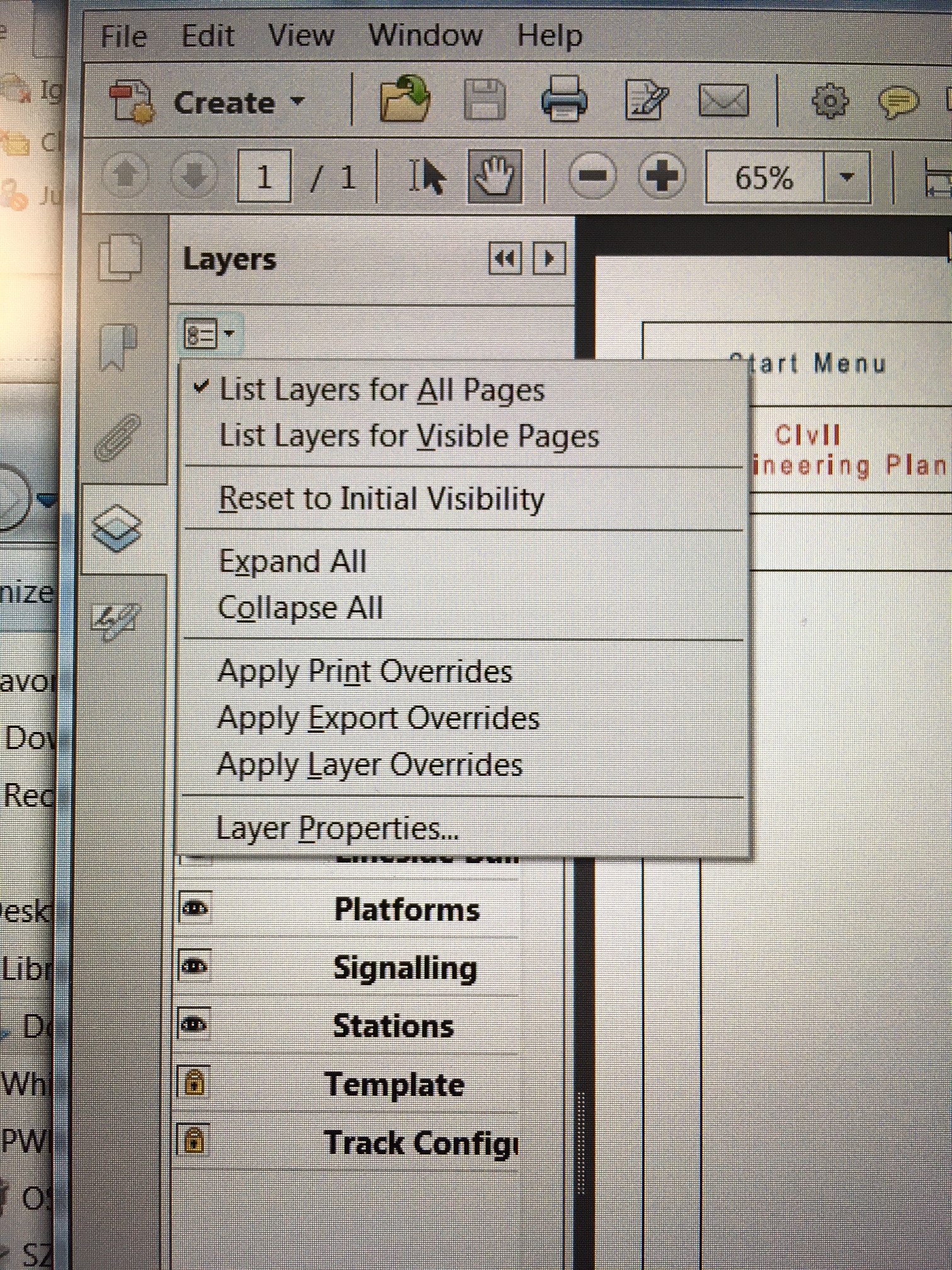
Copy link to clipboard
Copied
Then it's most likely not available in the Standard version.


Get ready! An upgraded Adobe Community experience is coming in January.
Learn more
 AdChoices