

How to mange your document passwords with Acrobat DC
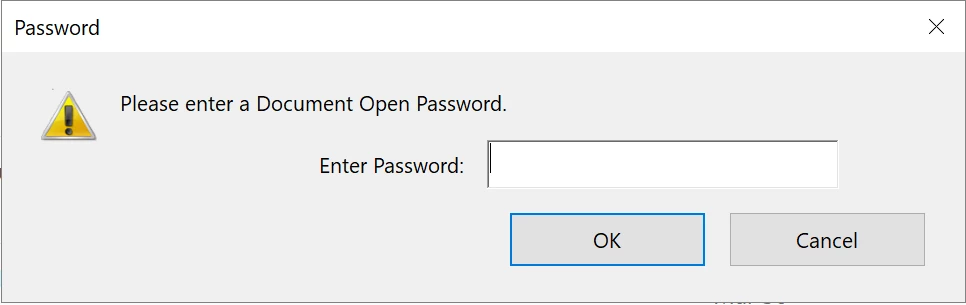
Every time you are trying to view a password protected PDF  its keep asking you to enter the document open password to unlock it.
This article will help you changing the document security settings and removing the password protection using Adobe Acrobat DC desktop application.
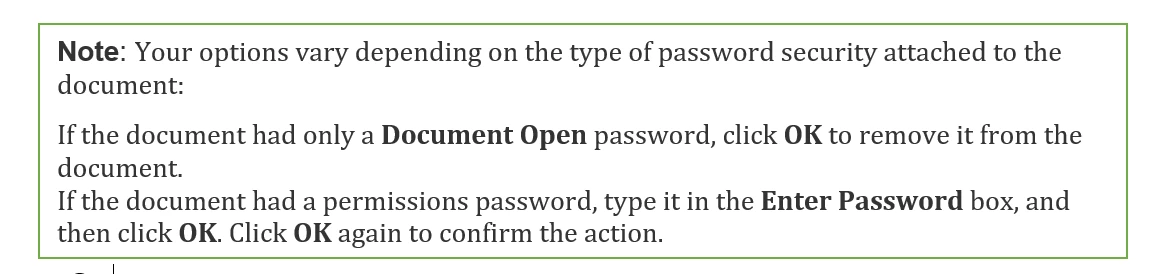
Note: Document security settings cannot be change with freeware Adobe Acrobat Reader DC. You need paid Acrobat DC for that.
Things to keep in mind:
- Document open password: A Document Open password (also known as a user password) requires a user to type a password to open the PDF.
- To change the document security settings first you should have its password to Unlock it.
[How will you have the password? Only if, you are the author or creator of the password. Or, password has been shared by the Author with You.]
- Once unlocked, you can remove security from an open PDF if you have the permissions to do so. If the PDF is secured with a server-based security policy, only the policy author or a server administrator can change it.
Remove Password Security:
Option:1
Open the PDF in Adobe Acrobat DC, then select Tools > Protect > Advanced Options > Remove Security.

Option:2
Open a PDF in Adobe Acrobat DC>right click (Ctrl+d)>Document Properties>Security
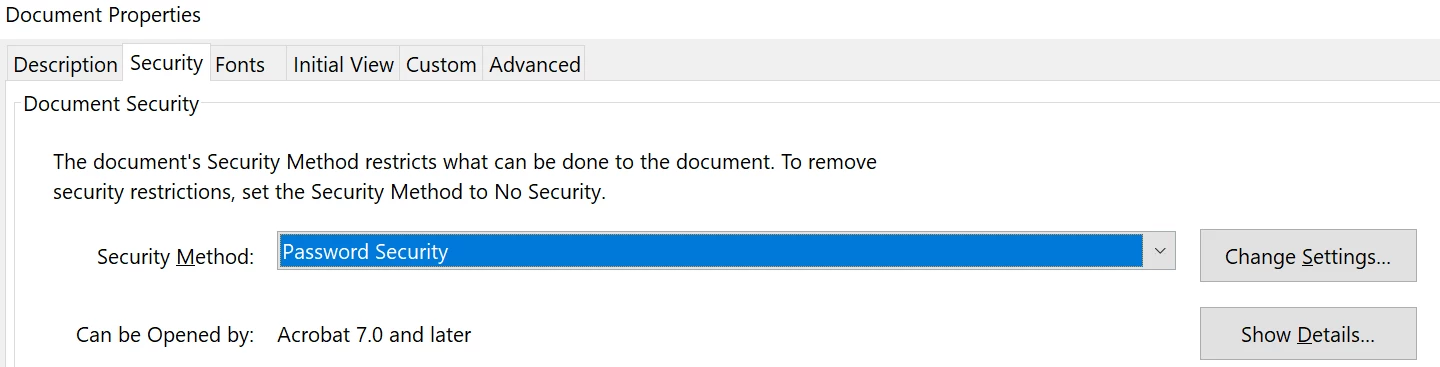
- Under Security Method, click on the Drop-down and select No Security.
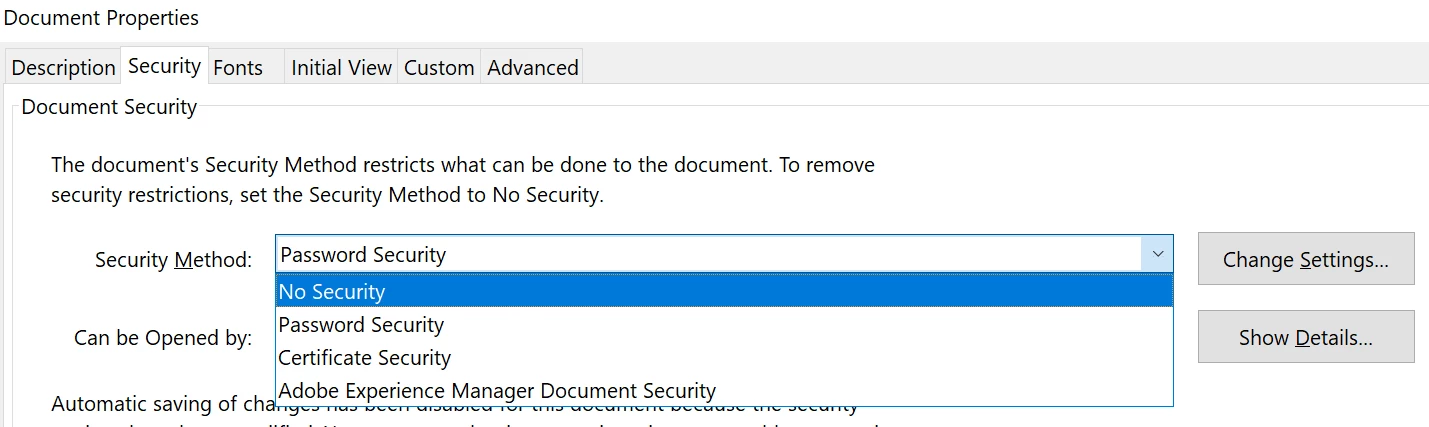
2. A Pop-up will appear, “Are you sure you want to remove security from this document?” Press>OK
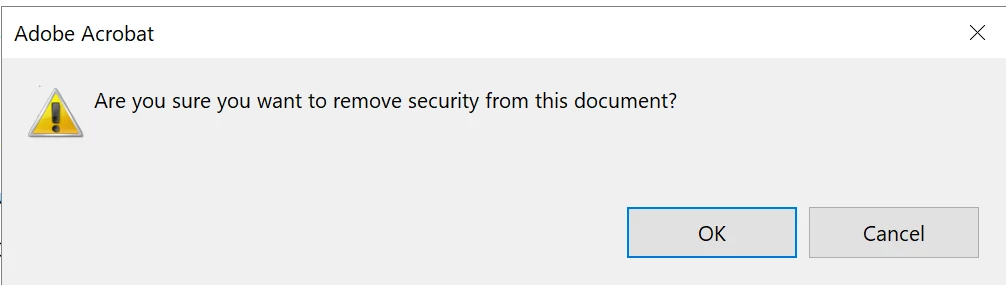
3. Press OK again on Document Properties dialog box. Close PDF and select “Yes” when it prompts “Do you want to save the changes to “____” before closing?”
Important Information:
- Keep a note of your password. As Document open password cannot be recovered. If you lost it, then you can't open it.
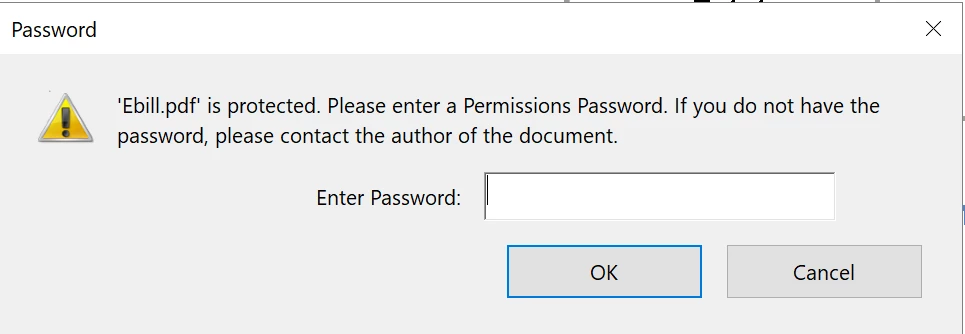
- If your document was setup a Document Open password as well as Permissions password, you will be asked to enter “Please enter a Permission Password” upon removing document security.
Hope this helped you to figure out how to unlock your document from Password Protection. Any further question in mind? Join the conversation here. We are listening!
Are you someone who is willing to know “How to password protect a PDF”? Watch the video here
To discover a host of other great features – Go straight to Adobe Acrobat features | Adobe Acrobat DC


 AdChoices