Copy link to clipboard
Copied
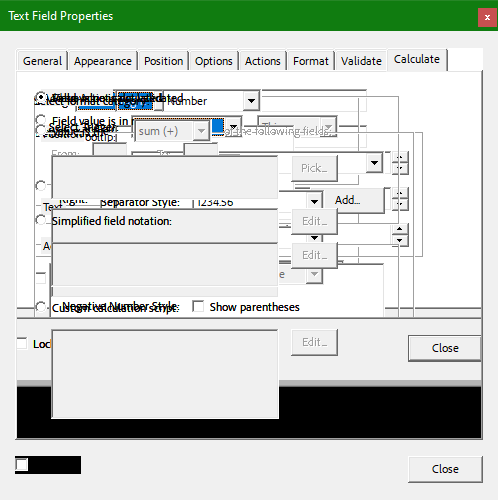
I'm trying to help one of our users with an issue editing the fields and buttons of a fillable form. After opening the Properties dialog box through the context menu, the dialog box quickly becomes an unreadable mess when clicking the various tabs. The content of each tab stacks up over what had previously been displayed. Has anyone else run into this issue? I've attached the form and a screenshot of the dialog box. We are running Continuous Version 2023.008.20533 of Adobe Pro. Thanks.
Copy link to clipboard
Copied
Been searching all morning for answer to this; this is the first question I've found that could address this issue, no answer yet though. Thanks for posting. Would appreciate an answer from Adobe.
Copy link to clipboard
Copied
We had a similar issue.
We resolved it as follows:
To solve the overlapping text in Adobe Acrobat property box.
Please try the following:
Copy link to clipboard
Copied
That worked beautifully! Thank you very much.
Copy link to clipboard
Copied
MANY many thanks. This worked!! Thank you!!
Get ready! An upgraded Adobe Community experience is coming in January.
Learn more