Inspiring
October 25, 2020
Answered

No puedo firmar documentos con certificado digital desde la renovación

  • October 25, 2020
  • 1 reply
  • 6821 views

Hola: 

Tengo un problema con mi certificado digital. Tengo Adobe Acrobat Pro DC (versión 2015 para Mac) instalado y con él podía firmar perfectamente todos los documentos con mi certificado digital. Este certificado caducó y lo renové en la Fábrica Nacional de Moneda y Timbre, pero desde que lo renové, ya no puedo firmar ningún documento con Adobe; al final de todo el proceso dice: «Error durante la firma. La credencial no es válida», lo que no es cierto. Es más, el mensaje lo dice al final de todo el proceso, pero durante el proceso de firmar (o certificar como le llama la aplicación) aparece mi certificado para elegir, lo elijo y tampoco. Repito esto solo pasa desde que renové el certificado; con el anterior no había problema ninguno. Sobra decir que el certificado es perfectamente válido pues entro con él en los navegadores y puedo firmar documentos utilizando otras aplicaciones. 

Gracias de antemano por la ayuda que me puedan prestar.
This topic has been closed for replies.
Correct answer manueld89061

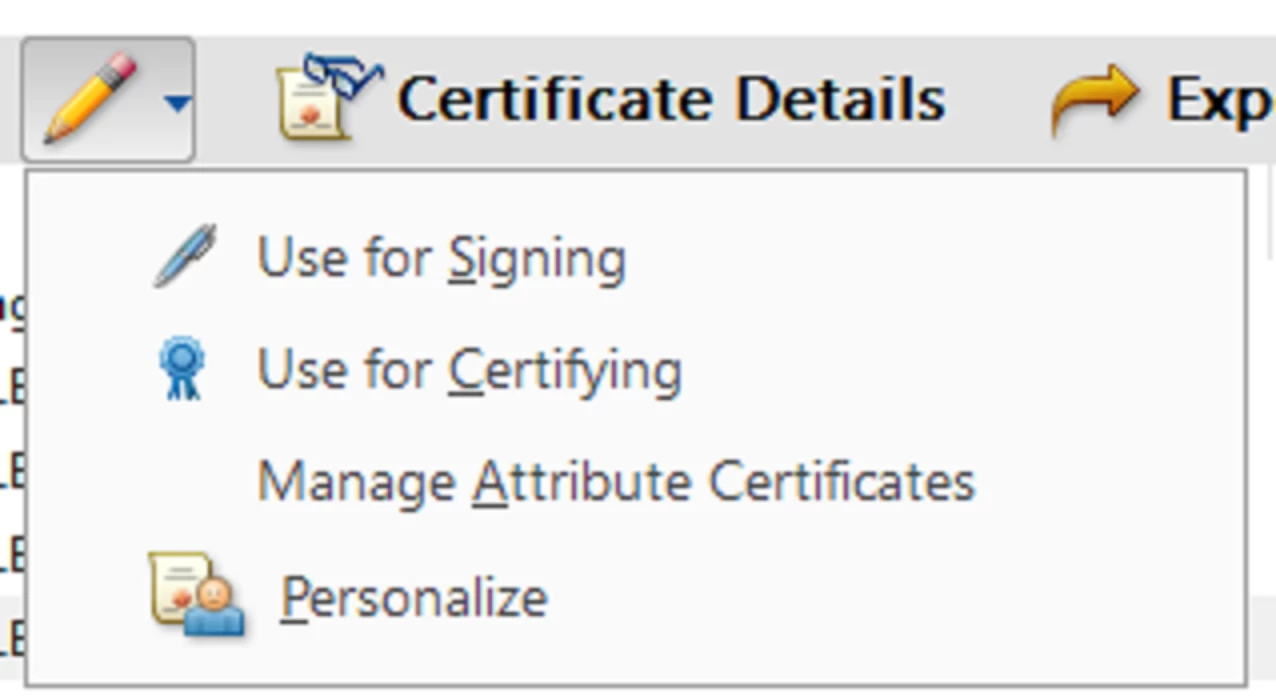
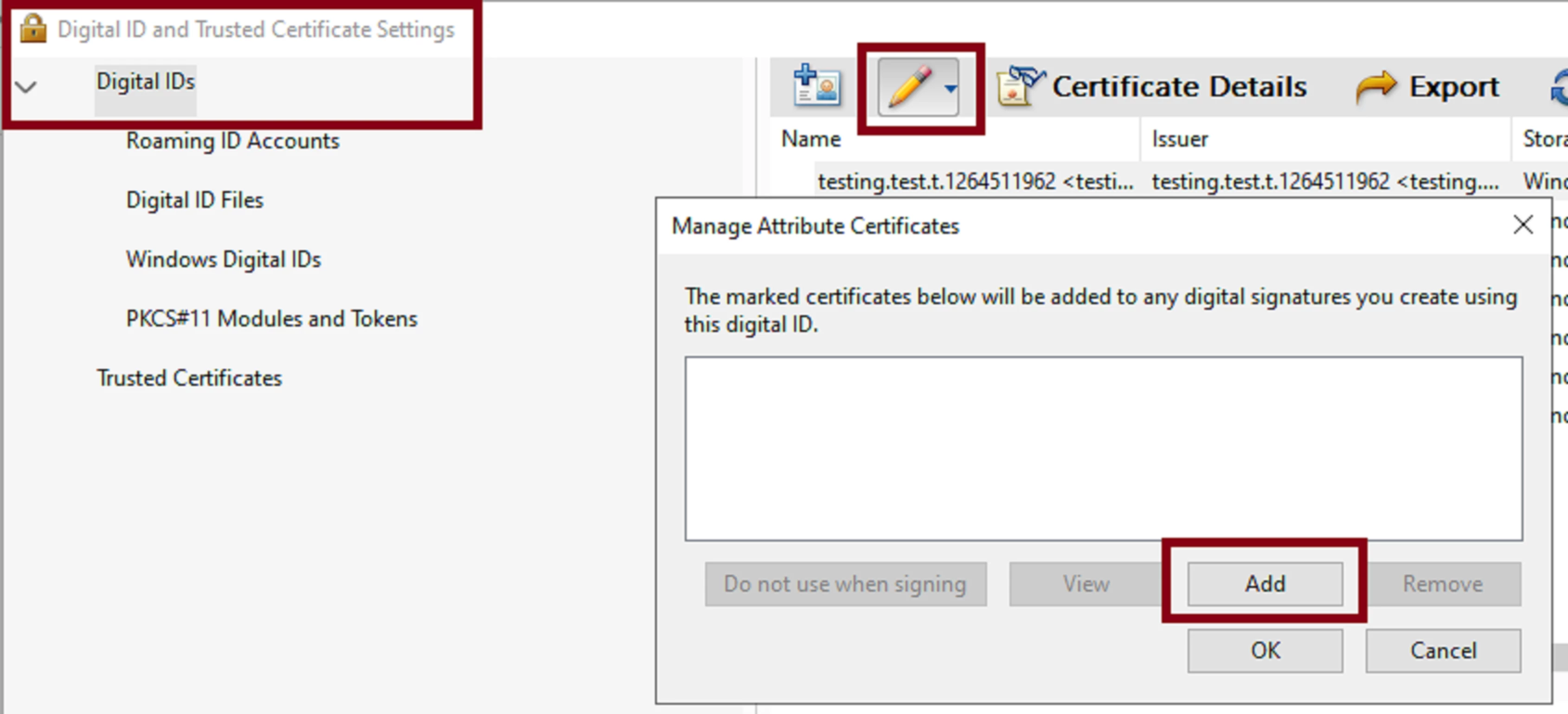
Have you tried going to  Edit -->> Preferences --> Signatures--->>> see the section "Identities and Trusted Certificates" -->>> click on "MORE"--->>> "Digital IDs" ?


In the window dialogue box "Identities and  "Digital ID  and Trusted Certificate Settings" to the right is a list of all your current digital IDs.


See these additional configuration options:


Well, this last suggestion helped me a lot, thank you, although the result was not what I had expected.

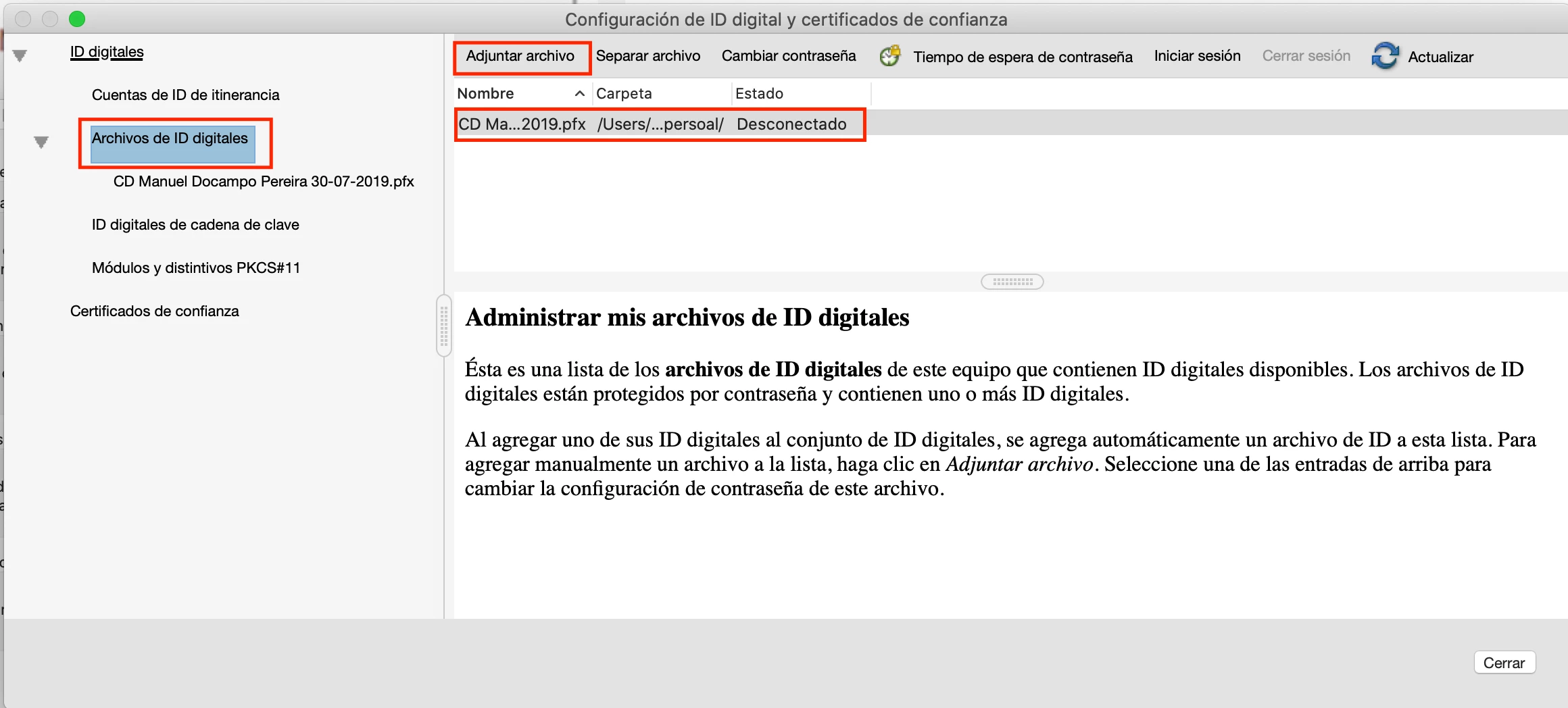
In the configuration options "Digital IDs" I found Digital ID files where I can add any digital ID. There I browse my Mac and selected the file with the digital ID. Now I can sign with this file (it has "nothing to do with the digital ID installed in my Mac" although it is the same digital ID.) and I have to type the digital ID password every time I have to sign a document. Besides, I suppose I cannot change the location of that file. It's not what I had expected, because with the old one I didn't have to type the password, but it works


1 reply

ls_rbls
Community Expert
Community Expert
October 25, 2020

In which macOS version is this happening?


Also, can you tell if this issue appeared after an update?

Inspiring
October 25, 2020

This issue appeared after I had to change my old certificate for a new one. It had nothing to do with the MacOS version, because my old certificate worked perfectly. I think it was with Mojave, but now I have Catalina

ls_rbls
Community Expert
Community Expert
October 26, 2020

There's been a change in Catalina in regards of certificate based digital identities, specially if you're using smart card services.


See the answer provided to another user from Adobe Employee absethi18041994: