


- Home
- Acrobat
- Discussions
- Perform calculation based upon specific text enter...
- Perform calculation based upon specific text enter...

Copy link to clipboard
Copied
Hi folks,
I am creating a form that a user will select certain fields from for purchasing services. Based upon their entry in the "State" field determines whether sales taxes are charged. I have been able to get the sales tax to compute correctly, but I cannot for the life of me execute an "if, then, else" statement based on what gets returned from the "State" field.
This is what I have entered into the custom calculation tab so far....
var sRegExp = /NC/i;
var sState = this.getField("State").value;
var nSubTot = this.getField("Subtotal").value;
var nTax = (nSubTot * 0.0675);
var sResult = RegExp.test(sState);
if (sResult = true) event.value = nTax;
else event.value = 0.00;
It seems like the field never gets tested or I am testing the field correctly but not getting the result I expect.
What I want is this:
1- User fills in the form and enters their state abbreviation (in this case NC);
2- If the user enters any state except for NC, there is no tax computed and a value of 0.00 is entered for the event.value;
3- If the user enters NC, nc, Nc, or nC, then the tax is computed and the result is returned for event.value;
I used to do some programming several years ago, but have never done any Java Script programming, so I have the sudo code working, but the process code is giving me severe heartburn!!! I have searched the internet and have not been able to find anything that addresses this type of an issue.
I appreciate any assistance with this.
-DON-





Copy link to clipboard
Copied
The comparison operator of JS is "==", not "=". That's the assignment operator.
So change this line:
if (sResult = true) event.value = nTax;
To this:
if (sResult == true) event.value = nTax;
Also, there's syntax error in this line:
var sResult = RegExp.test(sState);
It should have been:
var sResult = sRegExp.test(sState);
 6
Replies
6
6
Replies
6


Copy link to clipboard
Copied
The comparison operator of JS is "==", not "=". That's the assignment operator.
So change this line:
if (sResult = true) event.value = nTax;
To this:
if (sResult == true) event.value = nTax;
Also, there's syntax error in this line:
var sResult = RegExp.test(sState);
It should have been:
var sResult = sRegExp.test(sState);
Copy link to clipboard
Copied
try67,
Thanks for the response! I have made the changes as you suggested:
var sRegExp = /NC/i;
var sState = this.getField("State").value;
var nSubTot = this.getField("Subtotal").value;
var nTax = (nSubTot * 0.0675);
var sResult = sRegExp.test(sState);
if (sResult == true) event.value = nTax;
else event.value = 0.00;
Still no satisfaction. The sales tax does not calculate.
I have "nc" in the "State" field which should test as being in the RegExp parameters and therefore calculate the tax and return the value $6.75. It does not. The field's value remains at $0.00.
I do appreciate your help in getting those other mistakes taken care of though! I haven't done any coding in 10 years or more other than some HTML, so I have forgotten a LOT of what I used to know!!!
-DON-
Copy link to clipboard
Copied
Check the JS Console (Ctrl/Cmd-J) for error messages.
Copy link to clipboard
Copied
try67,
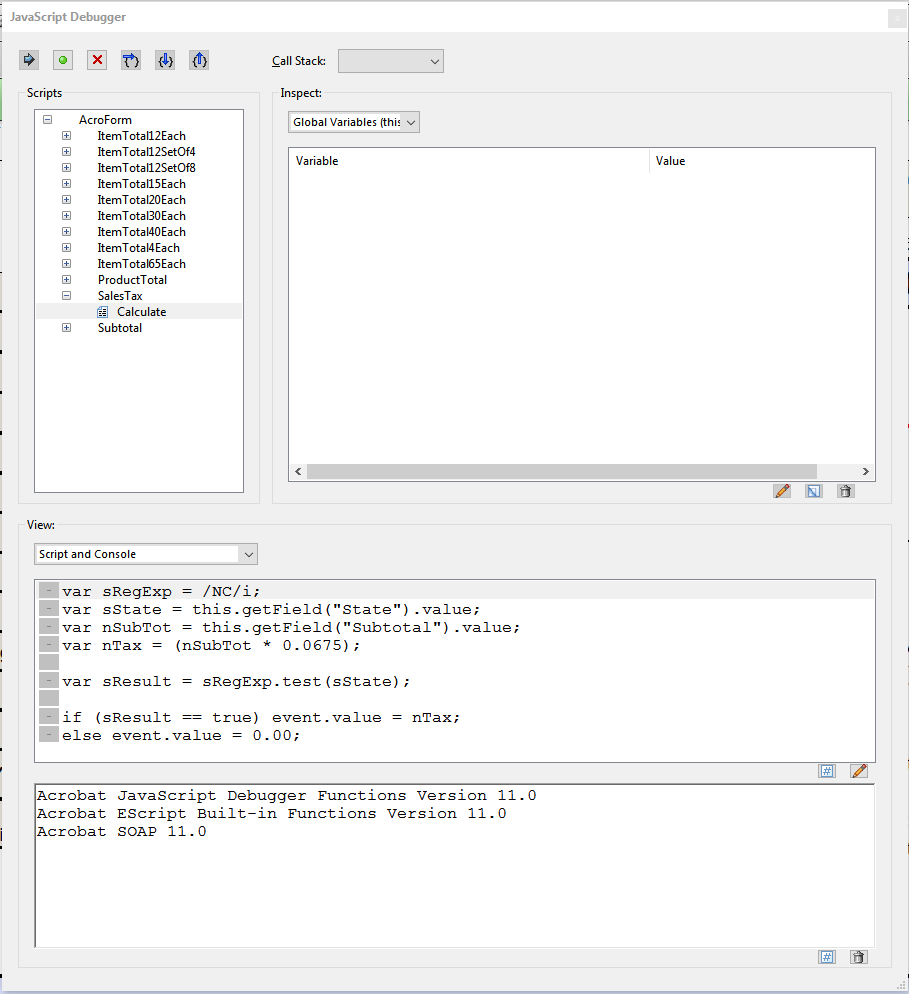
Opened the Console and clicked on the -> button, but nothing happened. I changed a couple of values on the form and again, nothing happens. I get no errors, no warnings, nothing. The variables don't show in the upper right window either. It is almost as if the script does not even run!
Here is a screenshot of the console with the line with the issues selected in the console window.
Thanks,
-DON-
Copy link to clipboard
Copied
try67,
I put the code in the console window and ran it. This time, I got a result... the one I was expecting, if the "State" field contains NC, then the tax is calculated.
So, it seems that ALL of your help has somehow solved the problem!! I appreciate your time and assistance.
Forever in your debt.....
-DON-
Copy link to clipboard
Copied
The question is, does it work when you change the value of one of the fields?
If not, could you share the file with us (via Dropbox, Google Drive, Adobe Cloud, etc.)?


Get ready! An upgraded Adobe Community experience is coming in January.
Learn more
 AdChoices